
The Importance of Choosing the Right Printer for Your Needs
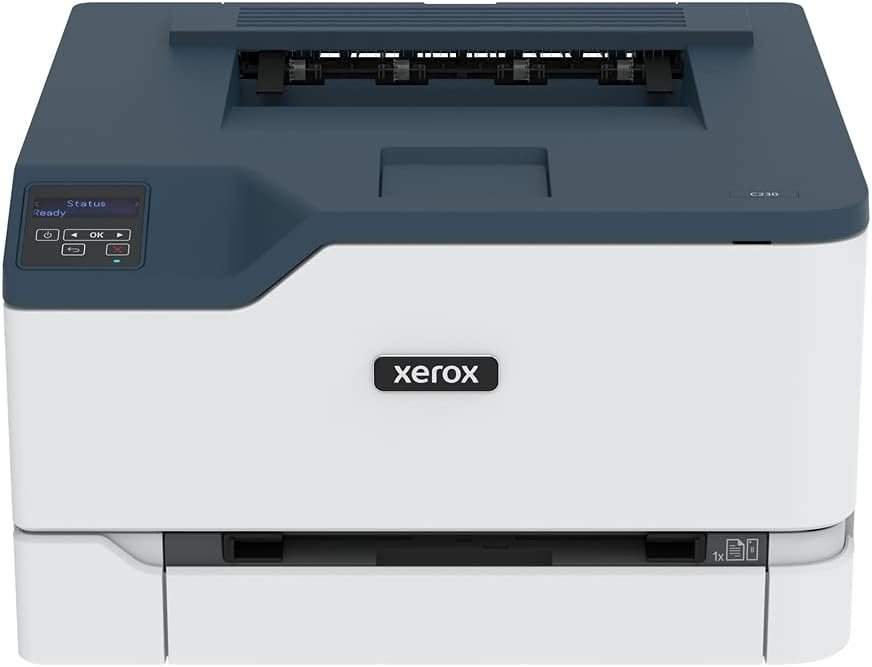
In today’s fast-paced work environments, selecting the right printer can significantly impact productivity and efficiency. Whether you’re managing a home office, a small business, or a remote team, the right printer must balance speed, reliability, and functionality to meet your output demands. Color printing capabilities have become essential for tasks ranging from professional reports to marketing materials, while features like wireless connectivity and automatic duplex printing enhance convenience. Printers must also align with specific usage scenarios—such as high-volume office workflows or low-cost personal printing—while maintaining durability and sustainability. For users who prioritize ease of setup, security, and energy efficiency, the Xerox C230dni offers a compelling solution. Its design caters to environments where compact size and wireless capabilities are critical, but its performance characteristics must be evaluated against specific workload requirements. Understanding how a printer’s specifications translate to real-world usage is key to making an informed decision, especially when balancing cost-effectiveness with long-term operational needs.
Quick Overview
| Feature | Details |
|---|---|
| Printer Type | Color Laser Printer |
| Printing Technology | Laser |
| Print Speed (Color) | Up to 24 ppm (Letter) |
| Print Speed (Monochrome) | Up to 24 ppm |
| Print Resolution | 600 x 600 dpi (Color), 600 dpi (Black & White) |
| Media Sizes | 8.5 x 14 inch |
| Paper Capacity | 250-sheet input tray, 250-sheet output tray |
| Connectivity | Ethernet, USB, Wi-Fi (Wi-Fi Direct) |
| Duplex Printing | Automatic Two-Sided |
| Toner System | Cyan, Magenta, Yellow, Black |
| Memory | 256 MB |
| Processor | 1 GHz Dual-Core |
| Duty Cycle | Up to 1,500 pages per month |
| Warranty | Limited warranty |
| EPEAT Certification | Yes |
| Recycling Program | Xerox Supplies Recycling Program |
The Xerox C230dni’s combination of wireless connectivity, automatic duplex printing, and energy-efficient design makes it well-suited for home and small business environments. Its compact footprint and built-in security features cater to users prioritizing convenience and data protection, while its laser technology ensures consistent color output for documents and basic graphics. However, its performance characteristics must be evaluated against specific workload demands, such as high-volume printing or advanced media compatibility requirements.

Print Speed and Throughput Performance
The Xerox C230dni’s print speed of up to 24 pages per minute (ppm) for both color and monochrome printing positions it as a mid-range option for small-to-medium workloads. This throughput is adequate for environments with moderate printing needs, such as home offices or small teams handling daily reports, presentations, and marketing materials. The printer’s duty cycle of up to 1,500 pages per month indicates it is designed for environments where continuous, low-to-moderate usage is expected. While this capacity exceeds the requirements of most home users, it may fall short for high-volume commercial settings that require printers with higher monthly page limits. The laser technology ensures consistent print quality and reliability, though its speed may not match that of higher-end models in the same category. For users who prioritize rapid output without compromising on color accuracy, the C230dni’s performance is well-aligned with its intended use cases.

Print Speed and Throughput Performance
The C230dni’s 24 ppm print speed for both color and monochrome tasks is a key differentiator in its market segment. This speed is sufficient for environments where users frequently print documents, reports, and basic graphics without requiring high-volume throughput. The printer’s ability to handle both color and monochrome printing at the same rate ensures versatility for tasks ranging from invoice printing to professional presentations. However, the 24 ppm rating is based on Letter-sized paper, which may not fully reflect performance with smaller formats or when printing in higher resolution settings. For users with moderate printing needs, this speed is adequate, but it may not meet the demands of high-volume environments where faster throughput is critical.
Duty Cycle and Workload Capacity
The C230dni’s duty cycle of up to 1,500 pages per month is designed for environments with consistent, low-to-moderate printing requirements. This capacity ensures the printer can handle daily tasks without overworking its components, making it suitable for home offices and small businesses with predictable usage patterns. However, it may not be sufficient for environments with fluctuating or high-volume workloads, such as those requiring frequent large print runs or overnight printing. The printer’s laser technology and internal components are optimized for regular use within this range, but users expecting higher throughput should consider models with larger duty cycles. The 1,500-page limit also suggests the C230dni is not intended for continuous, high-volume commercial printing, where more robust hardware and cooling systems are typically required.
Connectivity and Wireless Capabilities
The Xerox C230dni’s wireless connectivity options, including built-in Wi-Fi and Wi-Fi Direct, provide flexibility for users who rely on mobile printing. These features enable seamless integration with smartphones, tablets, and computers, eliminating the need for physical cables and reducing setup complexity. The inclusion of Apple AirPrint, Mopria, and Chromebook compatibility further enhances its appeal to users across different device ecosystems. However, the absence of Ethernet connectivity for wired networks may limit its utility in environments where stable, high-speed connections are preferred. While the wireless capabilities simplify setup and mobility, they may not fully replace the reliability of wired connections for large-scale or high-traffic printing environments. The printer’s design prioritizes ease of use for home and small business users, but its connectivity profile may not meet the demands of more advanced or enterprise-level workflows.
Wireless Connectivity and Setup
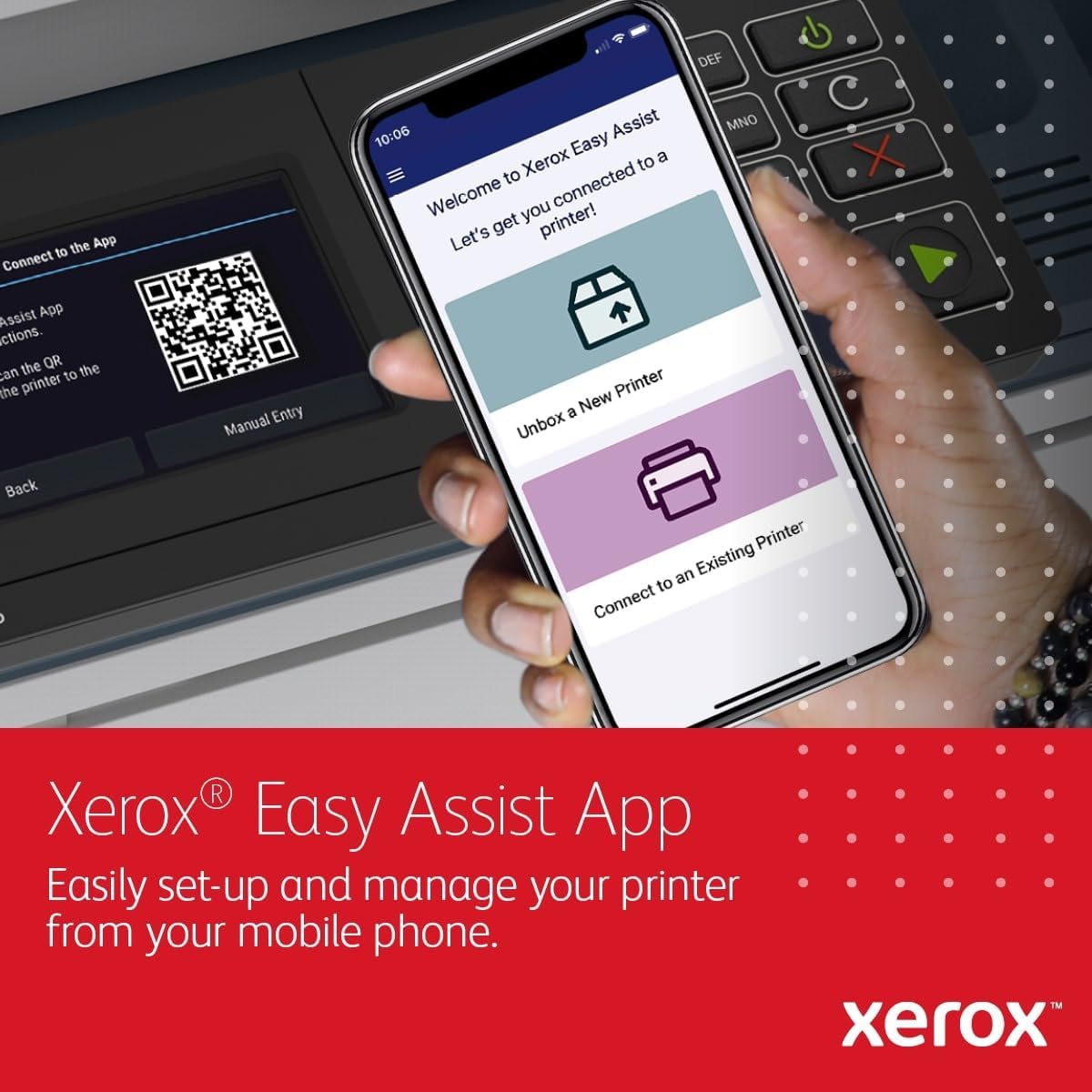
The C230dni’s built-in Wi-Fi and Wi-Fi Direct capabilities simplify setup for users who prioritize wireless printing. These features allow for direct printing from mobile devices without the need for a network connection, making it ideal for environments where users frequently print on the go. The Xerox Easy Assist App further streamlines the setup process, offering guided configuration and real-time monitoring without requiring IT support. However, the lack of Ethernet connectivity means the printer cannot be integrated into wired networks, which may be a drawback for users who rely on stable, high-speed connections for large print jobs. The wireless setup is user-friendly, but it may not provide the same level of reliability or speed as wired connections for high-volume or time-sensitive tasks.
Compatibility with Smart Devices
The C230dni’s compatibility with Apple AirPrint, Mopria, and Chromebook ensures it can integrate seamlessly with a wide range of smart devices. This compatibility is particularly beneficial for users who frequently print from mobile devices or tablets, as it eliminates the need for additional software or drivers. The printer’s support for Chromebook users is a notable advantage, as it aligns with the growing trend of cloud-based and mobile-first workflows. However, the absence of additional connectivity options, such as USB or Ethernet for wired connections, may limit its versatility in environments where multiple device types are used. The printer’s design focuses on ease of use for home and small business users, but its connectivity profile may not fully meet the needs of more complex or enterprise-level setups.
Print Quality and Output Consistency
The Xerox C230dni’s print quality is characterized by its laser technology, which ensures consistent color output and sharp text reproduction. The printer’s maximum resolution of 600 x 600 dpi for color and 600 dpi for monochrome printing is sufficient for most office and home printing tasks, including reports, invoices, and basic graphics. The automatic duplex printing feature enhances efficiency by reducing paper usage, which is particularly beneficial for users who prioritize sustainability. However, the printer’s color accuracy and toner consistency may not match that of higher-end models, which could be a consideration for users with more demanding print quality requirements. The C230dni’s output is well-suited for everyday use, but it may not meet the expectations of users who require high-resolution or professional-grade color printing.

Color Accuracy and Toner Performance
The C230dni’s laser technology ensures consistent color output and reliable toner performance, making it suitable for everyday printing tasks. The printer’s color resolution of 600 x 600 dpi provides adequate detail for documents, reports, and basic graphics, though it may not match the precision of higher-end models in the same category. The automatic duplex printing feature enhances efficiency by reducing paper consumption, which is a significant advantage for users who prioritize sustainability. However, the printer’s toner performance may vary slightly depending on paper type and environmental conditions, which could affect the consistency of color output in certain scenarios. For most home and small business users, the C230dni’s print quality is sufficient, but those with more demanding color requirements may need to consider alternative options.
Text and Graphics Clarity
The C230dni’s laser technology ensures sharp text reproduction and clear graphics, which are essential for professional and business use. The printer’s monochrome resolution of 600 dpi is adequate for producing crisp text and detailed line art, making it suitable for reports, invoices, and other document-based tasks. However, the printer’s color resolution may not fully meet the expectations of users who require high-quality color output for marketing materials or presentations. The automatic duplex printing feature further enhances the clarity of printed documents by reducing paper thickness and improving the overall appearance of two-sided prints. While the C230dni’s output is well-suited for everyday use, users with more demanding print quality requirements may find its performance lacking in certain scenarios.
Pros & Cons
Pros
- Fast Print Speed: The C230dni’s 24 ppm color and monochrome printing speed is ideal for environments with moderate printing needs, ensuring quick output for daily tasks.
- Wireless Connectivity: Built-in Wi-Fi and Wi-Fi Direct simplify setup and enable seamless printing from mobile devices, reducing the need for physical cables and IT support.
- Automatic Duplex Printing: This feature enhances efficiency by reducing paper usage, which is beneficial for users who prioritize sustainability and cost-effectiveness.
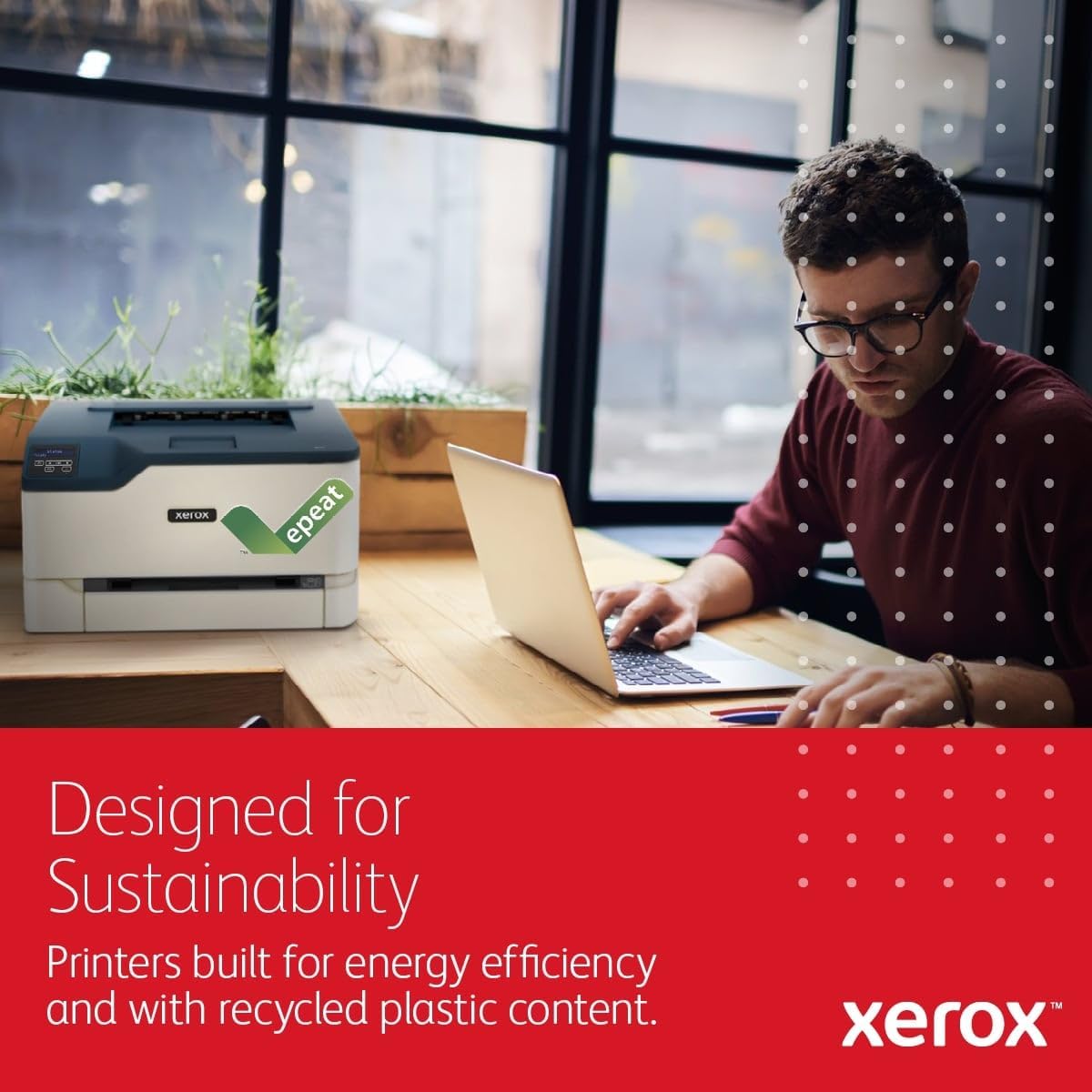
- Energy Efficiency: The printer’s EarthSmart printing mode and EPEAT certification contribute to reduced environmental impact, aligning with eco-conscious user preferences.
- Compact Design: Its small footprint makes it suitable for home offices and small business spaces where space is limited.
- Security Features: Advanced security measures protect data and documents, making it a reliable option for users concerned about cybersecurity.
- Easy Setup: The Xerox Easy Assist App streamlines configuration and monitoring, offering self-service support without requiring technical expertise.
Cons
- Limited Paper Capacity: The 250-sheet input tray may not be sufficient for high-volume environments that require larger paper capacities.
- No Ethernet Connectivity: The lack of wired network options may limit its utility in environments where stable, high-speed connections are preferred.
- Moderate Print Quality: While the C230dni’s output is suitable for everyday tasks, its color accuracy and toner consistency may not meet the expectations of users with more demanding print quality requirements.
- Limited Media Compatibility: The printer supports only standard paper sizes and types, which may restrict its use for specialized media or high-resolution printing.
- No Advanced Features: The absence of features like scanning or faxing may make it less versatile for users requiring multifunctional capabilities.
- Duty Cycle Limitations: The 1,500-page monthly duty cycle is adequate for moderate use but may not suffice for environments with fluctuating or high-volume printing needs.
Final Verdict: Who This Printer Is Best For (and Who Should Skip It)
The Xerox C230dni is best suited for home users and small businesses with moderate printing needs that prioritize wireless connectivity, automatic duplex printing, and energy efficiency. Its 24 ppm print speed and compact design make it ideal for environments where quick, reliable color output is required without the need for high-volume throughput. The built-in security features and ease of setup further enhance its appeal for users who value convenience and data protection. However, the C230dni may not be the best choice for high-volume commercial settings or users requiring advanced media compatibility, higher print resolution, or multifunctional capabilities. Its limited paper capacity and lack of Ethernet connectivity also make it less suitable for environments with fluctuating workloads or the need for wired network integration. For users seeking a reliable, user-friendly printer that balances performance with sustainability, the C230dni is a strong option within its target market.

Frequently Asked Questions (FAQs)
Is the Xerox C230dni suitable for home office use?
The Xerox C230dni is well-suited for home office environments due to its compact design, wireless connectivity, and automatic duplex printing. Its 24 ppm color print speed and energy-efficient features make it ideal for moderate printing needs, while the built-in security measures provide added data protection for home users.
Can the Xerox C230dni print on different paper sizes?
The Xerox C230dni supports standard paper sizes up to 8.5 x 14 inches. While it offers flexibility for common office paper sizes, it is not designed for specialized media types or custom paper dimensions, which may limit its use for certain printing tasks.
How does the Xerox C230dni handle color printing?
The Xerox C230dni uses laser technology to produce consistent color output at 600 x 600 dpi resolution. While this is sufficient for everyday documents and basic graphics, it may not meet the expectations of users requiring high-resolution or professional-grade color printing for marketing materials or presentations.
What connectivity options are available for the Xerox C230dni?
The Xerox C230dni offers built-in Wi-Fi and Wi-Fi Direct for wireless printing, along with USB connectivity for direct device access. However, it does not include Ethernet ports, which may limit its use in environments where wired network integration is preferred for stability and speed.
Is the Xerox C230dni energy-efficient?
Yes, the Xerox C230dni features an EarthSmart printing mode and is EPEAT certified, contributing to reduced environmental impact. Its energy-efficient design aligns with eco-conscious user preferences while maintaining performance for moderate printing needs.
What is the printer’s duty cycle capacity?
The Xerox C230dni is designed for up to 1,500 pages per month, making it suitable for environments with consistent, low-to-moderate printing usage. This capacity is adequate for home offices and small businesses but may not meet the demands of high-volume commercial settings.
Can the Xerox C230dni be used with mobile devices?
The Xerox C230dni supports wireless printing via Wi-Fi and Wi-Fi Direct, allowing seamless printing from smartphones, tablets, and Chromebooks. The Xerox Easy Assist App further simplifies setup and monitoring, making it ideal for users who rely on mobile printing.
What are the limitations of the Xerox C230dni’s print resolution?
The Xerox C230dni offers 600 x 600 dpi color resolution and 600 dpi black-and-white resolution, which is sufficient for standard office documents and basic graphics. However, it may not provide the level of detail required for high-resolution or professional-grade color printing tasks.