
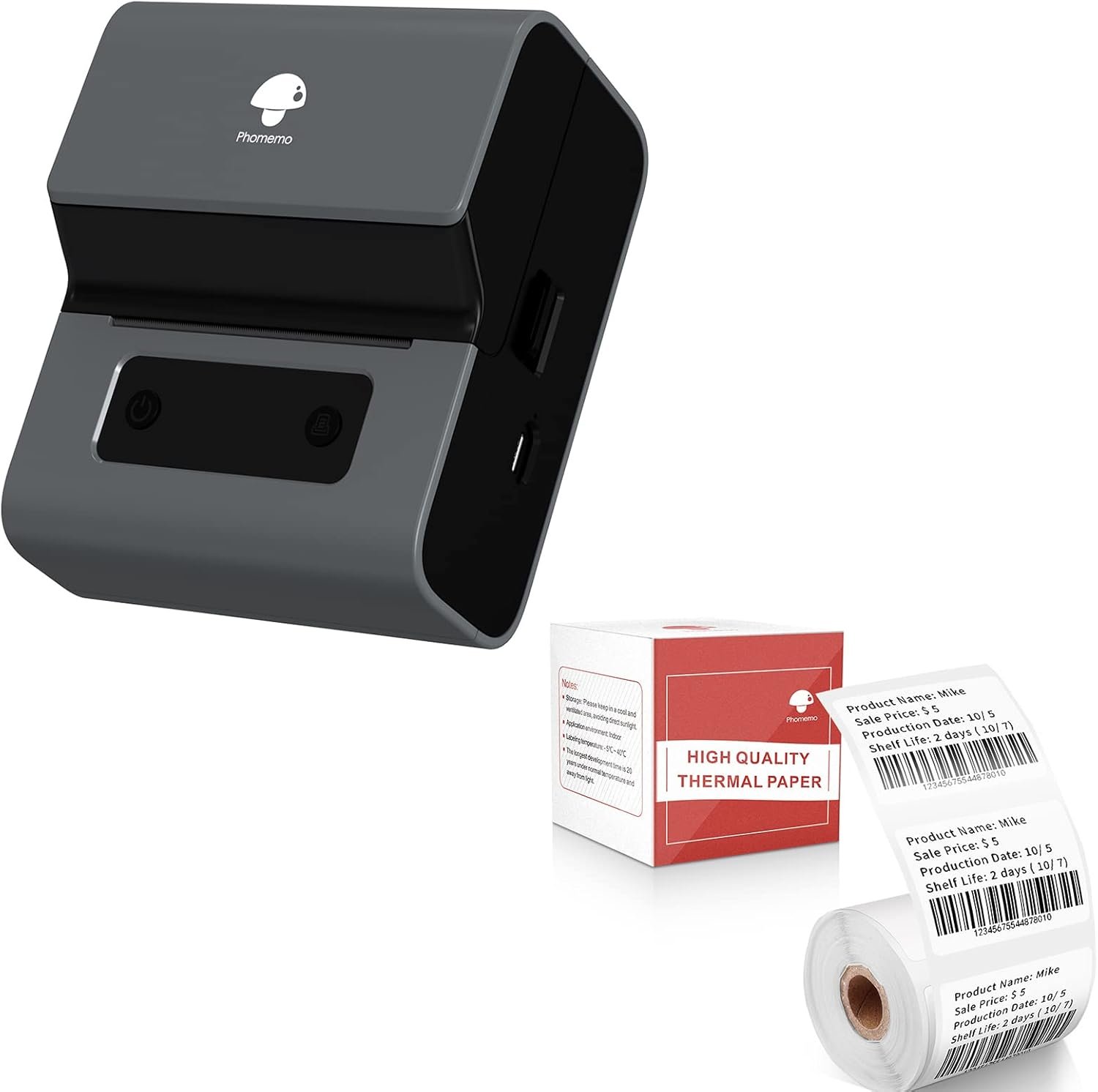
The Importance of Choosing the Right Printer for Your Needs
In today’s fast-paced environments, whether for home use, small business operations, or mobile applications, selecting the right printer can significantly impact productivity and efficiency. Printers serve as essential tools for generating labels, barcodes, and other critical information, making their performance and reliability crucial for daily tasks. The demand for high-quality, reliable printing solutions has never been higher, with users requiring devices that can handle various media types, ensure consistent output, and integrate seamlessly with existing workflows. From creating shipping labels for e-commerce operations to generating personalized stickers for craft projects, the versatility and performance of a printer can determine the success of a task. When evaluating printers, factors such as print technology, connectivity options, media compatibility, and energy efficiency must be considered to ensure they meet the specific needs of the user. A printer that excels in these areas can provide a seamless experience, reducing downtime and ensuring that critical tasks are completed efficiently. Understanding these factors helps users make informed decisions, ensuring they select a printer that aligns with their operational requirements and long-term goals.
Quick Overview
| Feature | Details |
|---|---|
| Printer Type | Thermal label printer |
| Printing Technology | Thermal inkless printing |
| Label Size | 20-75mm (0.78”-3”) |
| Connectivity | Bluetooth 4.2, USB |
| Media Compatibility | Thermal paper |
| Label Options | 50+ label types, waterproof and oil-proof |
| Battery Life | Up to 36 rolls per full charge |
| Portability | Compact, Type-C fast charging |
| App Integration | “Print Master” app with 100+ templates |
| Languages | 13 languages supported |
| Duty Cycle | Continuous thermal paper printing |
The Phomemo M221 label maker combines thermal printing technology with Bluetooth and USB connectivity to offer a versatile solution for creating labels, barcodes, and stickers. Its ability to handle thermal paper and support multiple languages makes it suitable for both home and small business environments. The compact design and battery life ensure portability, while the app integration provides a user-friendly experience for custom label creation. These features collectively make the M221 a practical choice for users needing reliable, efficient label printing.

Print Technology Suitability for Label Creation
Thermal printing technology is a critical factor in determining the effectiveness of a label printer. The Phomemo M221 utilizes thermal inkless printing, which eliminates the need for traditional ink or toner, reducing maintenance and operational costs. This technology relies on heat-sensitive paper, which ensures that labels are printed without the risk of smudging or fading, making them ideal for environments where durability is essential. The printer’s ability to produce high-quality, legible labels is particularly beneficial for applications such as product labeling, inventory management, and shipping logistics. Additionally, the use of thermal paper ensures that the labels remain clean and professional, which is crucial for maintaining brand consistency and customer trust. The M221’s thermal printing capability also allows for the creation of labels with varying sizes, accommodating both small and large print jobs without compromising on quality. This adaptability makes it a suitable choice for users who require a versatile solution for diverse labeling needs.
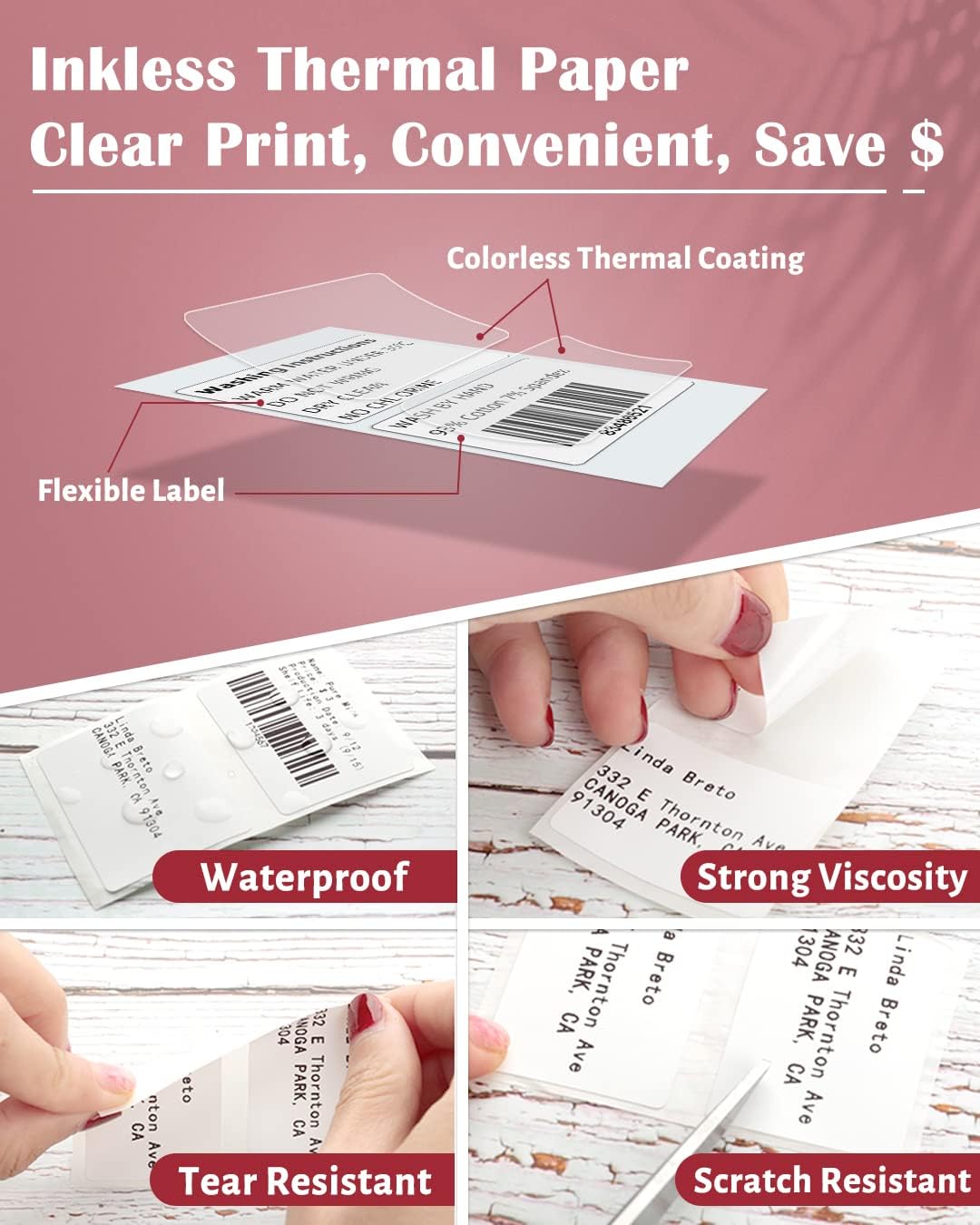
Label Media Compatibility and Durability
The Phomemo M221’s compatibility with thermal paper is a key aspect of its design, ensuring that users can produce durable and high-quality labels. Thermal paper is known for its ability to retain printed information even under challenging conditions, such as exposure to moisture or oils, which is particularly important for labels used in industrial or commercial settings. The printer’s support for waterproof and oil-proof labels further enhances their longevity, making them suitable for environments where labels may be exposed to various elements. This characteristic is especially beneficial for users who need labels to withstand harsh conditions, such as outdoor use or frequent handling. Additionally, the ease of tearing without leaving glue ensures that labels can be applied cleanly and efficiently, reducing the risk of damage to the surface they are applied to. The M221’s ability to handle a wide range of label types, from small stickers to larger address labels, makes it a practical choice for users with diverse labeling requirements.
Energy Efficiency and Environmental Impact
The Phomemo M221’s thermal printing technology also contributes to its energy efficiency, making it an environmentally friendly option for label creation. Unlike traditional inkjet or laser printers, which require significant energy to operate and maintain, thermal printers consume less power, reducing their carbon footprint. This energy efficiency is particularly advantageous for users who prioritize sustainability and are looking for ways to minimize their environmental impact without compromising on performance. The printer’s ability to produce labels without the need for ink or toner also reduces waste, as there are no consumables to dispose of or replace. Additionally, the M221’s battery life, which allows for up to 36 rolls of continuous printing after a full charge, further enhances its energy efficiency by reducing the frequency of recharging. This feature is especially beneficial for users who require a portable solution for label creation, as it ensures that the printer can operate for extended periods without the need for frequent power sources. The combination of energy efficiency and reduced waste makes the M221 a compelling choice for environmentally conscious users.
Connectivity Options and Device Compatibility
The Phomemo M221’s connectivity options play a crucial role in its usability and integration into various workflows. The printer supports Bluetooth 4.2 and USB connectivity, providing users with flexible options for connecting to their devices. Bluetooth 4.2 ensures a stable and secure connection, allowing for seamless communication between the printer and compatible mobile devices. This feature is particularly beneficial for users who prefer wireless connectivity, as it eliminates the need for physical cables and allows for greater mobility. The USB connectivity option, on the other hand, provides a reliable connection for users who prefer a wired setup, ensuring consistent performance and data transfer rates. Both connectivity options are essential for ensuring that the printer can be integrated into different environments, whether it’s a home office or a small business setting. The ability to connect to both iOS and Windows 10 devices expands the printer’s compatibility, making it suitable for a wide range of users. This adaptability ensures that the M221 can be used in various scenarios, from creating labels for personal projects to managing inventory for a small business. The combination of Bluetooth and USB connectivity options provides users with the flexibility to choose the method that best suits their needs, enhancing the overall user experience.

App Integration for Custom Label Creation
The Phomemo M221’s integration with the “Print Master” app is a significant advantage, offering users a user-friendly interface for custom label creation. The app provides more than 100 free label templates, allowing users to quickly generate labels for various purposes, such as shipping, mailing, or personal use. The ability to edit labels freely ensures that users can tailor their designs to meet specific requirements, whether it’s adding text, barcodes, or logos. This level of customization is particularly beneficial for users who need to create unique labels for their products or services. Additionally, the app supports 13 languages, making it accessible to a global audience and ensuring that users can create labels in their preferred language. The one-click batch printing feature further enhances efficiency, allowing users to print multiple labels at once without the need for manual input. This functionality is especially useful for users who require a high volume of labels, such as those in the e-commerce or logistics industries. The combination of app integration and customization options makes the M221 a versatile tool for users who need to create a wide range of labels efficiently.
Cross-Platform Compatibility and Software Support
The Phomemo M221’s cross-platform compatibility is another key aspect that contributes to its usability. The printer’s ability to connect to both PC and mobile devices ensures that users can access its features regardless of the operating system they use. This compatibility is essential for users who may have a mix of devices, such as a Windows PC and an iOS smartphone, allowing for seamless integration into their workflow. The printer’s software support, which includes the “Print Master” app, further enhances its cross-platform capabilities by providing a consistent user experience across different devices. The software’s ability to support multiple languages and provide a wide range of label templates ensures that users can create labels tailored to their specific needs, whether they are working on a personal project or managing a business operation. This adaptability makes the M221 a practical choice for users who require a flexible solution that can be accessed from various devices. The combination of cross-platform compatibility and software support ensures that the printer can be integrated into different environments, providing a seamless experience for users.

Pros and Cons
Pros
- Thermal Inkless Printing: The Phomemo M221 utilizes thermal printing technology, eliminating the need for ink or toner. This reduces maintenance costs and ensures that labels remain clean and professional, making it ideal for environments where durability is essential.
- Bluetooth 4.2 and USB Connectivity: The printer supports both Bluetooth 4.2 and USB connectivity, providing users with flexible options for connecting to their devices. This ensures that the printer can be integrated into various workflows, whether it’s a home office or a small business setting.
- App Integration: The “Print Master” app offers more than 100 free label templates, allowing users to quickly generate labels for various purposes. The ability to edit labels freely ensures that users can tailor their designs to meet specific requirements, enhancing customization options.
- Portability and Battery Life: The M221’s compact design and battery life, which allows for up to 36 rolls of continuous printing after a full charge, make it a practical choice for users who need a portable solution for label creation.
- Label Durability: The printer supports waterproof and oil-proof labels, ensuring that the printed information remains legible even under challenging conditions. This characteristic is particularly beneficial for users who require labels to withstand harsh environments.
- Multilingual Support: The “Print Master” app supports 13 languages, making it accessible to a global audience. This feature ensures that users can create labels in their preferred language, enhancing usability for international users.
Cons
- Limited Media Compatibility: The Phomemo M221 is designed to work exclusively with thermal paper, which may limit its use for users who require labels on other media types. This restriction could be a drawback for users who need to print on different materials.
- Dependence on Thermal Paper: The printer’s reliance on thermal paper means that users must ensure they have a consistent supply of this specific type of paper. This dependency could be a challenge for users who may not have access to thermal paper or who prefer alternative printing methods.
- 3-Inch Label Size Limitation: While the M221 offers a wide range of label sizes, its maximum label size is 3 inches. This may be a limitation for users who require larger labels for specific applications, such as large product labeling or signage.
- Battery Life Constraints: Although the M221 offers a battery life of up to 36 rolls per full charge, this may not be sufficient for users who require extended printing sessions without recharging. The need for frequent charging could be a drawback for users with high-volume printing needs.
- Limited Customization for Advanced Users: While the “Print Master” app provides a range of templates, it may not offer the level of customization required by advanced users who need to create highly specialized labels. This limitation could be a drawback for users with specific design requirements.
Final Verdict: Who This Printer Is Best For (and Who Should Skip It)
The Phomemo M221 thermal label printer is best suited for users who require a reliable and efficient solution for creating labels, barcodes, and stickers. Its thermal printing technology, combined with Bluetooth and USB connectivity, makes it an excellent choice for home users, small business owners, and individuals who need a portable solution for label creation. The printer’s ability to produce durable, waterproof labels and support multiple languages enhances its usability for a wide range of applications, from personal projects to business operations. The integration with the “Print Master” app provides a user-friendly experience, allowing users to quickly generate and customize labels. However, the M221 may not be the best choice for users who require labels on non-thermal media or need larger label sizes. Additionally, its reliance on thermal paper and battery life constraints could be drawbacks for users with high-volume printing needs or those who prefer alternative printing methods. Overall, the M221 is a practical and versatile option for users seeking a reliable label printer that meets their specific requirements.

Frequently Asked Questions (FAQs)
What printing technology does the Phomemo M221 use?
The Phomemo M221 utilizes thermal inkless printing technology, which eliminates the need for traditional ink or toner. This method relies on heat-sensitive paper to produce high-quality, durable labels without smudging or fading.
Can the Phomemo M221 connect to both mobile devices and PCs?
Yes, the Phomemo M221 supports Bluetooth 4.2 for connecting to mobile devices and USB connectivity for PCs. This dual connectivity ensures flexibility in integrating the printer into various workflows.
What types of labels can the Phomemo M221 produce?
The Phomemo M221 can create a wide range of labels, including barcodes, addresses, logos, stickers, and mailing labels. It supports 50+ label types and is compatible with waterproof and oil-proof thermal paper.
How long does the Phomemo M221 battery last?
The Phomemo M221 offers up to 36 rolls of continuous printing after a full charge. Its Type-C fast charging feature ensures that users can quickly recharge the device for extended use.
Is the Phomemo M221 suitable for small business use?
Yes, the Phomemo M221 is ideal for small business applications due to its portability, thermal printing efficiency, and compatibility with both mobile and desktop devices. It supports label creation for inventory management, shipping, and branding needs.
Can the Phomemo M221 print in multiple languages?
The Phomemo M221’s “Print Master” app supports 13 languages, allowing users to create labels in their preferred language. This feature enhances usability for international users and diverse business environments.
What are the limitations of using thermal paper with the Phomemo M221?
The Phomemo M221 requires thermal paper for printing, which may limit its use for users who need labels on other media types. Thermal paper is also susceptible to fading if exposed to heat or light over time.
Is the Phomemo M221 suitable for high-volume printing?
While the Phomemo M221 is efficient for moderate use, its battery life and thermal paper dependency may limit its suitability for high-volume printing. Users with heavy label creation needs should consider alternative printers with different media compatibility options.