
The Importance of Choosing the Right Printer
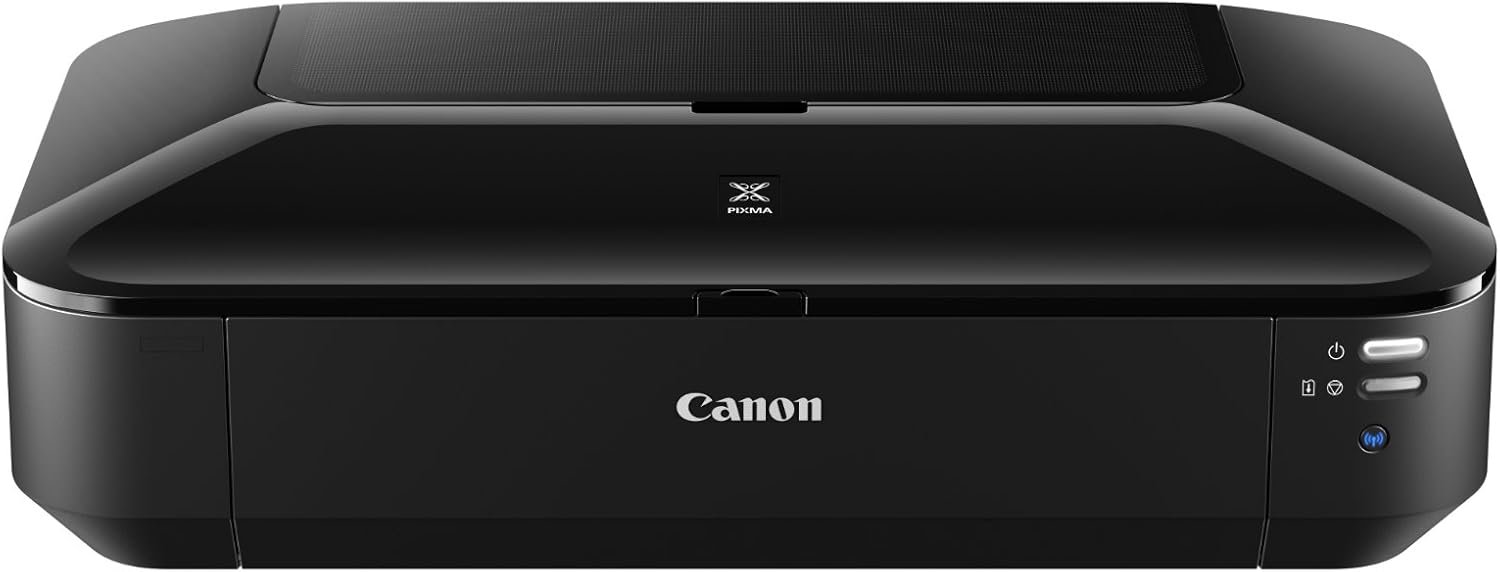
In today’s fast-paced digital environment, selecting the right printer can significantly impact productivity, creativity, and workflow efficiency. Whether you’re a small business owner, a graphic designer, or a home user, the right printer must align with your specific needs—whether it’s high-resolution photo printing, quick document output, or seamless connectivity. Printers vary widely in technology, performance, and features, making it essential to evaluate factors such as print quality, speed, media versatility, and connectivity options. For users requiring color output, inkjet printers like the Canon IX6820 offer vibrant detail and flexibility, while laser printers may be better suited for high-volume black-and-white printing. Understanding these trade-offs ensures that your printer can handle everything from everyday documents to professional-grade prints without compromising on reliability or efficiency. This review examines the Canon IX6820 in the context of its technical specifications, supported media types, connectivity options, and performance benchmarks to help you determine if it’s the right choice for your printing needs.
Quick Overview
| Feature | Details |
|---|---|
| Printer Type | Color Inkjet Printer |
| Technology | Inkjet (Dye-based Color, Pigment-based Black) |
| Functions | Print Only |
| Print Resolution | 9600 x 2400 dpi (Color), 4800 x 1200 dpi (Black) |
| Print Speed | 14.5 ppm (Black), 10.4 ppm (Color) |
| Media Sizes | 4 x 6 inches, 13 x 19 inches |
| Supported Media | Glossy, Standard, Photo Paper |
| Connectivity | Wi-Fi, Ethernet, USB 2.0 |
| Duty Cycle | 150-sheet Input Capacity |
| Ink System | CLI-251 Color Inks, PGI-250 Black Ink |
| Warranty | Full Warranty |
The Canon IX6820 is designed for users who prioritize color output, wireless connectivity, and versatility in media types. Its high-resolution printing capabilities and multiple connectivity options make it suitable for home offices, small businesses, and creative professionals who need reliable color printing without the complexity of multifunctional devices.

Print Quality and Resolution

High-Resolution Output for Professional Results
The Canon IX6820 delivers exceptional print quality through its 9600 x 2400 dpi color resolution and 4800 x 1200 dpi black resolution, ensuring sharp detail and vibrant color reproduction. These specifications are particularly beneficial for users requiring high-quality photo prints, marketing materials, or detailed graphics. The combination of dye-based color inks and a pigment-based black ink allows for a wide color gamut and long-lasting black prints, making it ideal for both everyday documents and creative projects. However, the printer’s resolution is optimized for standard and photo paper, which may limit its effectiveness on specialized media types such as fine art paper or canvas.
Color Accuracy and Media Compatibility
The printer’s ability to produce accurate color output is enhanced by its support for a range of media types, including glossy, standard, and photo paper. This versatility allows users to tailor their prints to specific applications, whether it’s a high-impact flyer or a professional portfolio. The inclusion of Canon’s My Image Garden software further enhances color management by enabling users to adjust settings for different paper types. However, the printer’s color accuracy may vary depending on the specific paper used, as the performance of dye-based inks is highly dependent on the surface characteristics of the media.
Text and Graphic Clarity
For text and graphic printing, the Canon IX6820 excels in producing crisp, legible output. The 4800 x 1200 dpi black resolution ensures that documents and presentations maintain clarity even at smaller font sizes. The printer’s inkjet technology also allows for smooth gradients and fine details in graphics, making it suitable for both business and creative use. However, users should be aware that the printer’s performance on textured or matte finishes may not match the sharpness achieved on glossy paper, which could be a consideration for those prioritizing text readability over color vibrancy.
Connectivity and Network Integration

Wireless Printing for Flexibility
The Canon IX6820’s built-in Wi-Fi and Ethernet connectivity options provide users with flexible printing solutions. The 802.11 b/g/n Wi-Fi standard allows for seamless wireless printing from smartphones, tablets, and computers, eliminating the need for physical connections. This feature is particularly advantageous for users who frequently print from mobile devices or require remote access to their printer. The Ethernet port ensures stable, high-speed printing for users with dedicated network setups, making it suitable for small office environments where multiple devices may be connected.
Compatibility with Multiple Devices
The printer’s compatibility with a range of devices is enhanced by its support for AirPrint, which simplifies the printing process for iOS users. Additionally, the USB 2.0 interface provides a reliable connection for users who prefer direct printing from computers. While the printer’s connectivity options are robust, its reliance on wireless networks may introduce potential latency issues in environments with high network traffic or unstable Wi-Fi signals. Users should ensure their network infrastructure is optimized to maintain consistent printing performance.
Network Configuration and Security
The Canon IX6820’s network integration is designed to be user-friendly, with straightforward setup procedures for both Wi-Fi and Ethernet connections. However, users should be aware that the printer’s security features are limited to basic network authentication, which may not be sufficient for environments requiring advanced data protection. For users handling sensitive documents or operating in a corporate setting, additional security measures such as network segmentation or encrypted connections may be necessary to safeguard printed data.
Media Versatility and Print Workload Capacity

Support for Diverse Paper Types
The Canon IX6820’s ability to handle a wide range of media types is a key advantage for users with varied printing needs. It supports glossy, standard, and photo paper, allowing for customization based on the intended use of the print. This versatility is particularly beneficial for users who frequently create marketing materials, portfolios, or artistic prints. However, the printer’s media compatibility is limited to paper-based formats, which may not suit users requiring specialized media such as transparencies or labels.
Handling High-Volume Printing
While the printer’s 150-sheet input capacity is adequate for most home and small business environments, it may not be sufficient for high-volume printing tasks. The single-tray design and lack of automatic duplex printing could lead to increased manual handling for users requiring large print runs. For users with frequent, high-volume printing needs, the Canon IX6820 may not be the optimal choice, as it is designed more for occasional use rather than continuous, large-scale operations.
Duty Cycle and Longevity
The Canon IX6820 is built to handle typical office and home printing workloads, with a duty cycle that supports moderate to high-volume use. The printer’s reliability is further reinforced by its full warranty, which provides peace of mind for users concerned about long-term performance. However, users should be aware that the printer’s design does not include advanced features such as automatic duplex printing or high-capacity ink tanks, which may impact its suitability for environments with consistently high print demands.
Pros & Cons
Pros
- High-Resolution Output: The 9600 x 2400 dpi color resolution and 4800 x 1200 dpi black resolution ensure sharp, detailed prints suitable for both professional and personal use.
- Versatile Connectivity: The built-in Wi-Fi, Ethernet, and USB 2.0 ports provide flexible printing options, making it easy to integrate into various work environments.
- Media Compatibility: Support for glossy, standard, and photo paper allows users to tailor their prints to specific applications, enhancing the printer’s versatility.
- User-Friendly Design: The compact size and straightforward setup process make it ideal for home offices and small businesses seeking simplicity.
- Full Warranty Coverage: The inclusion of a full warranty provides reassurance for users concerned about long-term reliability.
Cons
- Limited to Print-Only Functionality: The single-function design excludes scanning, copying, and faxing, which may be a drawback for users requiring multifunctional capabilities.
- Lower Color Print Speed: The 10.4 ppm color print speed may not be sufficient for users requiring rapid color output in high-volume scenarios.
- Manual Duplex Printing: The absence of automatic duplex printing requires manual intervention, increasing the time needed for double-sided prints.
- Ink Cost Considerations: The use of separate color inks and a pigment-based black ink may lead to higher long-term consumable costs compared to all-in-one ink systems.
- Limited Media Support: While the printer supports a range of paper types, it is not optimized for specialized media such as labels or transparencies.
Final Verdict: Who This Printer Is Best For (and Who Should Skip It)
The Canon IX6820 is best suited for users who prioritize color output, wireless connectivity, and media versatility. Its high-resolution printing capabilities and support for a range of paper types make it an excellent choice for home users, small businesses, and creative professionals who need reliable color printing without the complexity of multifunctional devices. The printer’s ease of use and flexible connectivity options further enhance its appeal for environments where simplicity and convenience are key.
However, users with high-volume printing needs, those requiring multifunctional capabilities such as scanning or copying, or those working with specialized media types may find the Canon IX6820 less than ideal. Its lower color print speed and manual duplex printing process could also be drawbacks for users seeking faster, more automated printing solutions. For these users, alternative printers with higher print speeds, automatic duplex printing, or expanded media compatibility may offer better value and performance.
Frequently Asked Questions (FAQs)
What is the print resolution of the Canon IX6820?
The Canon IX6820 offers a maximum color print resolution of 9600 x 2400 dpi and a black print resolution of 4800 x 1200 dpi. These high-resolution capabilities ensure sharp detail and vibrant color reproduction for both standard and photo prints.
What connectivity options are available for the Canon IX6820?
The Canon IX6820 supports Wi-Fi, Ethernet, and USB 2.0 connectivity. The built-in Wi-Fi allows for wireless printing from smartphones, tablets, and computers, while the Ethernet port ensures stable, high-speed printing for networked environments.
What types of media does the Canon IX6820 support?
The Canon IX6820 is compatible with a variety of media types, including glossy, standard, and photo paper. This versatility allows users to customize their prints for different applications, such as marketing materials or artistic prints.
What is the maximum print speed of the Canon IX6820?
The Canon IX6820 has a maximum print speed of 14.5 ppm for black-and-white prints and 10.4 ppm for color prints. These speeds are suitable for moderate to high-volume use but may not meet the demands of high-speed printing environments.
Does the Canon IX6820 support automatic duplex printing?
The Canon IX6820 does not include automatic duplex printing. Users must manually flip pages for double-sided printing, which may increase the time required for double-sided print jobs.
What is the warranty coverage for the Canon IX6820?
The Canon IX6820 comes with a full warranty, providing users with assurance of long-term reliability. This warranty covers potential defects and performance issues, offering peace of mind for users concerned about product longevity.
Is the Canon IX6820 suitable for high-volume printing?
The Canon IX6820 is designed for moderate to high-volume use but may not be ideal for environments requiring continuous, large-scale printing. Its 150-sheet input capacity and single-tray design are more suited for occasional use rather than continuous, high-volume operations.
What are the ink system specifications for the Canon IX6820?
The Canon IX6820 uses a combination of dye-based color inks and a pigment-based black ink. This ink system provides vibrant color output and long-lasting black prints, though users should be aware of potential higher long-term consumable costs compared to all-in-one ink systems.