Canon PIXMA TR8620a Review: All-in-One Printer for Home and Office Use
The Importance of Choosing the Right Printer
Selecting an appropriate printer is a critical decision for both home and office environments, as it directly impacts productivity, cost efficiency, and output quality. Modern printing needs span from high-resolution photo prints to professional-grade document duplication, requiring devices that balance speed, reliability, and versatility. Whether managing a small business or maintaining a household, the right printer can streamline workflows, reduce manual effort, and ensure consistent results. For users who frequently print photos, documents, or scan materials, a multifunctional printer with advanced connectivity and robust performance becomes essential. The Canon PIXMA TR8620a represents a compelling option for those seeking a reliable, feature-rich printer that meets diverse printing demands. Its combination of wireless connectivity, high-capacity ink tanks, and automated functions makes it suitable for both casual and professional use. Understanding the specifications, capabilities, and limitations of this device is crucial for determining whether it aligns with specific printing requirements and long-term operational goals.
Quick Overview
| Feature | Details |
|---|---|
| Printer Type | All-in-One Inkjet Printer |
| Supported Functions | Print, Copy, Scan, Fax, Auto Document Feeder |
| Print Resolution | 4800 x 1200 dpi (Color), 4800 x 1200 dpi (Black & White) |
| Print Speed | 10 ppm (Color), 15 ppm (Monochrome) |
| Media Sizes | Legal (8.5 x 14 inches), Letter (8.5 x 11 inches) |
| Connectivity | Wireless, USB |
| Duty Cycle | 1,000 pages |
| Ink System | Five individual ink tanks (Dye-Based and Pigment-Based) |
| Warranty | Limited |
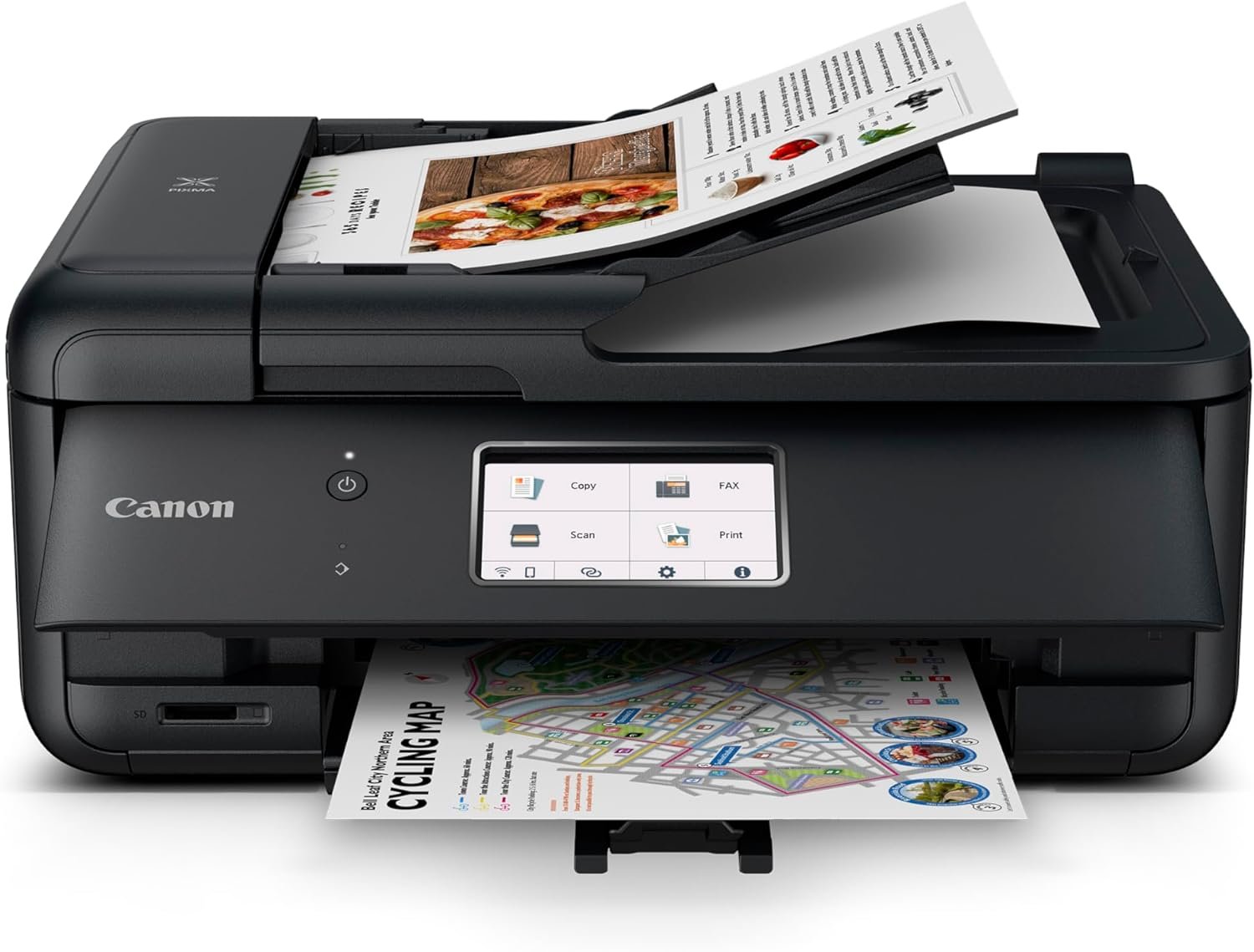
The Canon PIXMA TR8620a delivers a comprehensive set of features that cater to both home and office environments. Its dual-sided printing capability, 20-sheet auto document feeder, and support for borderless photo printing make it well-suited for users who require versatility in their printing tasks. The wireless connectivity and compatibility with smart assistants like Alexa enhance convenience, while the high-capacity ink system reduces the frequency of refills. These attributes collectively position the TR8620a as a practical solution for individuals and small businesses looking for a reliable, all-in-one printing solution.

Print Quality and Resolution Performance
The Canon PIXMA TR8620a is engineered to deliver high-quality output across a range of media types, making it suitable for both everyday documents and professional-grade prints. Its maximum print resolution of 4800 x 1200 dpi ensures sharp text and detailed graphics, while the dual-sided printing capability allows for efficient use of paper. The printer’s support for borderless photo printing up to 8.5 x 11 inches is particularly advantageous for users who frequently produce high-resolution images. Additionally, the inclusion of both dye-based and pigment-based ink tanks provides flexibility in balancing vibrancy and longevity. For users prioritizing print quality, the TR8620a’s resolution capabilities align with industry standards, making it a viable option for tasks requiring precision and clarity. However, the performance of these features is contingent on the type of media used, with glossy photo paper offering optimal results compared to standard paper.

Media Compatibility and Output Versatility
The TR8620a’s support for a wide range of media types enhances its adaptability to different printing needs. It is compatible with standard letter-sized paper, legal-sized paper, and glossy photo paper, allowing users to switch between document printing and photo production seamlessly. The printer’s ability to handle both text and graphic-intensive content is further supported by its high-resolution output, which ensures that fine details remain intact. The inclusion of a flatbed scanner and the ability to perform borderless printing make it particularly suitable for users who require versatility in their printing tasks. However, the printer’s performance with specialty media such as thick cardstock or matte paper may vary, as these materials can affect print quality and drying times. For users who frequently work with diverse media types, the TR8620a’s media compatibility is a significant advantage.
Ink System and Color Accuracy
The TR8620a’s five individual ink tanks provide users with greater control over color management and ink usage. This system allows for precise color calibration, ensuring that prints maintain consistent vibrancy and saturation across different media types. The combination of dye-based and pigment-based inks offers a balance between color richness and durability, making the printer suitable for both short-term and long-term print projects. However, the complexity of managing multiple ink tanks may require users to be more attentive to maintenance and refill schedules. For users who prioritize color accuracy and versatility in their printing tasks, the TR8620a’s ink system provides a competitive edge in achieving high-quality results.
Print Speed and Workload Capacity
The Canon PIXMA TR8620a is designed to handle a variety of printing tasks efficiently, with a print speed of 10 ppm for color documents and 15 ppm for monochrome prints. These speeds are competitive within the all-in-one printer category, making the TR8620a suitable for users who require a balance between speed and quality. The printer’s 1,000-page duty cycle indicates that it is capable of managing moderate to high-volume printing tasks without significant wear on its components. This makes it an ideal choice for small businesses or households with frequent printing needs. However, users who require faster print speeds for large-volume jobs may find the TR8620a’s performance slightly limited compared to dedicated laser printers. The printer’s ability to maintain consistent speed across different media types further enhances its reliability for everyday use.

Dual-Sided Printing and Paper Management
The TR8620a’s built-in auto duplex printing feature significantly reduces paper consumption by enabling double-sided printing without manual intervention. This functionality is particularly beneficial for users who frequently print documents and want to minimize paper waste. The printer’s 20-sheet auto document feeder (ADF) facilitates efficient scanning and copying of multi-page documents, streamlining workflows for both home and office environments. The 200-sheet paper capacity, divided into two trays, provides flexibility in managing different paper types and quantities. However, the printer’s paper handling capabilities are optimized for standard paper sizes, and users who frequently work with specialty media may need to adjust their workflow accordingly. The combination of auto duplex printing and the ADF makes the TR8620a a practical choice for users who prioritize efficiency in their printing processes.
Connectivity and Smart Integration
The TR8620a’s wireless connectivity and compatibility with smart assistants like Alexa enhance its usability in modern environments. The printer’s support for AirPrint, Android, and iOS devices ensures seamless integration with a wide range of mobile and desktop platforms. The inclusion of a built-in fax function adds to its versatility, making it suitable for users who require additional communication capabilities. The printer’s ability to receive notifications about ink levels and place smart reorders through Alexa provides convenience for users who want to minimize maintenance efforts. However, the reliance on wireless connectivity may introduce latency in certain scenarios, and users who prioritize wired connections for reliability may need to consider alternative options. The TR8620a’s smart integration features make it a valuable asset for users who seek a connected, automated printing experience.

Pros and Cons
Pros
- High Print Resolution: The TR8620a’s 4800 x 1200 dpi resolution ensures sharp text and detailed graphics, making it suitable for both documents and photos.
- Versatile Media Support: Compatibility with standard, legal, and glossy paper allows users to switch between different printing tasks seamlessly.
- Wireless Connectivity: Built-in Wi-Fi enables easy integration with mobile devices and smart home systems, enhancing convenience.
- Auto Duplex Printing: The built-in double-sided printing function reduces paper waste and improves efficiency for everyday use.
- Smart Reorder Integration: Compatibility with Alexa allows users to receive ink notifications and place reorders automatically, minimizing maintenance efforts.
- Built-In Fax Function: The inclusion of a fax feature adds to the printer’s versatility, making it suitable for users with additional communication needs.
- Durable Design: The 1,000-page duty cycle indicates that the printer is built to handle moderate to high-volume printing without significant wear.
- User-Friendly Interface: The touch control panel simplifies navigation and management of printing tasks for users of all skill levels.
Cons
- Limited High-Speed Printing: The TR8620a’s print speeds may not meet the demands of users requiring faster output for large-volume jobs.
- Complex Ink Management: The five individual ink tanks require careful monitoring and maintenance to ensure optimal performance and color accuracy.
- Specialty Media Limitations: The printer’s performance with specialty papers such as thick cardstock or matte paper may vary, affecting print quality.
- Dependence on Wireless Connectivity: While convenient, reliance on Wi-Fi may introduce latency or connectivity issues in certain environments.
- Limited Paper Handling for Large Jobs: The 200-sheet capacity may be insufficient for users who frequently print large volumes of documents.
- No Built-In Storage: The absence of internal storage for scanned documents or printed files may require users to rely on external devices for data management.
Final Verdict: Who This Printer Is Best For (and Who Should Skip It)
The Canon PIXMA TR8620a is an excellent choice for users who require a versatile, all-in-one printer that balances print quality, connectivity, and convenience. Its high-resolution output, dual-sided printing, and smart integration features make it well-suited for home users, small businesses, and individuals who frequently print photos or documents. The printer’s compatibility with Alexa and support for wireless printing enhance its usability in modern, connected environments. However, users who prioritize ultra-fast print speeds for large-volume jobs or require advanced paper handling capabilities may find the TR8620a’s performance slightly limited. Additionally, those who prefer simpler, single-tank ink systems or have specific needs for specialty media may need to consider alternative options. Overall, the TR8620a is a reliable and practical solution for a wide range of printing tasks, provided users are prepared to manage its ink system and connectivity requirements.

Frequently Asked Questions (FAQs)
What is the maximum print resolution of the Canon PIXMA TR8620a?
The Canon PIXMA TR8620a offers a maximum print resolution of 4800 x 1200 dpi for both color and black-and-white prints, ensuring sharp text and detailed graphics.
How does the TR8620a handle double-sided printing?
The TR8620a features built-in auto duplex printing, allowing users to print on both sides of the paper automatically, reducing paper usage and improving efficiency.
Can the TR8620a print borderless photos?
Yes, the TR8620a supports borderless printing up to 8.5 x 11 inches, making it suitable for high-resolution photo prints without visible borders.
What connectivity options does the TR8620a offer?
The TR8620a supports wireless printing via Wi-Fi, as well as USB connectivity for direct device integration. It is also compatible with smart assistants like Alexa.
How many ink tanks does the TR8620a have?
The TR8620a features a five-tank ink system, allowing for precise color management and flexibility in ink usage for different printing tasks.
What is the duty cycle of the TR8620a?
The TR8620a has a duty cycle of 1,000 pages, indicating its capability to handle moderate to high-volume printing without significant wear on its components.
Does the TR8620a support scanning and copying?
Yes, the TR8620a includes a flatbed scanner and an auto document feeder, enabling efficient scanning and copying of documents and photos.
Can the TR8620a be used with Alexa?
Yes, the TR8620a is compatible with Alexa, allowing users to receive ink level notifications and place smart reorders through voice commands.