Epson Expression Home XP-4200: A Comprehensive Review of Features, Performance, and Use Cases
The Importance of Choosing the Right Printer for Your Needs
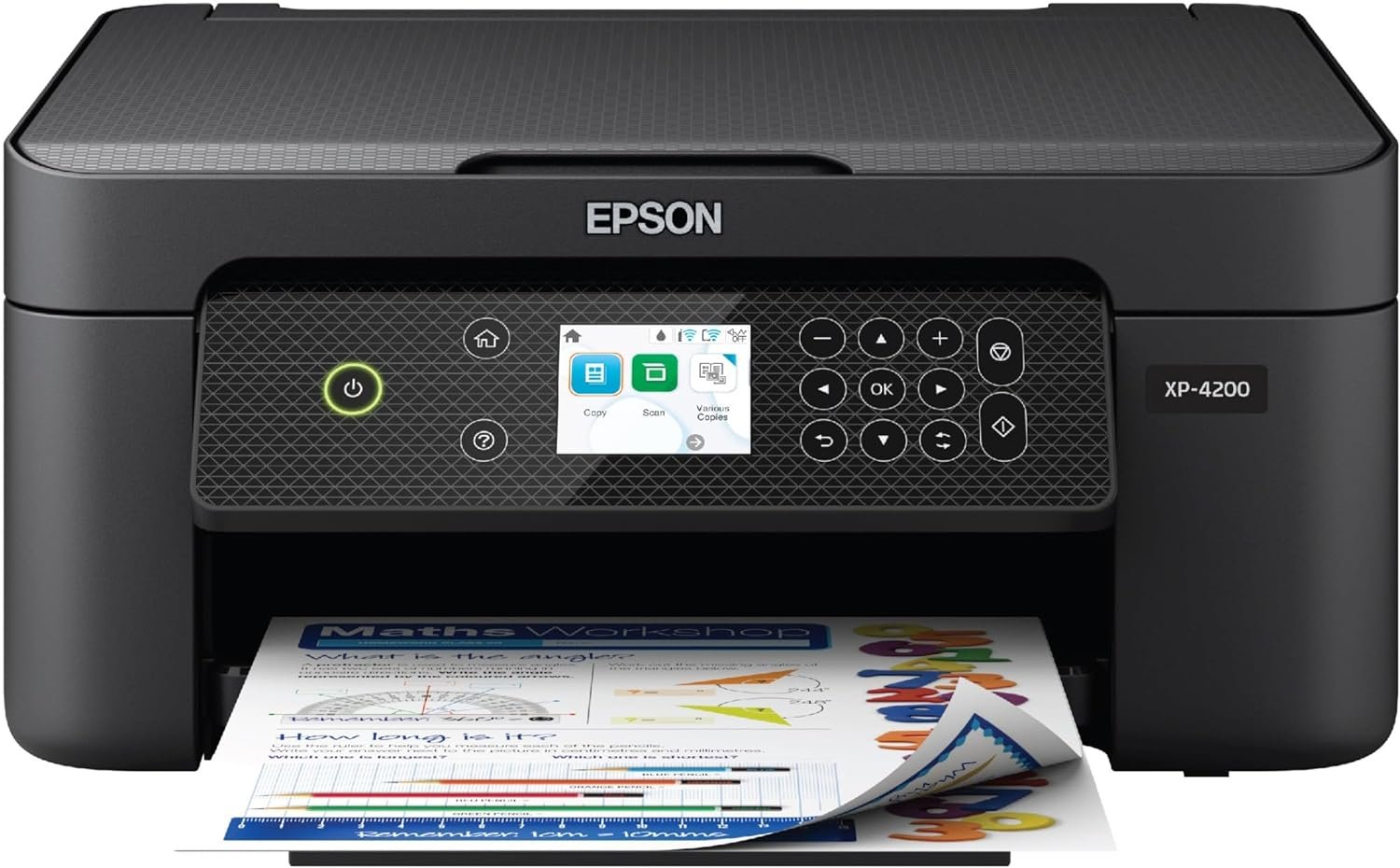
In today’s fast-paced digital environment, selecting the right printer can significantly impact productivity and convenience. Whether you’re managing household tasks, handling small business operations, or pursuing creative projects, the right printer must balance performance, reliability, and adaptability to evolving demands. Printers like the Epson Expression Home XP-4200 are designed to meet these needs by integrating advanced imaging technology with user-friendly features. This review evaluates how the XP-4200 aligns with common printing requirements, from everyday document creation to photo printing. By analyzing specifications, supported functions, and usage scenarios, we explore how this all-in-one device can serve both personal and professional environments. Key factors such as print quality, connectivity options, and long-term maintenance considerations are examined to help users determine if this model fits their workflow. The goal is to provide an objective assessment of the XP-4200’s capabilities, ensuring readers can make informed decisions based on their specific printing needs.
Quick Overview
| Feature | Details |
|---|---|
| Printer Type | Inkjet All-in-One |
| Printing Technology | Micro Piezo Heat-Free Inkjet |
| Supported Functions | Print, Scan, Copy |
| Print Resolution | 5760 x 1440 dpi (color), 5760 x 1440 dpi (black-and-white) |
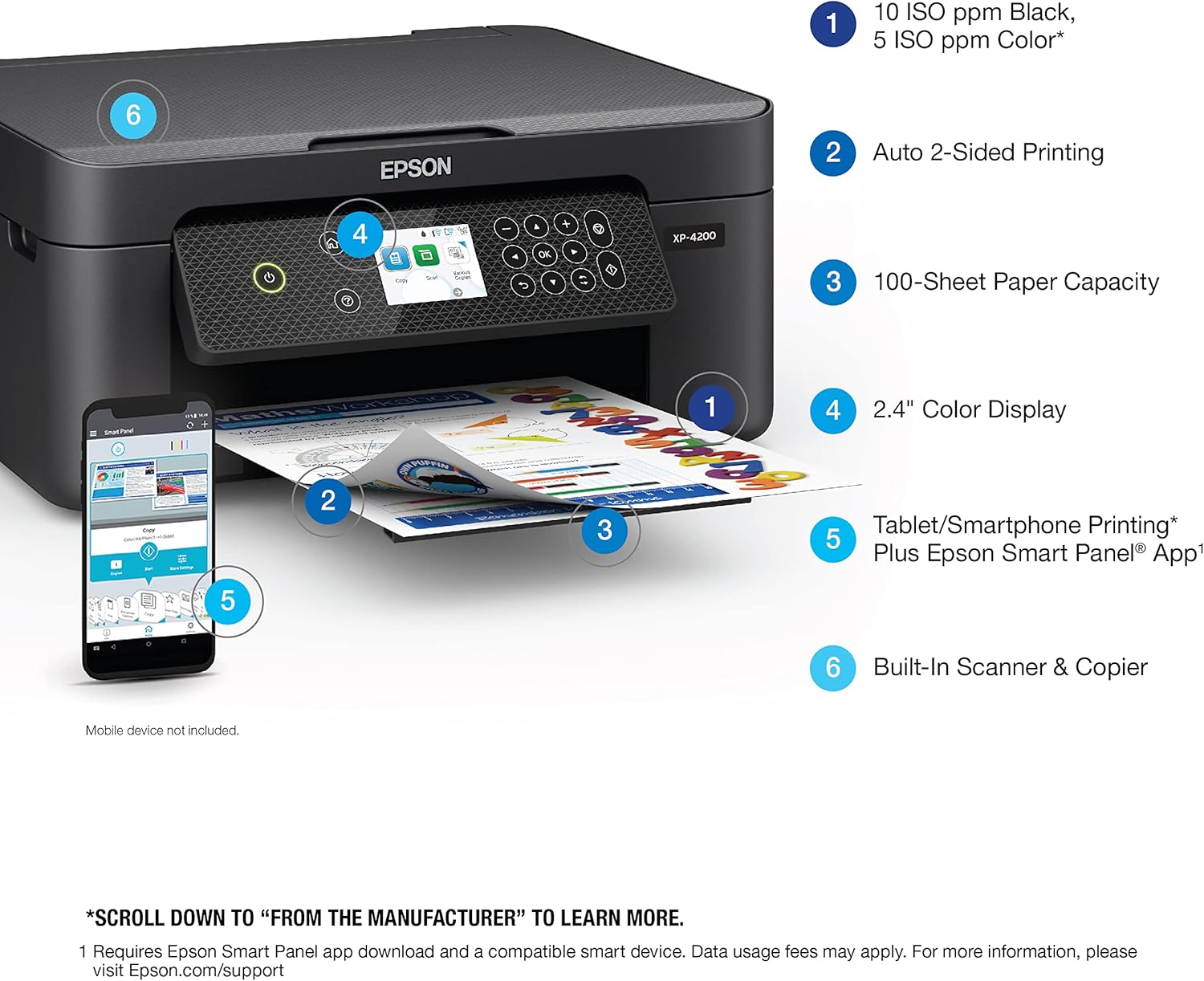
| Print Speed | 5 ppm color, 10 ppm monochrome |
| Media Sizes | Letter, A4, Legal, 8″ x 10″, 5″ x 7″, 4″ x 6″, 3.5″ x 5″, Executive, Half Letter, A6, and user-defined sizes |
| Connectivity | USB, Wi-Fi |
| Duty Cycle | Designed for moderate-volume home and small office use |
| Ink System | Individual Claria® 232 cartridges (Black, Cyan, Magenta, Yellow) |
| Warranty | Limited warranty |
The Epson Expression Home XP-4200 combines versatility with efficiency, making it suitable for users who require a balance between print quality and operational simplicity. Its ability to handle both standard documents and borderless photos, coupled with wireless connectivity, positions it as a practical choice for households and small businesses seeking reliable, multifunctional printing.

Print Quality and Output Versatility
The Epson Expression Home XP-4200 is engineered to deliver high-resolution prints that meet the demands of both everyday use and creative projects. Its advanced inkjet technology, based on Micro Piezo Heat-Free printhead design, ensures consistent ink delivery and precise color reproduction. This system allows for sharp text and vibrant graphics, making it well-suited for tasks ranging from school assignments to photo printing. The printer’s maximum print resolution of 5760 x 1440 dpi (color) and 5760 x 1440 dpi (black-and-white) supports detailed output, even for fine art prints. Additionally, the inclusion of borderless printing capabilities enhances its appeal for users who prioritize photo quality. The printer’s ability to handle a wide range of media sizes, including user-defined dimensions, further extends its versatility for custom projects.

Color Accuracy and Photo Printing
The XP-4200’s color management system is designed to produce accurate and vivid prints, particularly for photo enthusiasts. Its 48-bit input and 24-bit output color depth ensures that colors are rendered with precision, preserving the integrity of images during the printing process. The printer’s support for borderless printing allows for seamless, full-bleed photos that are ideal for personal albums or creative displays. Users who frequently print high-quality photos will appreciate the printer’s ability to maintain color consistency across different print sizes and media types. However, the reliance on Epson-branded ink cartridges may limit flexibility for users who prefer alternative ink solutions.
Text and Graphics Output
For everyday document printing, the XP-4200 excels in producing crisp, legible text with minimal smearing. The high-resolution print head ensures that even small fonts and intricate graphics are rendered clearly, which is beneficial for academic or professional use. The printer’s ability to handle both standard and specialty paper types, such as glossy photo paper, adds to its adaptability. While the XP-4200 is not designed for high-volume commercial printing, its performance in text and graphics output makes it a reliable option for home users and small offices. The inclusion of automatic duplex printing further enhances its efficiency for document management tasks.
Media Compatibility and Customization
The XP-4200’s support for a wide array of media sizes and types caters to diverse printing needs. From standard letter-sized paper to smaller formats like 4″ x 6″, the printer accommodates a broad range of user preferences. The ability to define custom sheet sizes adds flexibility for users with unique printing requirements, such as creating personalized invitations or small-format art prints. However, the printer’s media compatibility is limited to paper-based materials, which may not suit users requiring specialized media like photo paper or transparencies. This restriction should be considered when evaluating the printer’s suitability for specific tasks.
Connectivity and Device Integration
The Epson Expression Home XP-4200 offers a range of connectivity options that enhance its usability in both home and office environments. Its support for Wi-Fi and USB connections allows for seamless integration with a variety of devices, including smartphones, tablets, and computers. The inclusion of the Epson Smart Panel app enables users to manage print jobs, scan documents, and monitor ink levels directly from their mobile devices. This feature is particularly advantageous for users who prioritize convenience and remote access to printing functions. However, the printer’s reliance on an internet connection for certain features, such as voice-activated printing and cloud-based services, may pose challenges for users with limited connectivity or privacy concerns.

Wireless and Mobile Printing
The XP-4200’s wireless capabilities simplify the printing process for users who frequently work on mobile devices. The Epson Smart Panel app provides an intuitive interface for managing print tasks, scanning documents, and accessing printer settings without the need for physical interaction. This is especially beneficial for users who require on-the-go printing or scanning, such as students or remote workers. The printer’s compatibility with Mopria Print Service and Mopria Scan further expands its accessibility, allowing for broader device support. However, the setup process for wireless printing may require technical knowledge, which could be a barrier for less tech-savvy users.
Voice-Activated and Smart Home Integration
The XP-4200’s integration with voice-activated assistants like Alexa enhances its convenience for users who prefer hands-free operation. This feature allows for quick printing of documents or photos without the need for manual input, which is ideal for busy households or individuals with mobility constraints. The printer’s compatibility with Google Assistant and other smart home devices further streamlines its integration into a connected environment. However, the effectiveness of voice-activated printing may depend on the quality of the connected device and environmental factors such as background noise, which could impact user experience.
Network and Cloud Connectivity
The XP-4200’s support for cloud-based printing and network connectivity makes it a versatile option for users who need to print from multiple devices. The printer’s ability to connect to a home or office network enables shared printing capabilities, which is beneficial for small businesses or families with multiple users. However, the reliance on an active internet connection for certain features may limit its usability in areas with unreliable connectivity. Users should also consider the potential for data usage fees associated with cloud-based services, which could be a concern for those with limited data plans.
Pros and Cons
Pros
- High-Resolution Printing: The XP-4200 delivers exceptional print quality with a resolution of 5760 x 1440 dpi, making it suitable for both text documents and high-quality photos.
- Borderless Photo Printing: The printer’s borderless printing capability allows for seamless, full-bleed photos, ideal for personal and creative use.
- Automatic Duplex Printing: The built-in automatic two-sided printing feature helps reduce paper waste and improves efficiency for document management.
- User-Friendly Interface: The 2.4″ color display and Epson Smart Panel app provide an intuitive way to navigate settings and manage print jobs.
- Versatile Media Compatibility: The printer supports a wide range of media sizes, including user-defined dimensions, enhancing its adaptability for various tasks.
- Reliable Printhead Technology: The Micro Piezo Heat-Free printhead is designed for long-term durability and consistent performance.
- Smart Home Integration: Compatibility with Alexa and Google Assistant allows for voice-activated printing, increasing convenience for users.
- Energy Efficiency: The printer’s low power consumption of 12 watts aligns with energy-saving standards and reduces operational costs.
Cons
- Limited Media Compatibility: The printer is restricted to paper-based media, which may not meet the needs of users requiring specialized media types.
- Internet Dependency: Certain features, such as voice-activated printing and cloud connectivity, require an active internet connection, which could be a drawback for users with limited connectivity.
- Ink Cartridge Limitations: The requirement for Epson-branded ink cartridges may limit flexibility for users seeking alternative ink solutions.
- Setup Complexity: The wireless setup process for the Epson Smart Panel app may pose a challenge for less tech-savvy users.
- Moderate Duty Cycle: The printer is designed for moderate-volume use, making it less suitable for high-demand commercial environments.
- No Fax Functionality: The absence of a fax feature may be a limitation for users who require this capability.
Final Verdict: Who This Printer Is Best For (and Who Should Skip It)
The Epson Expression Home XP-4200 is best suited for home users and small offices that require a balance between print quality, versatility, and ease of use. Its high-resolution output, borderless printing capabilities, and smart home integration make it an excellent choice for individuals who frequently print photos, manage documents, or need on-the-go printing solutions. The printer’s automatic duplex feature and energy-efficient design also appeal to users looking to reduce paper waste and operational costs. However, this model is not ideal for commercial environments or users with high-volume printing needs. Those who require specialized media types, fax functionality, or a more robust duty cycle should consider alternative printers. Additionally, users who prefer the flexibility of third-party ink cartridges or have limited internet access may find the XP-4200 less suitable. Overall, the XP-4200 offers a practical, user-friendly solution for everyday printing tasks, making it a strong contender in its category.

Frequently Asked Questions (FAQs)
What is the maximum print resolution of the Epson Expression Home XP-4200?
The Epson Expression Home XP-4200 offers a maximum print resolution of 5760 x 1440 dpi for both color and black-and-white prints. This high-resolution output ensures sharp text and vibrant graphics, making it suitable for detailed documents and high-quality photos.
Can the Epson XP-4200 print borderless photos?
Yes, the Epson XP-4200 supports borderless photo printing, allowing for seamless, full-bleed prints that are ideal for personal and creative use. This feature enhances the printer’s appeal for users who prioritize photo quality.
What connectivity options does the XP-4200 support?
The Epson XP-4200 provides Wi-Fi and USB connectivity options, enabling seamless integration with a variety of devices such as smartphones, tablets, and computers. The Epson Smart Panel app allows for easy management of print jobs and settings from mobile devices.
Is the XP-4200 compatible with voice-activated assistants?
Yes, the Epson XP-4200 is compatible with voice-activated assistants like Alexa and Google Assistant. This integration allows for hands-free printing, enhancing convenience for users who prefer on-the-go printing solutions.
What types of media can the XP-4200 handle?
The Epson XP-4200 supports a wide range of media sizes, including standard letter, A4, and legal sizes, as well as smaller formats like 4″ x 6″ and 5″ x 7″. It also allows for user-defined custom sizes, providing flexibility for various printing needs.
Does the XP-4200 require an internet connection for all its features?
The XP-4200 requires an internet connection for certain features such as voice-activated printing and cloud-based services. However, basic printing and scanning functions can be performed without an active internet connection, offering some flexibility for users with limited connectivity.
What is the power consumption of the XP-4200?
The Epson XP-4200 has a power consumption of 12 watts, which aligns with energy-saving standards. This low power usage helps reduce operational costs and supports eco-friendly printing practices.
Can the XP-4200 handle high-volume printing tasks?
The Epson XP-4200 is designed for moderate-volume use and is not intended for high-demand commercial environments. Its performance and durability are optimized for home and small office settings, making it less suitable for heavy-duty printing tasks.