
The Importance of Choosing the Right Printer
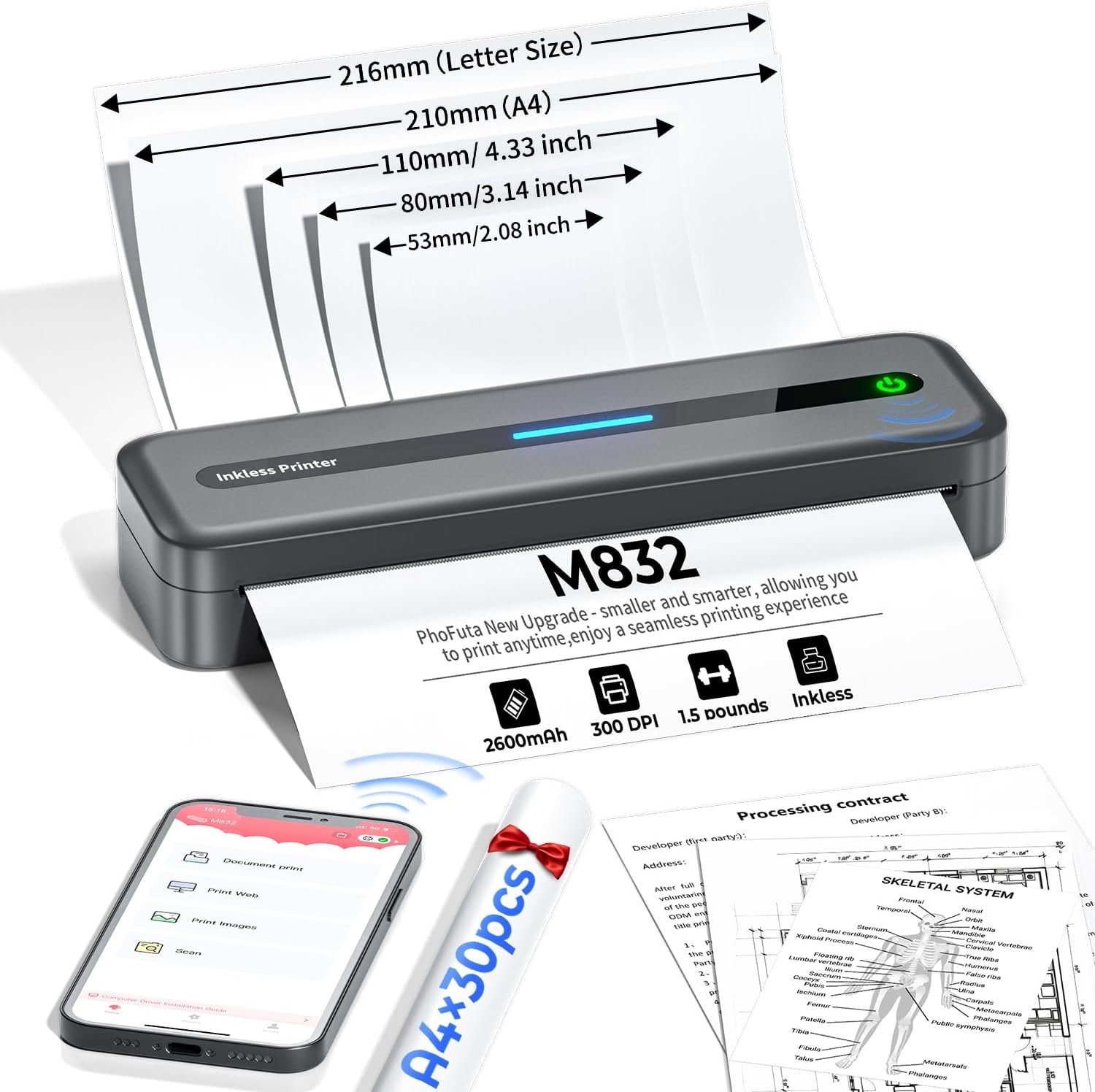
In today’s fast-paced digital landscape, the need for reliable, efficient, and versatile printing solutions has never been more critical. Whether for home use, office tasks, or on-the-go scenarios, selecting the right printer can significantly impact productivity, cost efficiency, and environmental sustainability. Printers serve as essential tools for document management, data sharing, and creative output, yet their performance can vary widely based on technology, design, and functionality. For users who prioritize portability, connectivity, and low-maintenance operation, the PhoFuta M832 portable thermal printer presents a compelling option. This review evaluates its capabilities across key decision factors, including print quality, connectivity, durability, and environmental impact, to help buyers determine if it aligns with their specific needs.
Quick Overview
| Feature | Details |
|---|---|
| Printer Type | Thermal printer with inkless printing technology |
| Print Resolution | 300 dots per inch (dpi) |
| Print Speed | 5 pages per minute (ppm) in monochrome |
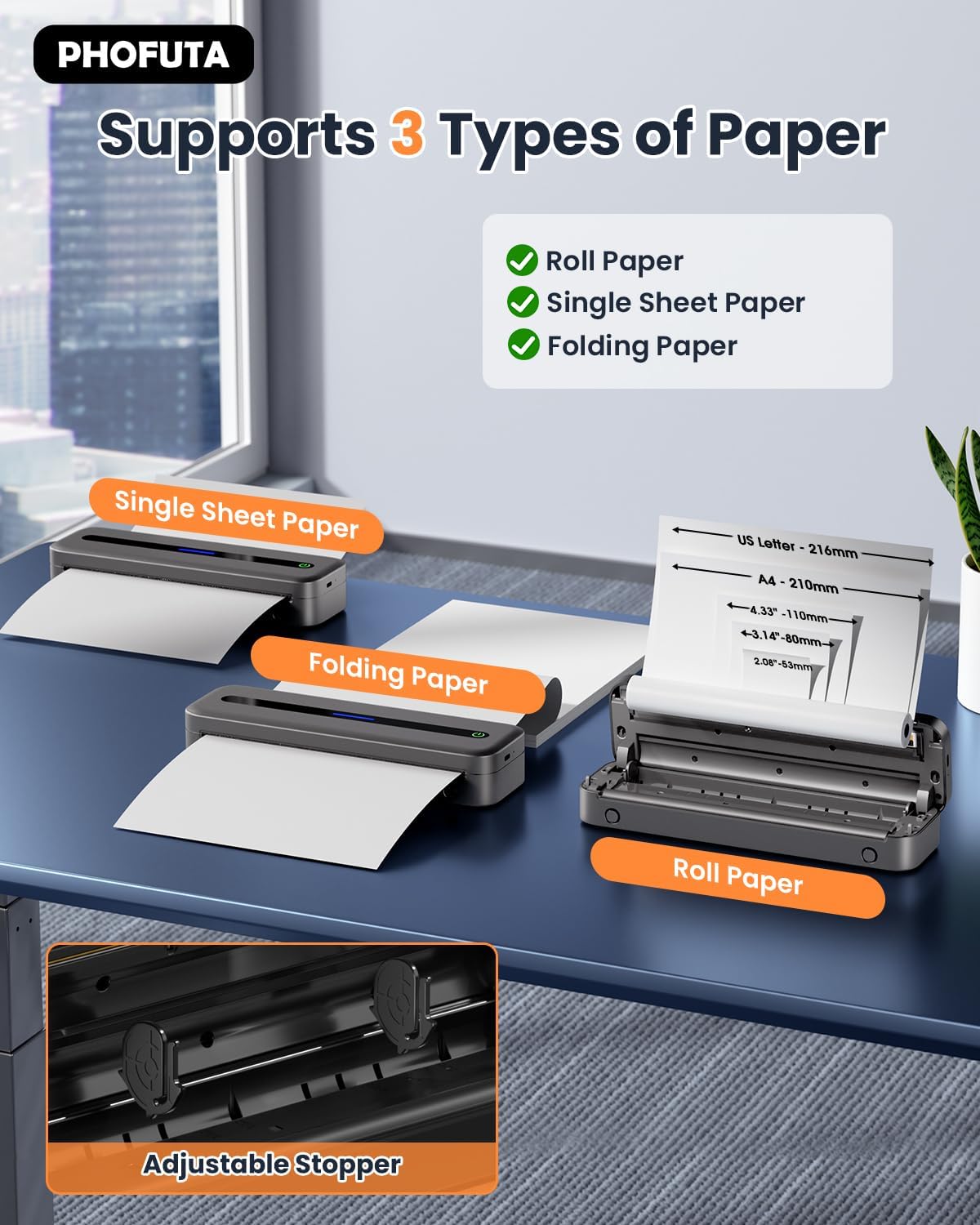
| Supported Media Sizes | US Letter, A4, 4″, 3″, 2″ (216mm/210mm/110mm/80mm/53mm) |
| Connectivity | Bluetooth, USB Type-C |
| Battery Life | 2600mAh rechargeable lithium-ion battery |
| Print Capacity | Up to 150 sheets per full charge |
| Warranty | Lifetime warranty |
| Weight | 2.19 pounds (1.0 kg) |
| Dimensions | 12.2 x 4.49 x 3.62 inches |
The PhoFuta M832 combines lightweight design, thermal printing technology, and multiple connectivity options to cater to users requiring mobility and simplicity. Its inkless operation reduces maintenance costs and environmental impact, while the built-in paper bin supports various thermal paper sizes. These features make it suitable for travelers, students, and remote workers who need a reliable printing solution without the burden of ink or toner management.
Portability and Design

Ultra-Compact Form Factor
The PhoFuta M832’s portability is its defining advantage, designed for users who prioritize mobility without sacrificing functionality. Weighing just 2.19 pounds and measuring 12.2 x 4.49 x 3.62 inches, the printer fits easily into backpacks, laptop bags, or even small vehicle storage compartments. Its compact size is achieved through a streamlined design that integrates a built-in paper bin, eliminating the need for external storage. This design not only reduces the overall footprint but also ensures the printer remains lightweight and easy to transport, making it ideal for business travelers, students, and professionals working in remote environments.
Durable and Weather-Resistant Build
While the M832 is primarily marketed as a portable solution, its durability is optimized for everyday use rather than extreme conditions. The gray-colored casing provides a sturdy exterior, though it lacks IP-rated weather resistance. The printer’s internal components are engineered for consistent performance in typical indoor settings, such as home offices or classrooms. For users requiring outdoor use, the lack of weatherproofing may limit its applicability. However, its lightweight construction and minimal moving parts contribute to long-term reliability in standard environments.
Ergonomic and User-Friendly Design
The M832’s design emphasizes ease of use, with intuitive controls and a user-friendly interface. The built-in paper bin allows for seamless transitions between thermal rolls and folded paper, reducing the need for frequent refills. The USB Type-C port and Bluetooth connectivity simplify setup, enabling users to print from smartphones, tablets, or PCs without additional peripherals. While the lack of a touchscreen or advanced settings menu may appeal to users seeking simplicity, it could be a drawback for those requiring more customization options.
Print Quality and Performance

Thermal Printing Technology
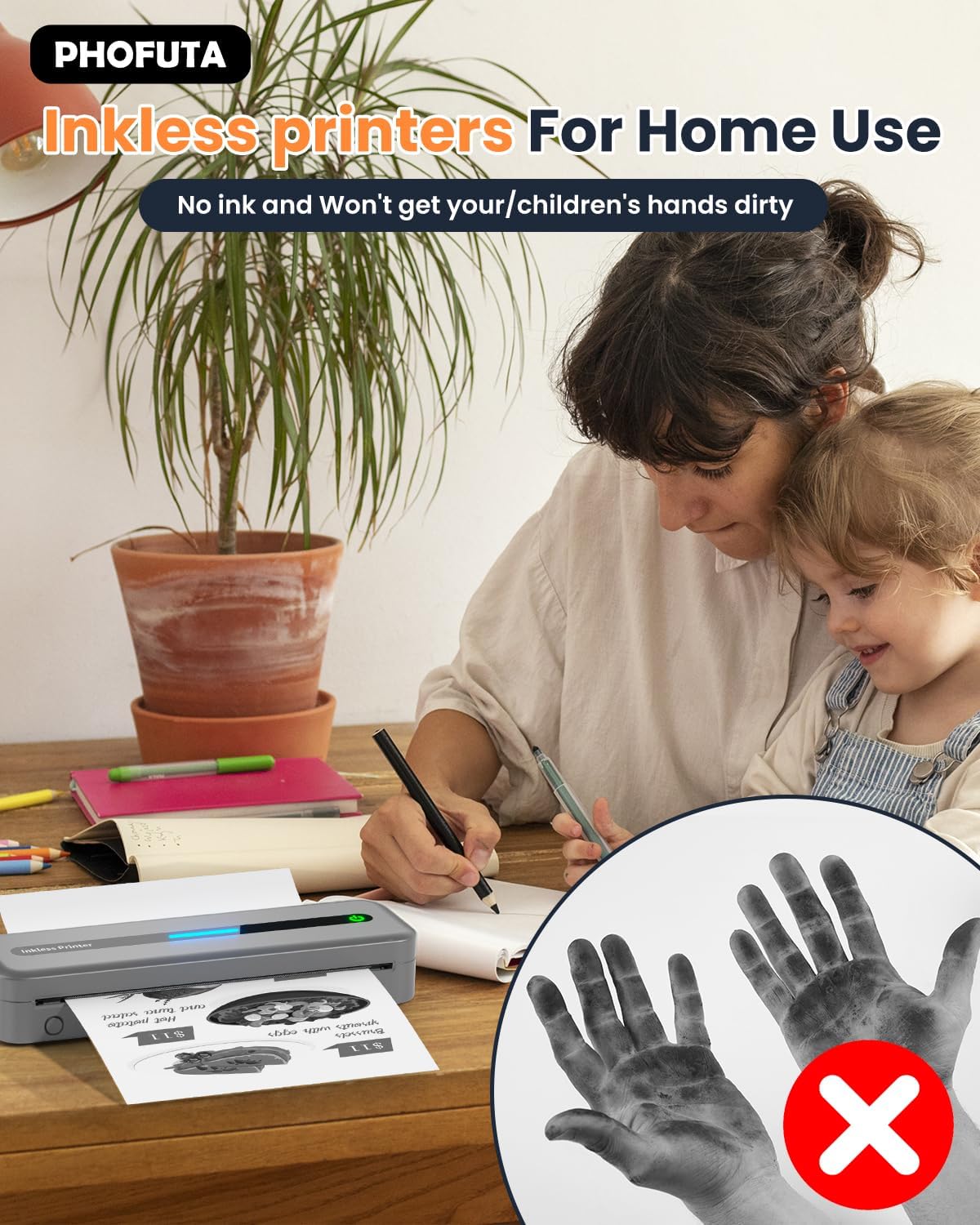
The M832 utilizes thermal printing technology, which eliminates the need for ink or toner. This inkless system relies on heat to produce images on thermal paper, resulting in a clean, smudge-free output. The printer’s 300 dpi resolution ensures clear text and basic graphics, though it is not suitable for high-resolution photos or complex color images. The thermal paper used must be specifically designed for this technology, which is a limitation for users requiring more versatile media options. However, the absence of ink-related maintenance issues makes it an attractive choice for low-cost, high-frequency printing tasks.
Text and Graphics Clarity
The M832’s 300 dpi resolution provides sufficient clarity for everyday printing needs, including receipts, labels, and simple documents. Text is rendered with consistent sharpness, and basic graphics such as barcodes or QR codes are printed without distortion. However, the printer’s performance with detailed graphics or photographs is limited, as thermal printing does not support color or high-contrast imagery. Users requiring professional-grade output should consider alternative technologies like inkjet or laser printers, which offer greater versatility in print quality.
Print Speed and Throughput
With a print speed of 5 ppm in monochrome mode, the M832 is adequate for low-volume printing tasks. Its 2600mAh battery allows for up to 150 sheets per full charge, making it suitable for intermittent use. However, for high-volume environments such as busy offices or retail settings, the printer’s speed and capacity may fall short. The lack of a built-in power adapter or AC power option further limits its use in stationary workspaces, requiring users to rely on rechargeable batteries for continuous operation.
Connectivity and Compatibility
Bluetooth and USB Connectivity
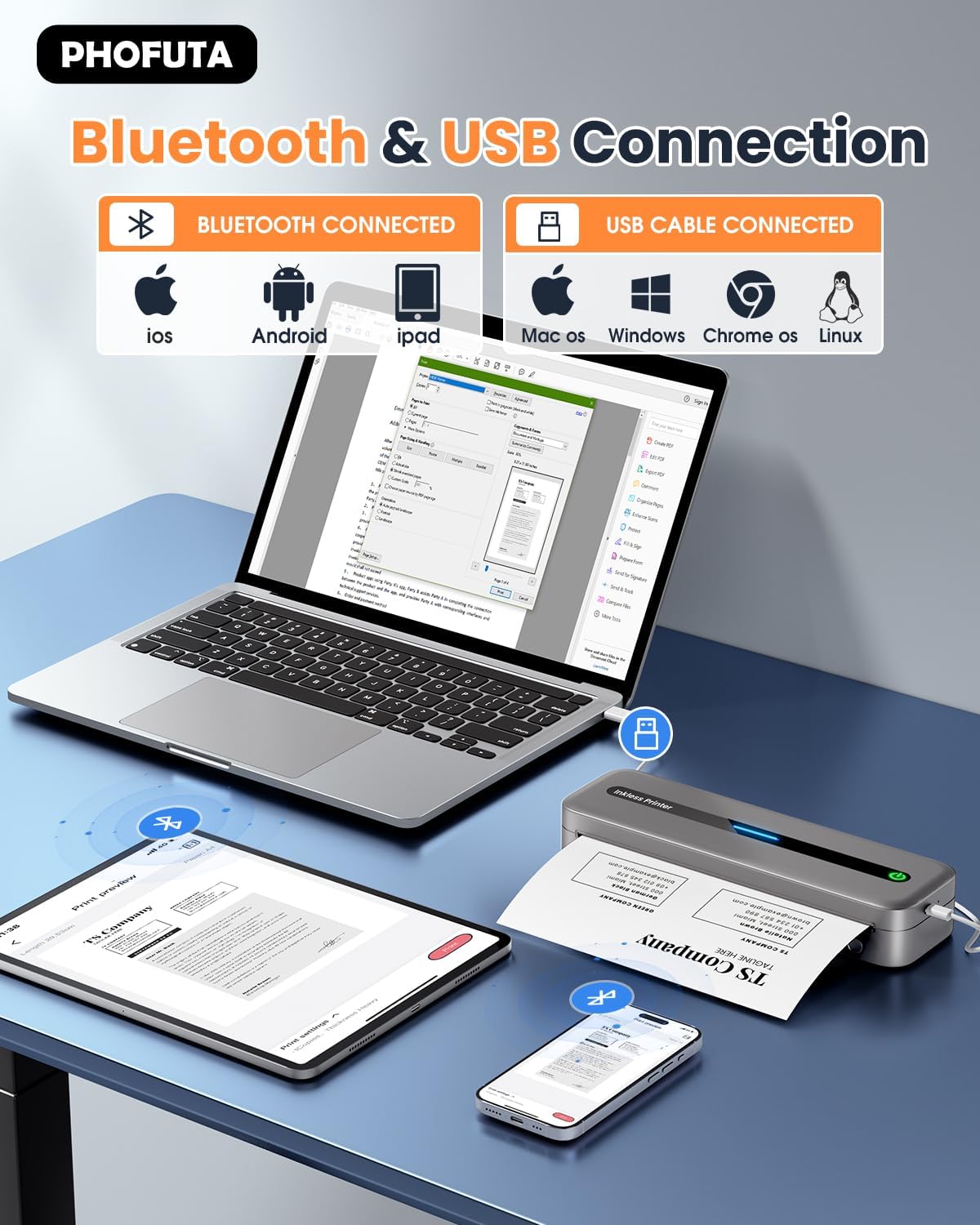
The M832 offers dual connectivity options: Bluetooth and USB Type-C. Bluetooth enables wireless printing from mobile devices, eliminating the need for physical cables. This feature is particularly beneficial for users who frequently print from smartphones or tablets. However, the Bluetooth connection may experience latency or signal interference in crowded environments, potentially affecting print reliability. The USB Type-C port provides a direct, stable connection for desktop computers or laptops, ensuring faster data transfer and more consistent performance for larger print jobs.
Device Compatibility and Setup
The printer is compatible with a wide range of devices, including iOS and Android smartphones, tablets, and PCs. The included USB cable and Type-C converter facilitate easy setup, allowing users to connect the printer without additional adapters. The printer’s reliance on a dedicated app for configuration and printing simplifies the user experience, though it may require users to download and install the app separately. This setup is straightforward for tech-savvy users but may pose a barrier for those less familiar with mobile printing solutions.
Network and Cloud Integration
Unlike some modern printers that support cloud-based printing or Wi-Fi connectivity, the M832 does not offer these advanced features. This limitation may be a drawback for users who rely on cloud services or remote printing capabilities. However, the printer’s simplicity and low maintenance requirements make it an ideal choice for users who prioritize ease of use over complex connectivity options. For those requiring networked printing, alternative models with Wi-Fi or cloud integration may be more suitable.

Pros & Cons
Pros
- Ultra-Portable Design: The lightweight and compact form factor makes it ideal for travel, commuting, and remote work environments.
- Inkless Thermal Printing: Eliminates the need for ink or toner, reducing maintenance costs and environmental impact.
- Multi-Size Paper Support: The built-in paper bin accommodates various thermal paper sizes, enhancing versatility for different printing tasks.
- Long Battery Life: The 2600mAh battery provides up to 150 sheets per charge, suitable for intermittent use.
- Simple Connectivity: Bluetooth and USB options ensure compatibility with a wide range of devices without complex setup.
- Lifetime Warranty: The manufacturer’s commitment to long-term support adds value for users seeking reliability.
Cons
- Limited Print Quality: Thermal printing technology restricts color output and detailed graphics, making it unsuitable for professional photography or complex documents.
- No Color Printing: The monochrome output limits its applicability for tasks requiring color, such as marketing materials or creative projects.
- No Weather Resistance: The lack of IP protection may reduce its usability in outdoor or harsh environments.
- Battery-Dependent Operation: Reliance on rechargeable batteries means the printer cannot operate continuously without access to power.
- No Advanced Connectivity: The absence of Wi-Fi or cloud integration may be a drawback for users requiring remote printing capabilities.
Final Verdict: Who This Printer Is Best For (and Who Should Skip It)
The PhoFuta M832 is best suited for users who prioritize portability, simplicity, and low-maintenance printing. Its inkless thermal technology, multi-size paper support, and compact design make it an excellent choice for travelers, students, and remote workers who need a reliable printing solution without the hassle of ink refills or toner management. The printer’s long battery life and straightforward connectivity options further enhance its appeal for casual or intermittent use.
However, users with high-volume printing needs, professional photography requirements, or advanced connectivity demands may find the M832 insufficient. The lack of color printing, limited resolution for detailed graphics, and absence of Wi-Fi or cloud integration make it unsuitable for commercial environments or creative professionals. For those seeking a more versatile printing solution, alternatives with inkjet or laser technology, or models offering advanced connectivity features, may provide better value.

Frequently Asked Questions

What types of paper does the PhoFuta M832 support?
The M832 is designed for thermal paper only, which is specifically engineered for heat-sensitive printing. It supports multiple sizes, including US Letter, A4, and various folded paper formats. This design eliminates the need for ink or toner, making it ideal for low-maintenance printing tasks.
How long does the battery last on a single charge?
The built-in 2600mAh battery allows the M832 to print up to 150 sheets on a single full charge. This capacity is suitable for intermittent use, though continuous operation may require frequent recharging.
Can the M832 print in color?
No, the M832 is a monochrome thermal printer, producing only black-and-white output. It is not designed for color printing, making it unsuitable for tasks requiring vibrant or detailed color images.
Is the M832 suitable for outdoor use?
The M832 is not weather-resistant and is optimized for indoor environments. Its design and materials are not suited for outdoor use, though it remains durable in typical home or office settings.
What connectivity options are available for the M832?
The M832 offers Bluetooth and USB Type-C connectivity, enabling wireless printing from mobile devices and direct connections to computers. It does not support Wi-Fi or cloud-based printing features.
How does the M832 handle different paper sizes?
The built-in paper bin accommodates various thermal paper sizes, including US Letter, A4, and smaller folded formats. This design allows users to switch between different paper types without additional accessories, enhancing versatility for diverse printing needs.
Does the M832 require regular maintenance?
The M832’s inkless thermal technology minimizes maintenance requirements. Users primarily need to replace thermal paper and ensure proper battery charging. There is no need for cleaning or replacing ink cartridges, reducing long-term operational costs.
What is the warranty coverage for the M832?
The M832 comes with a lifetime warranty, ensuring long-term support and reliability. This warranty provides peace of mind for users seeking a durable and dependable printing solution.
Additional Information
The PhoFuta M832 is part of a growing trend toward portable, low-maintenance printing solutions that cater to the needs of a mobile workforce. Its design and functionality reflect a balance between simplicity and practicality, making it a viable option for users who prioritize ease of use over advanced features. While it may not meet the demands of high-volume or professional printing environments, its strengths in portability and cost-effectiveness position it as a strong contender for specific use cases.
Conclusion
The PhoFuta M832 portable thermal printer offers a unique blend of portability, simplicity, and cost-effectiveness, making it an excellent choice for users with specific printing needs. Its inkless design, multi-size paper support, and lightweight construction cater to a wide range of applications, from travel and education to remote work. However, its limitations in print quality, color output, and connectivity options mean it is not suitable for all scenarios. By understanding its strengths and constraints, users can determine whether the M832 aligns with their printing requirements in 2026.
Frequently Asked Questions (FAQs)
What types of paper does the PhoFuta M832 support?
The M832 is designed for thermal paper only, which is specifically engineered for heat-sensitive printing. It supports multiple sizes, including US Letter, A4, and various folded paper formats. This design eliminates the need for ink or toner, making it ideal for low-maintenance printing tasks.
How long does the battery last on a single charge?
The built-in 2600mAh battery allows the M832 to print up to 150 sheets on a single full charge. This capacity is suitable for intermittent use, though continuous operation may require frequent recharging.
Can the M832 print in color?
No, the M832 is a monochrome thermal printer, producing only black-and-white output. It is not designed for color printing, making it unsuitable for tasks requiring vibrant or detailed color images.
Is the M832 suitable for outdoor use?
The M832 is not weather-resistant and is optimized for indoor environments. Its design and materials are not suited for outdoor use, though it remains durable in typical home or office settings.
What connectivity options are available for the M832?
The M832 offers Bluetooth and USB Type-C connectivity, enabling wireless printing from mobile devices and direct connections to computers. It does not support Wi-Fi or cloud-based printing features.
How does the M832 handle different paper sizes?
The built-in paper bin accommodates various thermal paper sizes, including US Letter, A4, and smaller folded formats. This design allows users to switch between different paper types without additional accessories, enhancing versatility for diverse printing needs.
Does the M832 require regular maintenance?
The M832’s inkless thermal technology minimizes maintenance requirements. Users primarily need to replace thermal paper and ensure proper battery charging. There is no need for cleaning or replacing ink cartridges, reducing long-term operational costs.
What is the warranty coverage for the M832?
The M832 comes with a lifetime warranty, ensuring long-term support and reliability. This warranty provides peace of mind for users seeking a durable and dependable printing solution.