
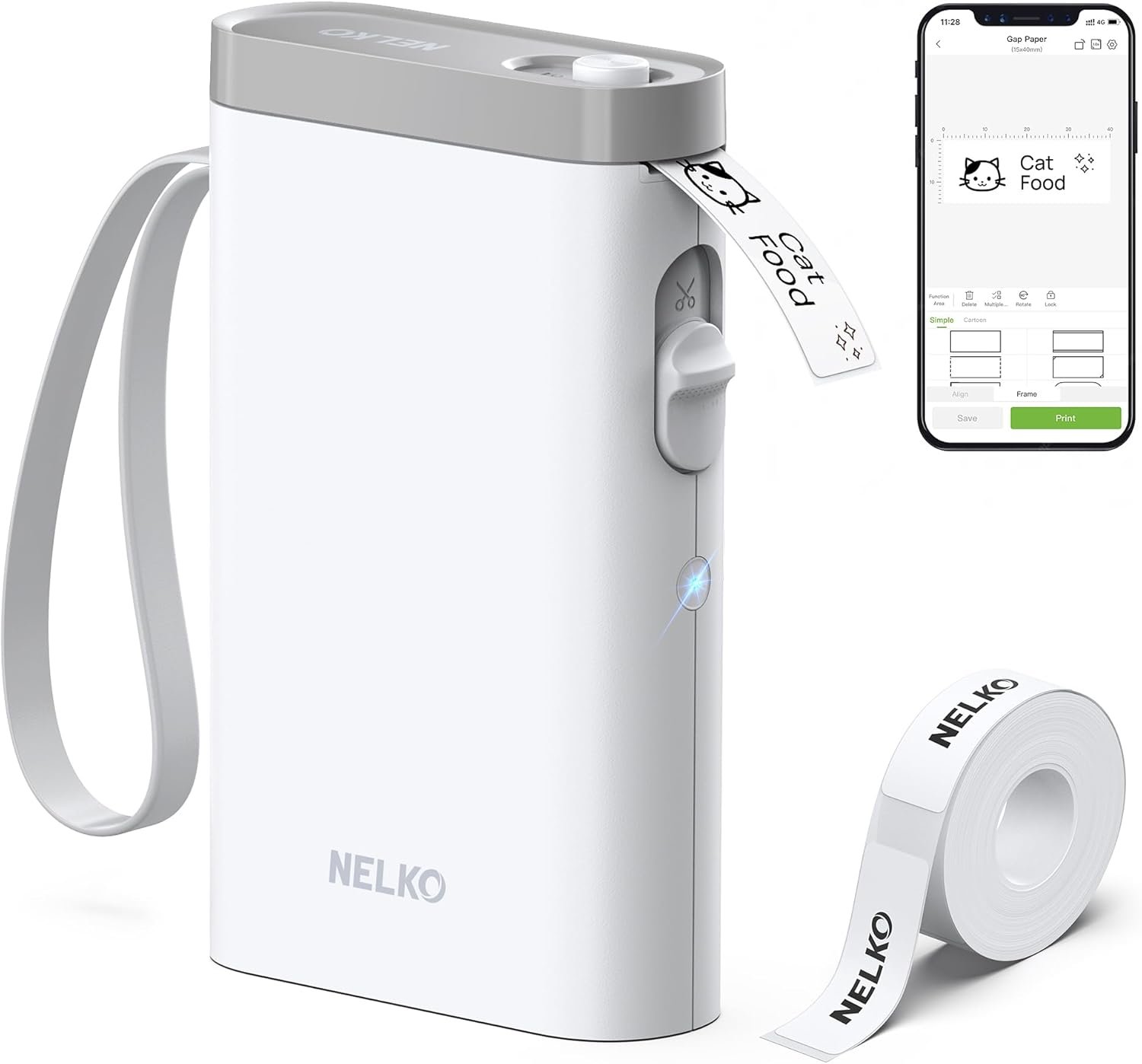
The Importance of Choosing the Right Label Printer
In today’s fast-paced environments, the ability to quickly and reliably produce clear, organized labels can significantly impact productivity. Whether managing household inventory, streamlining office workflows, or labeling school supplies, a label printer must balance portability, print quality, and ease of use. The Nelko P21 thermal label printer addresses these needs with its compact design, wireless connectivity, and high-definition output. However, selecting the right printer requires understanding how different technologies, media compatibility, and connectivity options align with specific use cases. This review evaluates the Nelko P21’s performance across key factors such as print resolution, media versatility, app integration, and duty cycle suitability, helping users determine if it meets their labeling requirements.
Quick Overview
| Feature | Details |
|---|---|
| Printer Type | Thermal label printer |
| Printing Technology | Direct thermal |
| Connectivity | Bluetooth (iOS/Android) |
| Print Resolution | 203 DPI |
| Print Speed | 30 ppm (monochrome) |
| Media Sizes | 12X40mm, 14X40mm, 14X50mm, 14X75mm |
| Battery Life | Rechargeable, long-lasting |
| Compatibility | iOS/Android smartphones |
| Duty Cycle | Single-sheet printing |
| Ink Type | Thermal paper |
| Included Components | Label roll, charging cable, user manual |
The Nelko P21’s thermal printing technology and compact size make it ideal for users who need on-the-go labeling. Its reliance on thermal paper eliminates the need for ink or toner, simplifying maintenance. However, its single-sheet printing capability and limited media options may restrict use in high-volume environments.

Portability and Design

Compact Form Factor
The Nelko P21’s reduced size compared to traditional label makers makes it highly portable, with a weight of 0.72 pounds. Its streamlined design allows users to carry it easily, enabling printing in various settings such as classrooms, offices, or homes. The wireless Bluetooth connectivity further enhances convenience by eliminating the need for physical cables. However, its small size may limit access to additional features typically found in larger printers.
Battery and Power Considerations
The built-in rechargeable battery ensures extended operation without requiring frequent recharging. While the battery life is sufficient for occasional use, users in high-volume environments may need to consider the device’s power limitations. The absence of fast-charging support means users must plan for regular charging cycles to maintain continuous operation.
Print Quality and Resolution

High-Definition Output
Equipped with a 203 DPI print resolution, the Nelko P21 delivers sharp, clear text and graphics suitable for most labeling tasks. The direct thermal printing technology ensures consistent print quality without the need for ink or toner, reducing maintenance requirements. However, the monochrome output restricts color printing capabilities, limiting its use for visually complex labels.
Text and Graphic Capabilities
The printer supports text, QR codes, barcodes, and basic images, making it versatile for identifying items, organizing supplies, or creating personalized tags. The app’s extensive library of fonts, templates, and design elements allows users to customize labels without advanced design skills. Despite this, the fixed label length options may not accommodate all labeling needs, requiring users to select the most appropriate size for their application.
Connectivity and App Integration

Bluetooth and Mobile Compatibility
The Nelko P21’s Bluetooth connectivity simplifies the printing process by allowing users to print directly from smartphones. The dedicated Nelko app provides a user-friendly interface for managing templates, adjusting settings, and accessing over 450 design options. However, compatibility issues with certain Android devices, particularly those running version 14, may limit its accessibility for some users.
App Functionality and Limitations
The app’s integration with iOS and Android devices streamlines label creation, but its reliance on mobile connectivity means users cannot operate the printer independently of their devices. Additionally, the lack of computer compatibility restricts its use in environments where desktop systems are preferred. While the app’s extensive template library enhances usability, users must ensure they have the latest version to avoid printing anomalies.
Media Support and Versatility

Label Size and Material Compatibility
The Nelko P21 supports multiple label sizes, including 12X40mm, 14X40mm, 14X50mm, and 14X75mm, catering to a range of labeling needs. The printer is designed for use with Nelko thermal label paper, which ensures optimal print quality and durability. However, the lack of support for continuous label tapes may limit its use in high-volume applications requiring uninterrupted printing.
Environmental and Usage Considerations
The thermal printing technology requires users to handle label paper carefully, as exposure to heat or direct sunlight can degrade print quality. The printer’s single-sheet printing capability makes it suitable for low-to-moderate duty cycles but less ideal for environments requiring frequent, large-scale labeling. Users must also be mindful of the label’s adhesive properties, as improper storage or handling may affect its effectiveness.

Pros & Cons
Pros
- Portability: The compact, lightweight design makes it easy to carry and use in various settings.
- High-Definition Printing: 203 DPI resolution ensures clear, legible text and graphics.
- App Integration: The Nelko app provides extensive customization options and template support.
- Battery Life: The rechargeable battery offers long-lasting operation without frequent recharging.
- No Ink/Toner Required: Direct thermal technology simplifies maintenance and reduces costs.
Cons
- Limited Media Options: Only supports thermal label paper and specific label sizes.
- Monochrome Output: No color printing capabilities restrict creative versatility.
- App Dependency: Requires a smartphone for operation, limiting standalone use.
- Battery Constraints: No fast-charging support may affect continuous use.
- Compatibility Issues: Limited compatibility with certain Android devices.
Final Verdict: Who This Printer Is Best For (and Who Should Skip It)
The Nelko P21 thermal label printer is best suited for users who prioritize portability and simplicity in their labeling needs. Its compact design, wireless connectivity, and high-resolution output make it ideal for students, teachers, and office workers requiring on-the-go labeling for school supplies, personal organization, or small-scale inventory management. However, users in high-volume environments or those needing color printing capabilities may find the Nelko P21 insufficient. Its reliance on thermal paper and smartphone connectivity also limits its use in settings where alternative printing methods or larger volumes are required. For those seeking a versatile, easy-to-use label printer with minimal maintenance, the Nelko P21 offers a practical solution for specific labeling tasks.

Frequently Asked Questions (FAQs)
Is the Nelko P21 suitable for high-volume printing?
The Nelko P21 is designed for single-sheet printing, making it ideal for low-to-moderate duty cycles. Its thermal printing technology and compact size are better suited for occasional use rather than large-scale, continuous printing operations.
Can the Nelko P21 print color labels?
The Nelko P21 produces monochrome output using direct thermal technology. Color printing requires specialized color pattern label tapes, which are not included in the standard package. This limitation restricts its use for visually complex labels.
How does the Nelko P21 connect to mobile devices?
The Nelko P21 connects to iOS and Android smartphones via Bluetooth. Users must download the Nelko app to manage templates, adjust settings, and initiate printing. Compatibility issues with Android 14 may affect some users.
What are the label size options for the Nelko P21?
The Nelko P21 supports fixed label sizes including 12X40mm, 14X40mm, 14X50mm, and 14X75mm. Users must select the appropriate size based on their labeling requirements, as continuous label tapes are not supported.
Does the Nelko P21 require a computer for operation?
The Nelko P21 is designed for use with smartphones via the Nelko app and does not support direct computer connectivity. This makes it suitable for mobile users but less ideal for environments requiring desktop integration.
How long does the battery last on the Nelko P21?
The built-in rechargeable battery provides extended operation, though the exact duration depends on usage frequency. The printer does not support fast-charging adapters, requiring regular charging for continuous use.
What type of label paper is recommended for the Nelko P21?
The Nelko P21 is optimized for use with Nelko thermal label paper. Using alternative paper types may affect print quality and durability, so it’s recommended to use the specified media for optimal results.
Can the Nelko P21 be used for commercial applications?
The Nelko P21 is best suited for personal, educational, or small business use due to its single-sheet printing capability and limited media options. Commercial environments requiring high-volume or color printing may find it insufficient.