HP LaserJet MFP M140w Review: Monochrome Print, Scan, Copy, and Wireless Connectivity for Small Teams
The Importance of Choosing the Right Printer for Small Teams
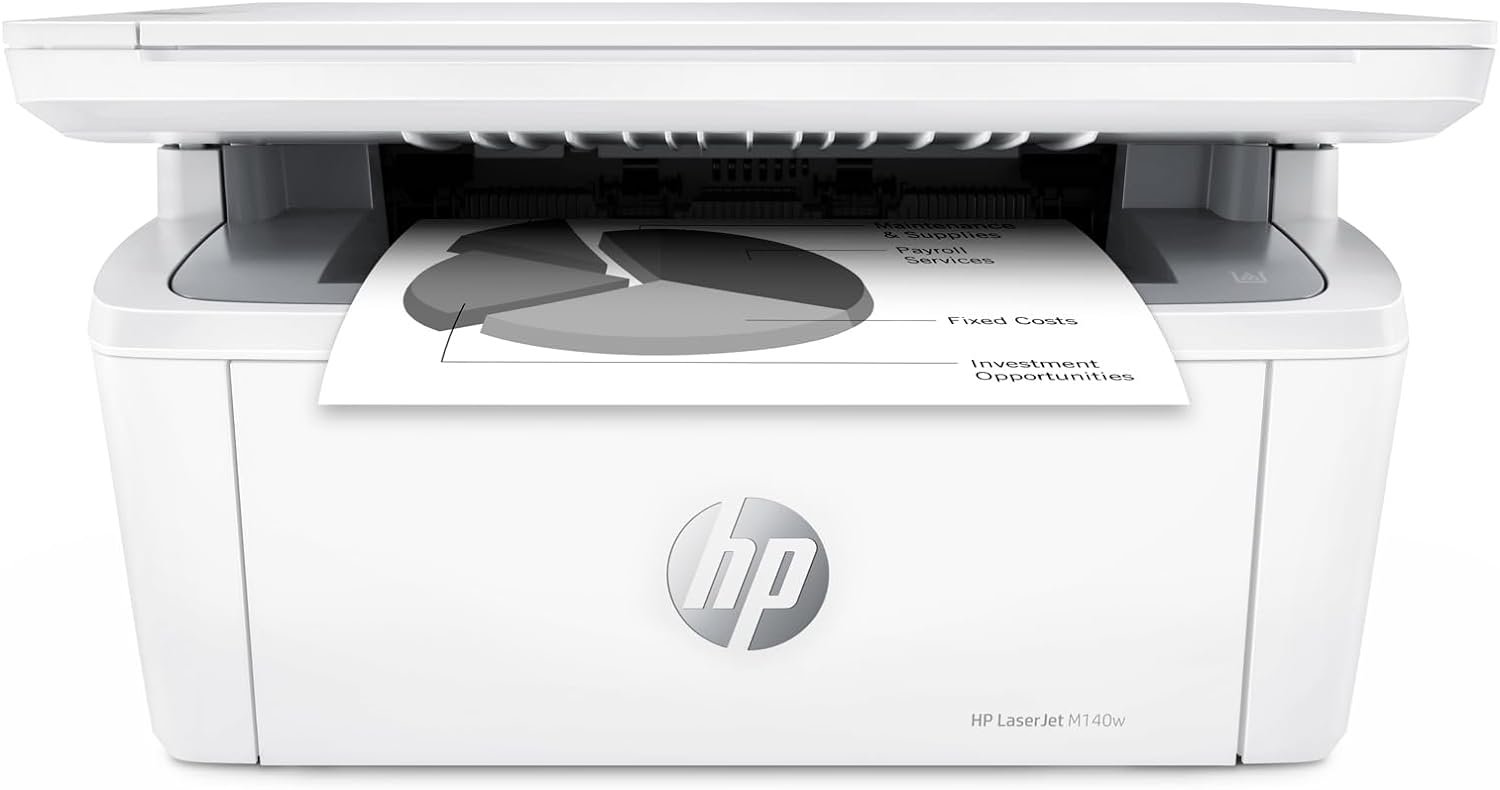
In today’s fast-paced work environments, the right printer can significantly impact productivity and workflow efficiency. Whether managing a small office, a remote team, or a home-based business, a printer must balance speed, reliability, and multifunctionality. For small teams, the demand for a printer that handles print, scan, and copy tasks seamlessly is critical. A printer must also support wireless connectivity, adapt to varying document sizes, and maintain consistent output quality. Additionally, energy efficiency and ease of integration with existing workflows are key considerations. The HP LaserJet MFP M140w is designed with these needs in mind, offering a compact, high-speed monochrome printing solution that caters to small-scale operations. Its ability to handle both standard and specialized media types, combined with intuitive connectivity options, makes it a viable option for users prioritizing efficiency and simplicity. However, understanding its technical specifications, performance benchmarks, and real-world limitations is essential for making an informed decision.
Quick Overview
| Feature | Details |
|---|---|
| Printer Type | All-in-one laser printer |
| Print Technology | Laser printing |
| Supported Functions | Print, scan, copy |
| Print Resolution | 600 x 600 dpi |
| Print Speed | Up to 21 pages per minute (black and white) |
| Media Sizes | 4.13 x 5.83 to 8.5 x 14 inches |
| Connectivity | USB 2.0, wireless (Wi-Fi) |
| Duty Cycle | 15,000 pages per month |
| Toner System | Original HP LaserJet toner cartridges |
| Warranty | Limited warranty |
| Energy Efficiency | Energy Star certified |
| Additional Features | Auto Document Feeder, HP Smart app integration |
The HP LaserJet MFP M140w combines compact design with robust performance, making it suitable for small teams requiring reliable monochrome printing. Its wireless connectivity and support for specialized media types enhance its versatility, while Energy Star certification ensures energy efficiency. These features collectively address the needs of users prioritizing speed, simplicity, and environmental considerations.

Print Speed and Throughput for Small-Scale Workloads
The HP LaserJet MFP M140w delivers fast monochrome printing at up to 21 pages per minute, making it well-suited for environments with moderate to high print volumes. This speed is achieved through a laser print engine optimized for black-and-white output, which ensures consistent performance across standard and specialized media types. The printer’s duty cycle of 15,000 pages per month indicates its ability to handle daily workloads typical for small offices or remote teams. However, the lack of duplex printing limits its efficiency for large document sets, as users must manually flip pages. For users prioritizing single-sided printing, this limitation is manageable, but it may impact productivity for those requiring frequent double-sided output.

High-Speed Monochrome Printing for Daily Use
The printer’s 21 pages per minute speed is ideal for environments where quick turnaround is essential, such as small businesses or teams with frequent document printing needs. Its laser print engine ensures consistent quality and minimal downtime, even during extended use. The printer’s ability to handle media sizes up to 8.5 x 14 inches accommodates standard letter-sized paper, envelopes, labels, and cardstock, expanding its utility for diverse tasks. This versatility reduces the need for additional peripherals, streamlining workflow for small teams.
Duty Cycle and Workload Capacity
With a duty cycle of 15,000 pages per month, the M140w is designed for environments where printing is a regular but not overwhelming task. This capacity ensures the printer can handle daily workloads without overheating or requiring frequent maintenance. However, users with significantly higher print volumes may need to consider a printer with a higher duty cycle. The M140w’s energy-efficient design also helps reduce operational costs over time, making it a cost-effective choice for small-scale operations.
Connectivity and Wireless Integration for Modern Workflows
The HP LaserJet MFP M140w supports both USB 2.0 and wireless connectivity, offering flexibility for users with varying device preferences. Its wireless capabilities allow for seamless printing from mobile devices, PCs, and tablets, aligning with the growing trend of remote and mobile work environments. The printer’s compatibility with Apple AirPrint, Mopria-certified standards, and Android devices ensures broad device support, minimizing setup complexity. However, the absence of a built-in Ethernet port may limit its use in environments requiring wired network stability. For users prioritizing wireless flexibility, the M140w’s connectivity options provide a reliable solution for modern workflows.
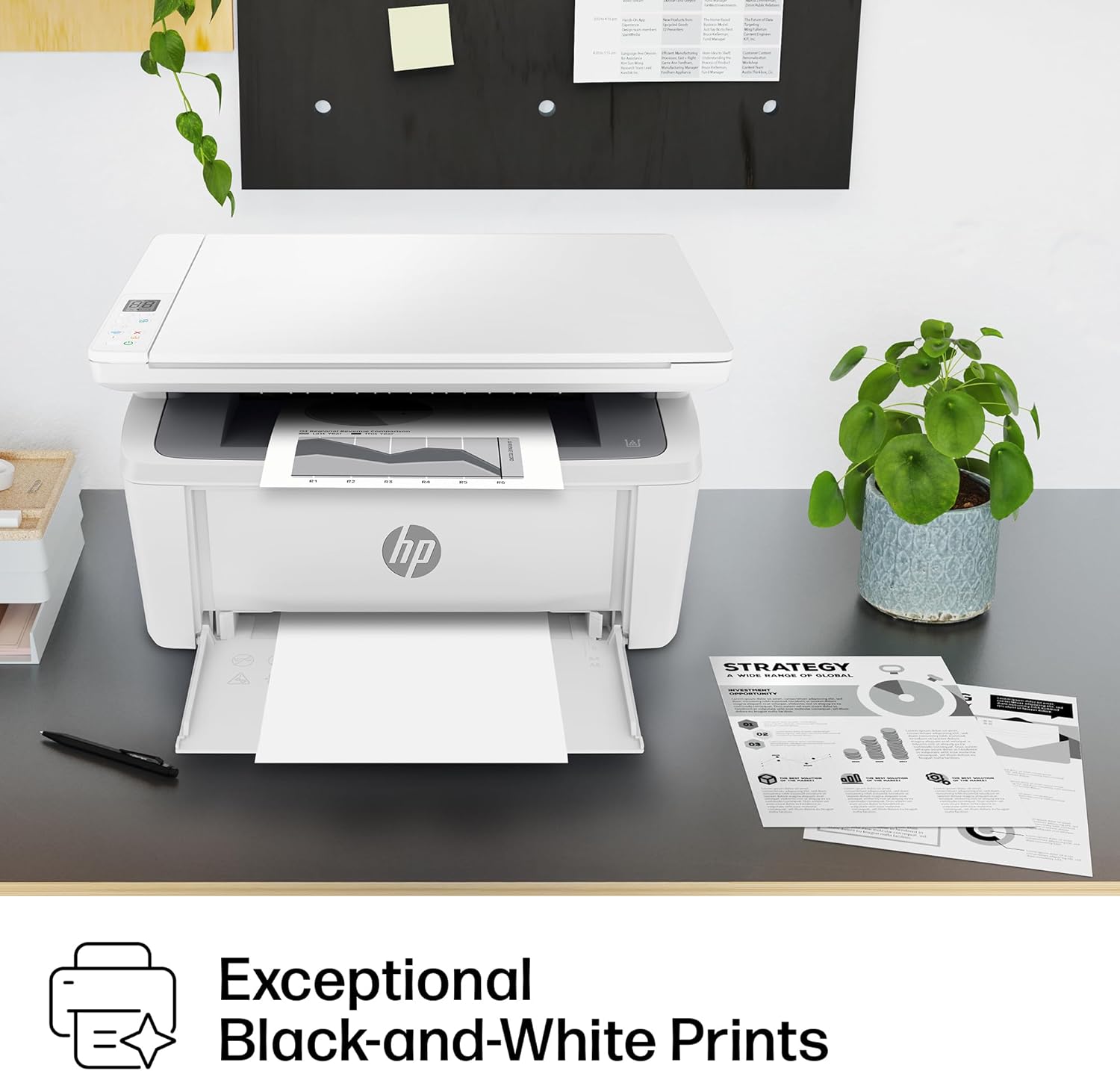
Wireless Printing and Cross-Device Compatibility
The printer’s wireless functionality enables users to print from smartphones, tablets, and laptops without physical connections, enhancing convenience for remote teams. Its support for AirPrint and Mopria-certified standards ensures compatibility with a wide range of devices, reducing the need for additional software or drivers. The HP Smart app further simplifies tasks such as scanning to the cloud and managing print jobs, making it user-friendly for non-technical users. These features collectively improve productivity for users who rely on mobile and cross-device printing.
USB 2.0 and Network Stability
While the wireless connectivity is a key strength, the M140w’s USB 2.0 port provides a reliable alternative for users who prefer wired connections. This dual connectivity option ensures compatibility with older devices or environments where wireless signals may be unstable. However, the lack of an Ethernet port means users cannot directly connect the printer to a network, which may be a drawback for businesses requiring more robust network integration. For users with stable wireless environments, the printer’s connectivity options are sufficient for most needs.
Media Compatibility and Output Flexibility for Diverse Tasks
The HP LaserJet MFP M140w supports a range of media types, including cardstock, envelopes, labels, and standard paper, making it suitable for various document types. Its ability to handle small-sized documents, such as ID cards, through its auto document feeder enhances its utility for specialized tasks. However, the printer’s lack of duplex printing limits its efficiency for large document sets, requiring manual page flipping. This limitation may impact productivity for users who frequently print double-sided materials, but it is a trade-off for maintaining compact design and simplicity.

Handling Specialized Media Types
The printer’s support for cardstock, envelopes, and labels expands its versatility beyond standard paper printing. This capability is particularly useful for users who need to print business cards, mailing labels, or envelopes without additional equipment. The auto document feeder’s ability to handle small-sized documents, such as ID cards, ensures that users can scan or copy these items efficiently. These features make the M140w a practical choice for users with diverse printing needs.
Duplex Printing and Efficiency Considerations
The absence of duplex printing means users must manually flip pages for double-sided output, which can slow down workflows for high-volume printing. While this limitation is offset by the printer’s compact design and energy efficiency, it may be a drawback for users who prioritize single-sided printing. For those who frequently print large documents, the lack of duplex printing could lead to increased paper usage and manual effort, impacting overall efficiency.

Pros and Cons of the HP LaserJet MFP M140w
Pros
- Fast Monochrome Printing: The 21 pages per minute speed ensures quick turnaround for standard documents, ideal for small teams.
- Wireless and USB Connectivity: Supports both wireless and USB 2.0, offering flexibility for different device preferences.
- Energy Efficiency: Energy Star certification reduces long-term operational costs.
- Versatile Media Support: Handles cardstock, envelopes, labels, and standard paper, expanding its utility.
- User-Friendly Features: HP Smart app simplifies scanning, printing, and task management.
- Compact Design: Its small footprint suits space-constrained environments.
- Duty Cycle Capacity: 15,000 pages per month ensures reliability for moderate workloads.
- Auto Document Feeder: Enhances efficiency for scanning and copying small documents.
Cons
- No Duplex Printing: Manual page flipping is required for double-sided output, impacting efficiency for high-volume printing.
- Limited Connectivity Options: Lacks an Ethernet port, restricting network integration for some users.
- No Built-In Scanner for Large Documents: While it supports scanning, the flatbed scanner may not handle very large or thick media.
- Dependence on Original Toner: Only works with HP-branded toner cartridges, limiting cost-saving opportunities.
- No Built-In Fax Function: Misses out on a traditional multifunction feature for some users.
- Manual Setup for Wireless: Initial wireless configuration may require additional steps for non-technical users.
Final Verdict: Who This Printer Is Best For (and Who Should Skip It)
The HP LaserJet MFP M140w is best suited for small teams and remote workers who require fast, reliable monochrome printing with wireless connectivity. Its compact design, energy efficiency, and support for diverse media types make it ideal for environments where simplicity and versatility are prioritized. The printer’s ability to handle specialized tasks like ID card copying further enhances its appeal for users with niche printing needs. However, users with high-volume printing requirements or those needing duplex printing should consider alternative models. Additionally, businesses requiring advanced networking capabilities or built-in fax functions may find the M140w insufficient. Overall, the M140w is a practical choice for those seeking a straightforward, efficient printing solution without unnecessary complexity.

Frequently Asked Questions (FAQs)
What is the maximum print speed of the HP LaserJet MFP M140w?
The HP LaserJet MFP M140w can print up to 21 pages per minute in black and white, making it suitable for environments with moderate to high print volumes.
Does the printer support duplex printing?
No, the HP LaserJet MFP M140w does not have built-in duplex printing. Users must manually flip pages for double-sided output.
What connectivity options are available for the printer?
The printer supports USB 2.0 and wireless connectivity (Wi-Fi), allowing for flexible printing from various devices.
Can the printer handle specialized media types like cardstock and envelopes?
Yes, the HP LaserJet MFP M140w supports cardstock, envelopes, labels, and standard paper, expanding its versatility for different tasks.
Is the printer compatible with mobile devices?
Yes, the printer works with Apple AirPrint, Mopria-certified standards, and Android devices, enabling wireless printing from smartphones and tablets.
What is the printer’s energy efficiency rating?
The HP LaserJet MFP M140w is Energy Star certified, indicating it meets energy efficiency standards for reduced operational costs.
Does the printer have a built-in fax function?
No, the HP LaserJet MFP M140w does not include a built-in fax function, focusing on print, scan, and copy capabilities.
What is the duty cycle capacity of the printer?
The printer has a duty cycle of 15,000 pages per month, suitable for environments with regular but not overwhelming print volumes.