
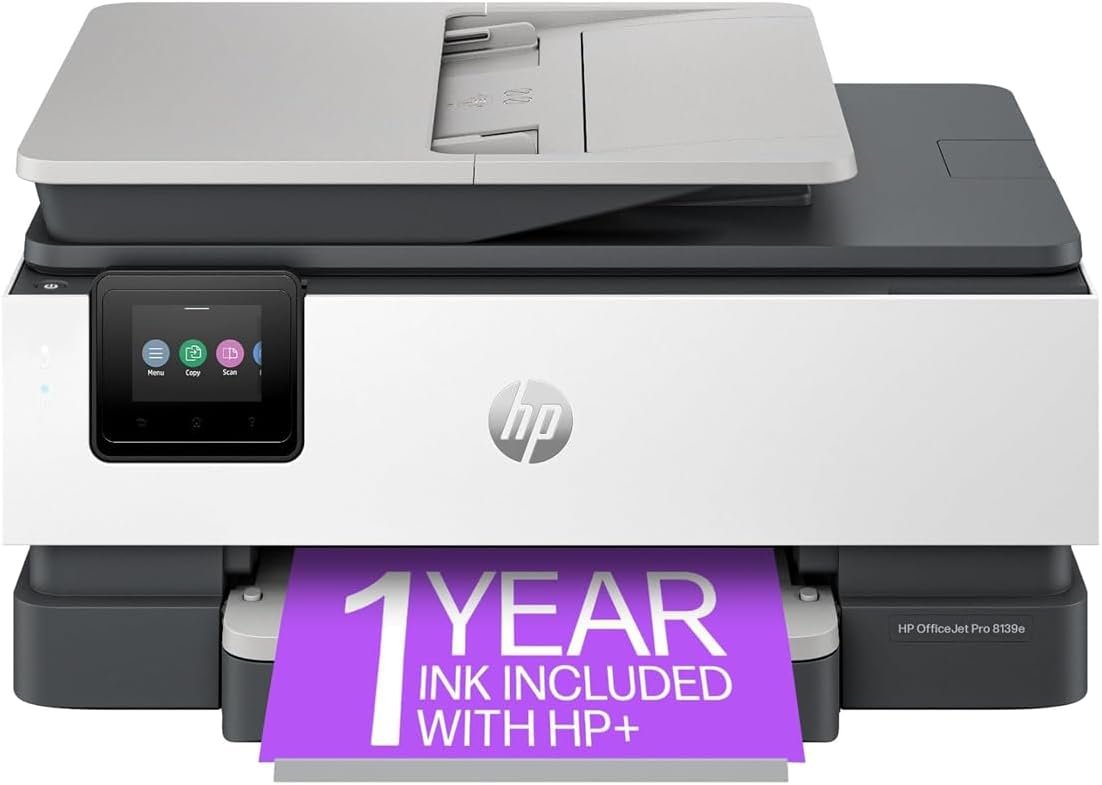
The Importance of Choosing the Right Printer
In today’s fast-paced digital environment, selecting the right printer can significantly impact productivity and efficiency, particularly for home offices, small businesses, and remote work environments. Printers serve as critical tools for document management, communication, and workflow automation, yet their performance and reliability can vary widely based on technology, design, and intended use. Whether you need a printer for high-volume office printing, color graphics, or multifunctional tasks like scanning and faxing, understanding key specifications and buyer intent is essential. This review focuses on the HP OfficeJet Pro 8139e Wireless All-in-One Color Inkjet Printer, a device designed for home office users who require speed, versatility, and color output. By analyzing its technical capabilities, connectivity options, and real-world suitability, this article helps readers determine if this printer aligns with their specific needs.
Quick Overview
| Feature | Details |
|---|---|
| Printer Type | Wireless All-in-One Color Inkjet |
| Printing Technology | Dye-based inkjet |
| Supported Functions | Print, Scan, Copy, Fax |
| Print Resolution | 4800 x 1200 dpi (color and black-and-white) |
| Print Speed | Up to 20 pages per minute (color and monochrome) |
| Media Sizes | 8.5 x 11, 8.5 x 14, 7.16 x 10.12, 8.27 x 11.7 |
| Connectivity | Wi-Fi, Ethernet |
| Duty Cycle | 225 pages per day |
| Ink System | HP 923 Setup Cartridges (black, cyan, magenta, yellow) |
| Warranty | 90-day limited warranty |
| Dual-Sided Printing | Automatic |
The HP OfficeJet Pro 8139e combines speed, color accuracy, and multifunctionality to meet the demands of home office workflows. Its high-resolution output and automatic document feeder (ADF) make it suitable for tasks ranging from document printing to scanning multi-page files. The wireless connectivity and Ethernet support ensure compatibility with modern devices, while the 225-page-per-day duty cycle accommodates moderate to high-volume printing needs.

Print Quality and Color Output

High-Resolution Color Printing
The HP OfficeJet Pro 8139e delivers professional-grade color output through its 4800 x 1200 dpi print resolution, ensuring sharp text and detailed graphics. This resolution is particularly advantageous for users who require color accuracy in reports, presentations, or marketing materials. The dye-based ink system provides vibrant colors, though it may fade over time compared to pigment-based inks. The printer’s color calibration tools and HP Intelligent Features help optimize output for consistency, making it well-suited for home office environments where visual clarity is important.
Text and Graphic Clarity
The printer’s monochrome printing capabilities are equally impressive, with a resolution of 4800 x 1200 dpi that ensures crisp text and clean lines. This is ideal for business documents, spreadsheets, and forms where readability is critical. The automatic duplex printing feature further enhances efficiency by reducing paper usage, which is beneficial for both cost-conscious users and environmentally aware consumers. The combination of high-resolution output and reliable text rendering makes the HP OfficeJet Pro 8139e a strong contender for users prioritizing print quality.
Professional-Grade Output for Home Offices
For home office users, the printer’s ability to produce consistent, high-quality color and black-and-white prints is a key advantage. The inclusion of HP Intelligent Features ensures that text and graphics are optimized for different media types, from standard paper to thicker stock. While the dye-based ink system may not be ideal for long-term archival purposes, its performance for everyday business documents and color prints is well-regarded in industry benchmarks. The printer’s color management tools further support users who need to maintain consistent output across multiple print jobs.
Connectivity and Network Integration

Wireless and Ethernet Compatibility
The HP OfficeJet Pro 8139e supports both Wi-Fi and Ethernet connectivity, offering flexibility for users with varying network setups. Wireless printing allows for seamless integration with smartphones, tablets, and laptops, while Ethernet ensures a stable connection for devices that require a wired link. This dual connectivity model is particularly useful for home offices with multiple devices, as it eliminates the need for physical cables while maintaining reliable performance. The printer’s dynamic security features also help protect against unauthorized access, making it a secure option for users concerned about data privacy.
Mobile and Cloud Printing Capabilities
The printer’s compatibility with mobile printing apps and cloud services enhances its usability for remote work environments. Users can print from popular platforms like Google Cloud Print, Apple AirPrint, and HP’s own Smart App, which simplifies the process of sending print jobs from mobile devices. The inclusion of HP AI technology further streamlines printing by automatically adjusting settings for optimal results, reducing the need for manual configuration. These features make the HP OfficeJet Pro 8139e a practical choice for users who frequently print from multiple devices.
Network Stability and Performance
The printer’s network capabilities are designed to handle moderate to high-volume printing without significant latency. Its support for both Wi-Fi and Ethernet ensures that users can choose the most appropriate connection method based on their environment. While the printer does not support advanced network security protocols beyond standard encryption, its reliability in typical home and small office settings is well-documented. For users who prioritize network stability, the dual connectivity model provides a robust foundation for consistent printing performance.
Versatility and Multifunctionality

All-in-One Functionality
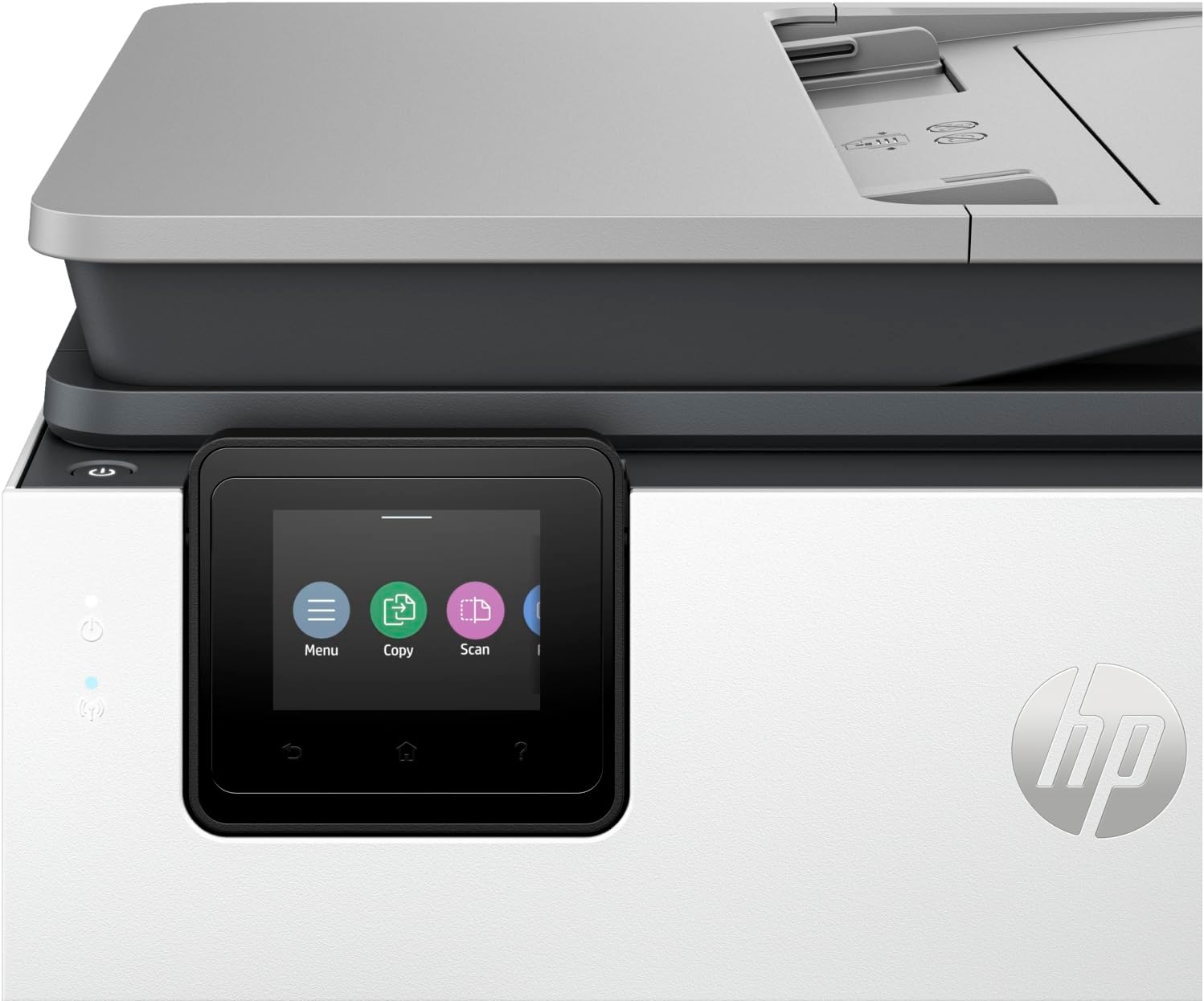
The HP OfficeJet Pro 8139e’s multifunctional design makes it a versatile tool for home offices, combining printing, scanning, copying, and faxing into a single device. The built-in automatic document feeder (ADF) streamlines multi-page tasks, such as scanning or copying documents, by automating the feeding process. This reduces manual effort and increases efficiency, particularly for users who frequently handle large volumes of paper. The fax capability, while less commonly used today, remains a useful feature for users who need to send documents via traditional methods.
Document Handling and Workflow Efficiency
The printer’s ability to handle a variety of document types is a significant advantage for home office users. The ADF supports up to 225 pages of input, allowing users to process multiple documents in a single session. This is particularly beneficial for tasks such as scanning invoices, receipts, or multi-page forms. The automatic duplex printing feature further enhances workflow efficiency by reducing paper waste and ensuring that printed documents are professionally formatted. These capabilities make the HP OfficeJet Pro 8139e a practical choice for users who need a multifunctional printer.
Integration with Office Workflows
The printer’s design aligns well with the needs of home offices and small businesses, offering a balance between functionality and ease of use. Its support for various paper sizes and media types ensures compatibility with different document formats, while the built-in scanning and copying features eliminate the need for separate devices. The inclusion of HP Instant Ink ensures a steady supply of ink, reducing the risk of print interruptions. These features collectively support a streamlined workflow, making the HP OfficeJet Pro 8139e a reliable option for users who require a multifunctional printer.
Pros & Cons
Pros
- High-Speed Printing: The printer’s 20 pages per minute (ppm) print speed ensures quick output, which is ideal for busy home offices.
- Professional-Grade Color Output: The 4800 x 1200 dpi resolution produces sharp, vibrant colors suitable for reports, presentations, and marketing materials.
- Multifunctional Design: The built-in scanner, copier, and fax capabilities reduce the need for multiple devices, enhancing workflow efficiency.
- Wireless and Ethernet Connectivity: Dual connectivity options provide flexibility and stability for users with varying network needs.
- Automatic Duplex Printing: Reduces paper usage and ensures professional formatting for printed documents.
- HP Intelligent Features: Automatically optimize print settings for consistent, high-quality output across different media types.
- Durable Build and Reliability: The printer’s 225-page-per-day duty cycle and 90-day warranty indicate a focus on long-term performance.
Cons
- Dye-Based Ink System: While vibrant, dye-based inks may fade over time, making them less suitable for long-term archival purposes.
- Limited Media Size Support: The maximum media size of 8.5 x 14 inches may not accommodate larger formats required by some users.
- Ink Cost Considerations: The HP 923 Setup Cartridges, while convenient, may have higher long-term costs compared to alternative ink systems.
- No Advanced Security Features: The printer lacks support for advanced network security protocols beyond standard encryption, which may be a concern for users with heightened security needs.
- Dependence on HP Instant Ink: While convenient, the 1-year subscription for ink may be a drawback for users who prefer to manage their own supply.
Final Verdict: Who This Printer Is Best For (and Who Should Skip It)
The HP OfficeJet Pro 8139e Wireless All-in-One Color Inkjet Printer is best suited for home office users who require a balance of speed, color output, and multifunctionality. Its high-resolution printing capabilities, automatic duplexing, and dual connectivity options make it an excellent choice for small businesses and remote workers who need reliable performance without the complexity of multiple devices. The printer’s 225-page-per-day duty cycle also ensures it can handle moderate to high-volume printing tasks in a home or small office environment.
However, users with specific needs such as long-term archival printing, large-format document handling, or advanced security requirements may find the HP OfficeJet Pro 8139e less suitable. The dye-based ink system and limited media size support may also be drawbacks for users who prioritize durability or specialized printing formats. For those seeking a more cost-effective ink system or advanced security features, alternative printers with pigment-based inks or enhanced connectivity options may offer better value. Overall, the HP OfficeJet Pro 8139e remains a strong contender for users who value convenience, reliability, and professional-grade output in a multifunctional printer.

Frequently Asked Questions (FAQs)
What is the print speed of the HP OfficeJet Pro 8139e?
The HP OfficeJet Pro 8139e offers a maximum print speed of 20 pages per minute (ppm) for both color and monochrome printing. This speed is suitable for home office environments with moderate to high-volume printing needs.
Does the HP OfficeJet Pro 8139e support wireless printing?
Yes, the HP OfficeJet Pro 8139e includes Wi-Fi connectivity for seamless wireless printing from mobile devices and computers. It also supports Ethernet for a stable wired connection.
What are the maximum media sizes supported by the printer?
The HP OfficeJet Pro 8139e can handle paper sizes up to 8.5 x 14 inches. It is compatible with standard letter and legal sizes, as well as smaller formats like 7.16 x 10.12 inches.
What type of ink system does the HP OfficeJet Pro 8139e use?
The printer uses a dye-based ink system, which provides vibrant colors for everyday printing. However, dye-based inks may fade over time, making them less suitable for long-term archival purposes.
Can the HP OfficeJet Pro 8139e handle automatic duplex printing?
Yes, the HP OfficeJet Pro 8139e includes automatic duplex printing to reduce paper usage and ensure professional formatting for printed documents.
What is the duty cycle of the HP OfficeJet Pro 8139e?
The printer is rated for a 225-page-per-day duty cycle, making it suitable for moderate to high-volume printing in home office or small business settings.
Does the HP OfficeJet Pro 8139e include a built-in scanner?
Yes, the HP OfficeJet Pro 8139e features a built-in scanner with an automatic document feeder (ADF), allowing for efficient scanning of multi-page documents.
What is the warranty coverage for the HP OfficeJet Pro 8139e?
The HP OfficeJet Pro 8139e comes with a 90-day limited warranty, providing basic coverage for manufacturing defects and performance issues.