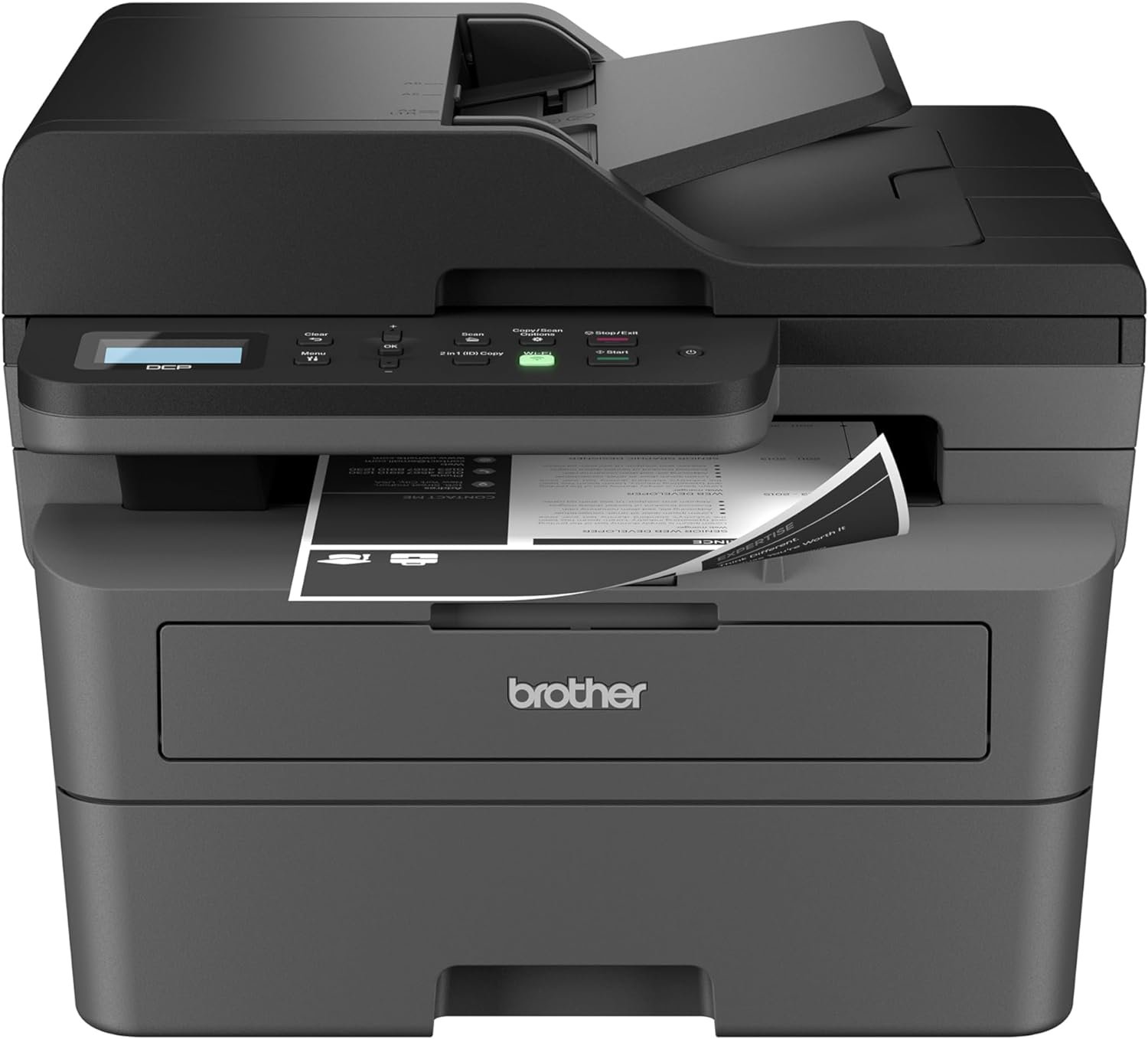
Brother DCP-L2640DW Monochrome Laser Printer Review: Productivity, Connectivity, and Reliability for Small Businesses
The Importance of Choosing the Right Printer for Modern Workflows
In today’s fast-paced business environment, selecting the right printer is critical for maintaining productivity and efficiency. Whether managing a small office, a home workspace, or a remote team, the performance of a printer can significantly impact daily operations. A reliable printing solution must balance speed, quality, and versatility to meet diverse needs. For small businesses, the demand for high-volume output, secure connectivity, and seamless integration with digital workflows is paramount. Printers that offer multifunctionality—such as printing, scanning, and copying—can reduce the need for multiple devices, saving space and cost. However, the right choice depends on specific requirements, including print volume, media compatibility, and connectivity options. A printer that excels in one area may fall short in another, making it essential to evaluate specifications against actual usage patterns. For instance, a model with high print speeds may lack robust scanning capabilities, while a compact design might compromise on durability. Understanding these trade-offs ensures that businesses select a printer that aligns with their operational goals and long-term needs.
Quick Overview
| Feature | Details |
|---|---|
| Printer Type | Monochrome Laser Printer |
| Supported Functions | Print, Scan, Copy |
| Print Resolution | 1200 x 1200 Dots Per Inch |
| Print Speed | Up to 36 ppm (Black & White) |
| Media Sizes | Legal (8.5 x 14 inches), Envelopes, Labels |
| Connectivity | Ethernet, USB, Wi-Fi (Dual-band) |
| Duty Cycle | 10,000 pages per month |
| Toner System | Brother Genuine TN830/ TN830XL |
| Warranty | Limited |
| Duplex Printing | Automatic |
| Maximum Input Capacity | 250 sheets |
The Brother DCP-L2640DW combines laser printing, scanning, and copying into a compact design, making it ideal for small offices and home users. Its high-resolution output ensures sharp text and clear documents, while the dual-band Wi-Fi and Ethernet connectivity support secure, multi-device access. The automatic duplex feature reduces paper usage, and the toner system is optimized for consistent performance. These specifications position the printer as a versatile solution for environments requiring reliable, high-speed black-and-white output.

Print Speed and Throughput Performance
The Brother DCP-L2640DW delivers print speeds of up to 36 pages per minute (ppm) in black-and-white mode, making it suitable for environments with moderate to high-volume printing demands. This speed is achieved through a laser print engine that efficiently processes documents, ensuring quick turnaround for tasks such as invoice printing, report generation, and form production. The printer’s duty cycle of 10,000 pages per month indicates it is designed for continuous use without overheating or mechanical wear. For small businesses handling daily print volumes of 500–1,000 pages, this model provides sufficient throughput to maintain workflow efficiency. However, users requiring higher output, such as those in large-scale commercial settings, may find this printer’s speed insufficient. The initial page print time of 8.5 seconds further enhances productivity by minimizing wait times for the first page.

Print Speed Metrics and Workload Capacity
The printer’s 36 ppm rating is based on standard paper and toner conditions, ensuring consistent performance under typical usage scenarios. For environments with fluctuating print volumes, the printer’s ability to handle peak loads without significant slowdown is a key advantage. The 10,000-page monthly duty cycle is suitable for small offices and home users but may not meet the needs of high-volume commercial operations. Users should consider their average monthly print volume to determine if this model aligns with their workload requirements. For example, a business printing 1,200 pages per month may operate near the printer’s capacity limit, potentially affecting reliability over time.
Media Compatibility and Output Quality
The printer supports a range of media types, including standard paper, envelopes, and labels, with a maximum media size of 8.5 x 14 inches. This versatility makes it suitable for tasks such as mailing, labeling, and document formatting. The 1200 x 1200 dots per inch (dpi) resolution ensures sharp text and clear, legible output, which is critical for professional documents and forms. While the printer is optimized for black-and-white printing, users requiring color output may need to consider alternative models. The automatic duplex feature further enhances efficiency by reducing paper consumption, making it an environmentally friendly option for businesses focused on sustainability.
Connectivity and Network Integration
The Brother DCP-L2640DW offers flexible connectivity options, including dual-band Wi-Fi (2.4GHz / 5GHz), Ethernet, and a USB interface. This combination allows users to connect the printer to multiple devices, ensuring compatibility with laptops, PCs, smartphones, and tablets. The dual-band Wi-Fi supports both older and newer devices, reducing interference and improving network stability. For small offices with multiple users, the Ethernet connection provides a reliable, wired alternative for faster data transfer and reduced latency. The built-in wireless capabilities also enable remote printing and scanning, allowing users to manage tasks from anywhere with an internet connection. However, the printer’s network-ready design requires a stable Wi-Fi environment to function optimally, which may be a consideration for users with unreliable internet access.

Secure and Multi-Device Compatibility
The printer’s support for secure multi-device connectivity is a significant advantage for businesses prioritizing data protection. The dual-band Wi-Fi ensures compatibility with both legacy and modern devices, while the Ethernet port provides a secure, wired connection for sensitive documents. The Brother Mobile Connect app enhances usability by enabling users to print, scan, and manage the printer remotely. This feature is particularly beneficial for remote teams or mobile professionals who need to access printing capabilities on-the-go. However, the app’s functionality depends on the printer’s firmware updates, which may require periodic maintenance to ensure compatibility with new operating systems.
Network Configuration and Management
Setting up the printer’s network connectivity involves configuring the Wi-Fi settings or connecting via Ethernet. The printer’s firmware includes standard network protocols, ensuring seamless integration with existing IT infrastructure. For users managing multiple devices, the printer’s ability to support simultaneous connections reduces the need for additional hardware. However, the lack of advanced network management features, such as Quality of Service (QoS) settings, may limit its suitability for large-scale office environments. The printer’s reliance on standard Wi-Fi configurations also means users must ensure their network is stable to avoid disruptions in print and scan operations.
Toner System and Consumable Management
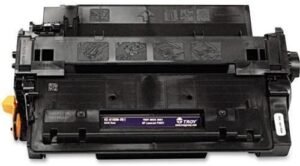
The Brother DCP-L2640DW uses Brother Genuine TN830 and TN830XL toner cartridges, which are designed for consistent performance and high-yield output. The TN830XL model offers extended page yields, reducing the frequency of toner replacements and minimizing downtime. The printer’s toner system is optimized for monochrome printing, ensuring uniform density and minimal toner wastage. The Refresh EZ Print Subscription Service provides a convenient way to manage toner replenishment, offering cost savings of up to 50% on genuine toner. This service also helps prevent unexpected toner shortages, which can disrupt workflow. However, users who prefer to manage consumables manually may find the subscription model less flexible. The printer’s toner level indicators and low-ink alerts further enhance usability by providing timely notifications for maintenance.

Toner Yield and Cost Efficiency
The TN830XL toner cartridge is rated for approximately 3,000 pages, making it a cost-effective solution for high-volume printing. This yield reduces the need for frequent toner replacements, which is particularly beneficial for small businesses with consistent print demands. The Refresh subscription service simplifies toner management by automating replenishment, ensuring a steady supply without the need for manual tracking. While the subscription model offers convenience, users should consider the long-term cost implications compared to purchasing toner in bulk. The printer’s ability to use both TN830 and TN830XL cartridges provides flexibility, allowing users to choose between standard and high-yield options based on their specific needs.
Maintenance and Longevity
The printer’s toner system is designed for low maintenance, with minimal user intervention required for routine operations. The drum unit and toner cartridges are replaceable, ensuring that the printer can continue functioning even after extended use. The printer’s firmware updates and toner level monitoring features help extend the lifespan of consumables by preventing overuse or underuse. However, the lack of a toner recycling program may be a drawback for environmentally conscious users. The printer’s energy-efficient design, with a power consumption of 10.5 watts, further contributes to its longevity and operational cost-effectiveness.

Pros & Cons
Pros
- High Print Speed: The 36 ppm black-and-white printing capability ensures quick output for small business environments.
- Dual-Band Wi-Fi Connectivity: Supports both 2.4GHz and 5GHz networks, enhancing compatibility with a wide range of devices.
- Automatic Duplex Printing: Reduces paper usage and enhances document organization without additional manual steps.
- Versatile Media Compatibility: Handles standard paper, envelopes, and labels, making it suitable for various printing tasks.
- Robust Toner System: The TN830XL toner cartridge provides extended page yields, reducing replacement frequency.
- Network-Ready Design: Facilitates secure, multi-device access and remote management through the Brother Mobile Connect app.
- Energy Efficiency: Consumes 10.5 watts, contributing to lower operational costs and environmental sustainability.
- Built-in Auto Document Feeder: Streamlines multi-page scanning and copying, improving productivity.
Cons
- Limited Color Output: The printer is designed for monochrome printing, making it unsuitable for color document needs.
- No Advanced Network Management: Lacks Quality of Service (QoS) settings for prioritizing print tasks on a network.
- Subscription-Dependent Toner Management: The Refresh subscription service may not appeal to users preferring manual toner control.
- No Fax Capability: The printer does not support fax functions, which may be a drawback for certain business users.
- Smaller Input Tray Capacity: The 250-sheet maximum input capacity may be insufficient for high-volume printing environments.
- Limited Physical Expandability: The single-tray design restricts the ability to add additional paper sources or accessories.
Final Verdict: Who This Printer Is Best For (and Who Should Skip It)
The Brother DCP-L2640DW is an excellent choice for small businesses, home offices, and remote workers requiring a reliable, high-speed monochrome printer with scanning and copying capabilities. Its dual-band Wi-Fi, automatic duplex printing, and energy-efficient design make it ideal for environments prioritizing productivity and cost-effectiveness. The built-in auto document feeder and versatile media compatibility further enhance its utility for tasks such as document management and mailing. However, this printer may not be suitable for users requiring color output, advanced network features, or high-volume printing beyond its 10,000-page monthly duty cycle. Businesses with complex printing needs, such as those requiring fax capabilities or multiple paper trays, should consider alternative models. For users seeking a balance between performance, connectivity, and affordability, the DCP-L2640DW remains a strong contender in the small-office printer market.

Frequently Asked Questions (FAQs)
Is the Brother DCP-L2640DW suitable for small business use?
Yes, the DCP-L2640DW is designed for small businesses with moderate to high-volume printing needs. Its 36 ppm print speed, automatic duplex printing, and versatile media compatibility make it ideal for tasks such as document management, form printing, and mailing. The dual-band Wi-Fi and Ethernet connectivity ensure secure, multi-device access, while the built-in auto document feeder streamlines scanning and copying.
What connectivity options does the DCP-L2640DW offer?
The printer supports dual-band Wi-Fi (2.4GHz / 5GHz), Ethernet, and USB connectivity. This allows users to connect to multiple devices, including laptops, PCs, smartphones, and tablets. The wireless capabilities enable remote printing and scanning, while the Ethernet port provides a reliable, wired connection for networked environments.
Can the DCP-L2640DW handle color printing?
No, the DCP-L2640DW is a monochrome laser printer and does not support color output. It is optimized for high-quality black-and-white printing, making it suitable for text documents, forms, and invoices. Users requiring color printing should consider alternative models with color capabilities.
How does the toner system work with the DCP-L2640DW?
The printer uses Brother Genuine TN830 and TN830XL toner cartridges, which provide consistent print quality and extended page yields. The TN830XL model offers up to 3,000 pages, reducing replacement frequency. The Refresh EZ Print Subscription Service automates toner replenishment, ensuring a steady supply without manual tracking.
What is the printer’s energy efficiency rating?
The DCP-L2640DW consumes 10.5 watts during operation, making it an energy-efficient option for small offices and home use. Its low power consumption contributes to reduced operational costs and environmental sustainability without compromising performance.
Is the DCP-L2640DW suitable for remote printing?
Yes, the printer supports remote printing through the Brother Mobile Connect app, which allows users to print, scan, and manage the printer from mobile devices. This feature is particularly beneficial for remote workers and mobile professionals who need access to printing capabilities on-the-go.
What is the maximum page capacity for the DCP-L2640DW?
The printer has a maximum input capacity of 250 sheets, which is suitable for small businesses with moderate print volumes. For high-volume environments, users may need to consider models with larger paper trays or additional input sources.
Does the DCP-L2640DW support network printing?
Yes, the DCP-L2640DW is network-ready and supports secure, multi-device printing via Ethernet or Wi-Fi. This allows users to print from multiple devices on the same network, enhancing collaboration and productivity in small office settings.