
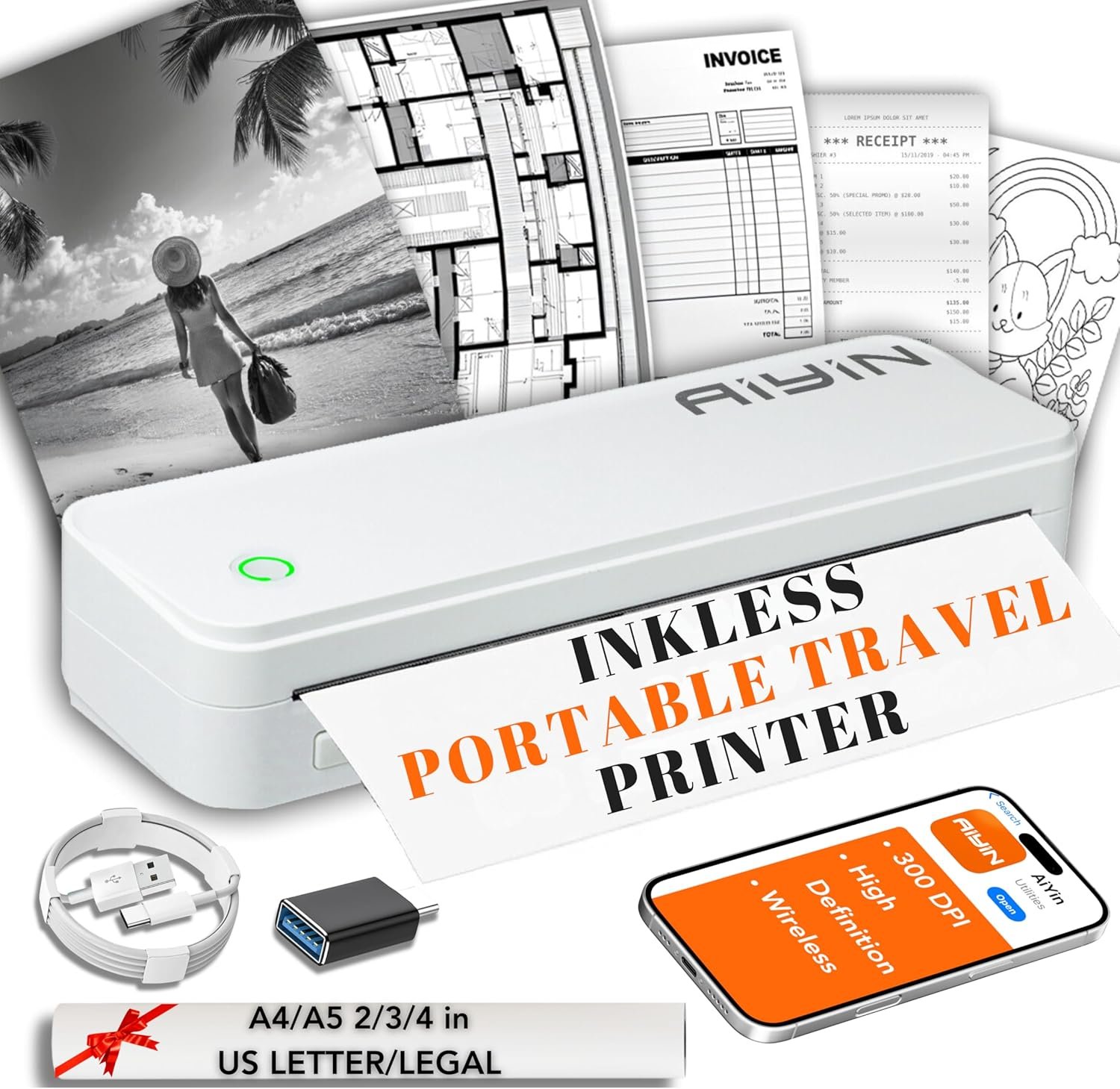
The Importance of Choosing the Right Printer for Your Needs
In today’s fast-paced environment, selecting the right printer is critical for maintaining productivity and efficiency across home, office, and mobile workflows. Whether you need to generate shipping labels, manage inventory, or create professional documents on the go, the right printer must align with your specific requirements. Printers vary widely in technology, output quality, and connectivity options, making it essential to evaluate factors such as print resolution, media compatibility, and portability. For users who prioritize cost-effectiveness and environmental sustainability, inkless thermal printers offer a compelling alternative to traditional inkjet or laser systems. These devices eliminate the need for consumables, reduce maintenance, and provide a streamlined printing experience. However, their suitability depends on the intended use case, with limitations in color output and media versatility. Understanding these trade-offs is key to selecting a printer that meets your workload demands while balancing performance and convenience. This review evaluates the A40 Pro portable thermal printer, focusing on its technical specifications, connectivity options, and real-world applicability for various user scenarios.
Quick Overview
| Feature | Details |
|---|---|
| Printer Type | Thermal Printer |
| Print Technology | Inkless Thermal Printing |
| Print Resolution | 300 DPI |
| Media Support | A4, 8.5″ x 11″, 2.08″ (53mm), 3.15″ (80mm), 4.33″ (110mm) thermal paper |
| Connectivity | Bluetooth, USB |
| Compatibility | iOS, Android, PC |
| Dimensions | 3.1″D x 10.5″W x 1.9″H |
| Weight | 1.13 ounces |
| Duty Cycle | 500 sheets per day |
| Print Speed | 18 pages per minute (monochrome) |
| Media Size | Adjustable to 216 millimeters |
| Color Output | Monochrome |
The A40 Pro’s compact design and dual connectivity options make it a versatile choice for users who require on-the-go printing. Its thermal printing technology eliminates the need for ink or toner, reducing long-term costs and maintenance. The 300 DPI resolution ensures clear, legible output for labels and documents, while the adjustable media size accommodates various label formats. These features position the printer as a practical solution for small businesses, travelers, and home users who prioritize portability and cost efficiency.

Thermal Printing Technology and Its Advantages
Thermal printing technology offers a unique set of benefits that make it particularly suitable for specific use cases. The A40 Pro leverages thermal printing to deliver high-quality output without the need for ink or toner, which simplifies maintenance and reduces consumable costs. This inkless design is especially advantageous for users who prioritize environmental sustainability, as it minimizes waste and eliminates the need for frequent cartridge replacements. Additionally, thermal printers are generally more energy-efficient than traditional inkjet or laser systems, making them an attractive option for users seeking to reduce their carbon footprint. However, the reliance on thermal paper introduces limitations, such as a shorter shelf life for printed materials and a lack of color output. These factors must be weighed against the benefits of simplicity and cost savings when considering the A40 Pro for specific applications.

Environmental and Cost Benefits of Inkless Printing
The A40 Pro’s inkless thermal printing technology significantly reduces long-term operational costs by eliminating the need for ink or toner purchases. This is particularly beneficial for users who print frequently, as it avoids the recurring expenses associated with traditional inkjet or laser printers. Additionally, the absence of ink or toner cartridges simplifies maintenance, as there are no consumables to replace or refill. From an environmental perspective, the printer’s design aligns with sustainability goals by reducing plastic waste from ink cartridges and minimizing the carbon footprint of printing operations. However, the reliance on thermal paper, which is often single-use and less durable than conventional paper, may raise concerns for users prioritizing eco-friendly practices. Despite these limitations, the cost and environmental advantages of thermal printing make the A40 Pro a compelling choice for budget-conscious and environmentally aware users.
Limitations of Thermal Printing for Color and Longevity
While thermal printing excels in monochrome output, it has inherent limitations in color capabilities and print longevity. The A40 Pro produces only black-and-white prints, which may not meet the needs of users requiring color output for marketing materials, presentations, or creative projects. Additionally, thermal paper is more susceptible to fading and degradation over time, particularly when exposed to heat, light, or humidity. This makes the printer less suitable for applications requiring long-term archival quality, such as legal documents or high-visibility signage. Users should also be aware that thermal paper is generally less durable than standard paper, which may affect the printer’s suitability for high-volume or industrial environments. These constraints highlight the importance of evaluating the A40 Pro’s capabilities against specific use cases that prioritize monochrome output and short-term print durability.
Connectivity Options and Device Compatibility
The A40 Pro’s dual connectivity options—Bluetooth and USB—enhance its versatility for different user environments. Bluetooth connectivity allows seamless pairing with iOS and Android devices, enabling users to print labels and documents directly from smartphones or tablets. This feature is particularly beneficial for users who need to generate shipping labels, inventory tags, or on-the-go documentation without carrying additional hardware. USB connectivity, on the other hand, provides a reliable and high-speed connection for desktop computers, ensuring consistent performance for batch printing tasks. The printer’s compatibility with both mobile and desktop platforms makes it a practical solution for small businesses and home users who require flexibility in their printing workflow. However, the reliance on Bluetooth pairing may introduce minor latency issues for users with older devices, and USB connections are limited to a single port, which could be a consideration for users with multiple devices.

Bluetooth and USB Connectivity in Real-World Scenarios
In practical use, the A40 Pro’s Bluetooth and USB connectivity options cater to different user needs. Bluetooth pairing is ideal for users who prioritize mobility, as it allows wireless printing from smartphones or tablets without the need for physical cables. This is particularly useful for travelers, delivery drivers, or small business owners who need to print labels or receipts on the go. USB connectivity, while less convenient for mobile users, offers a stable and fast connection for desktop printing tasks, such as generating large batches of shipping labels or inventory tags. The printer’s ability to support both connection types ensures that users can choose the most appropriate method based on their specific workflow. However, the lack of simultaneous support for multiple devices via USB may limit its utility for users requiring high-volume, multi-device printing.
Cross-Platform Compatibility and User Experience
The A40 Pro’s compatibility with iOS, Android, and PC platforms ensures broad accessibility for a wide range of users. This cross-platform support is particularly valuable for small businesses that use a mix of mobile and desktop devices, as it eliminates the need for additional hardware or software. The printer’s integration with mobile devices through Bluetooth simplifies the printing process, allowing users to generate labels or receipts with minimal setup. However, the reliance on app-based control for Bluetooth pairing may introduce a learning curve for users unfamiliar with the printer’s mobile application. Additionally, while USB connectivity is straightforward, the absence of a dedicated software suite for advanced settings could limit customization options for power users. These factors highlight the importance of evaluating the A40 Pro’s compatibility requirements against the user’s technical proficiency and workflow needs.
Print Quality and Resolution Specifications
The A40 Pro’s 300 DPI resolution ensures crisp, clear output for monochrome printing, making it suitable for applications such as shipping labels, barcodes, and product identification tags. This resolution level is adequate for most business and personal use cases, as it provides sufficient detail without compromising print speed. The printer’s thermal printing technology further enhances print quality by producing consistent, high-contrast images on thermal paper. However, the lack of color output means the A40 Pro is not suitable for applications requiring full-color graphics or photographs. Users should also consider the limitations of thermal paper, which may affect the longevity and durability of printed materials. Despite these constraints, the A40 Pro’s resolution and print quality specifications make it a reliable choice for users prioritizing clarity and precision in monochrome output.

Thermal Paper and Print Longevity Considerations
The A40 Pro’s reliance on thermal paper introduces specific considerations for print longevity and durability. Thermal paper is generally more sensitive to environmental factors such as heat, light, and humidity, which can cause fading or degradation over time. This makes the printer less suitable for applications requiring long-term archival quality, such as legal documents or high-visibility signage. Additionally, thermal paper is often less durable than standard paper, which may affect the printer’s suitability for high-volume or industrial environments. Users should also be aware that thermal paper is typically single-use, which could influence decisions regarding sustainability and waste management. These factors should be carefully evaluated against the specific needs of the intended use case to determine the A40 Pro’s appropriateness for long-term or high-usage scenarios.

Pros & Cons
Pros
- Inkless Thermal Printing: Eliminates the need for ink or toner, reducing long-term costs and maintenance requirements.
- Portability and Compact Design: The lightweight, compact form factor makes it ideal for travel, home, and office use without sacrificing functionality.
- Dual Connectivity Options: Bluetooth and USB support provide flexibility for printing from both mobile devices and desktop computers.
- High-Resolution Output: 300 DPI resolution ensures clear, legible text and graphics for shipping labels and barcodes.
- Compatibility with Multiple Platforms: Works seamlessly with iOS, Android, and PC devices, catering to a wide range of users.
- Energy Efficiency: Thermal printing technology is generally more energy-efficient than traditional inkjet or laser systems, reducing power consumption.
- Simple Setup and Operation: Minimal configuration requirements make it user-friendly for both novice and experienced users.
Cons
- Limited Color Output: Only produces monochrome prints, making it unsuitable for color graphics or photographs.
- Thermal Paper Sensitivity: Prints are susceptible to fading and degradation when exposed to heat, light, or humidity.
- Single Media Compatibility: Restricts use to thermal paper, which may limit versatility for certain applications.
- Fixed Resolution: 300 DPI resolution is optimal for monochrome but may not meet the demands of high-resolution graphic printing.
- No Simultaneous USB Connections: USB port supports only one device at a time, which could be a limitation for users with multiple devices.
- Environmental Considerations: Thermal paper is less eco-friendly than standard paper due to its chemical composition and single-use nature.
Final Verdict: Who This Printer Is Best For (and Who Should Skip It)
The A40 Pro is best suited for users who prioritize portability, cost efficiency, and simplicity in their printing needs. Its inkless thermal printing technology and dual connectivity options make it an ideal choice for small businesses, travelers, and home users who require on-the-go printing for shipping labels, barcodes, and product identification tags. The compact design and energy-efficient operation further enhance its appeal for users seeking a lightweight, low-maintenance solution. However, the printer’s limitations in color output and thermal paper sensitivity make it unsuitable for applications requiring long-term archival quality or high-resolution graphics. Users who require color printing, frequent high-volume output, or durability in challenging environments should consider alternative printers with more robust media compatibility and color capabilities. Overall, the A40 Pro offers a practical and cost-effective solution for specific use cases, but its suitability depends on the user’s workflow and output requirements.

Frequently Asked Questions (FAQs)
Is the A40 Pro suitable for printing color documents?
The A40 Pro is designed for monochrome printing only. It uses thermal technology to produce high-contrast black-and-white output, making it ideal for shipping labels, barcodes, and product tags. Color printing is not supported, so it is best suited for users who require only black-and-white prints.
Can the A40 Pro print on standard paper?
The A40 Pro is specifically designed for thermal paper, which is required for its inkless printing technology. It cannot print on standard paper or other media types. Users should ensure they have compatible thermal paper rolls for optimal performance.
How does the A40 Pro’s Bluetooth connectivity work?
The A40 Pro pairs with iOS and Android devices via Bluetooth, allowing wireless printing of labels and documents. Users can access the printer’s settings through a dedicated mobile app for seamless integration with their devices. Bluetooth pairing is straightforward but may require a stable connection for optimal performance.
What is the maximum print speed of the A40 Pro?
The A40 Pro has a maximum print speed of 18 pages per minute for monochrome output. This speed is suitable for most small business and home use cases, particularly when printing labels, barcodes, and other short documents. High-volume printing may require additional hardware or a more advanced printer.
Is the A40 Pro energy-efficient?
Yes, the A40 Pro’s thermal printing technology is generally more energy-efficient than traditional inkjet or laser printers. This makes it a good choice for users seeking to reduce power consumption and lower operating costs, especially for frequent or on-the-go printing needs.
Can the A40 Pro be used in industrial environments?
The A40 Pro is not recommended for high-volume or industrial environments due to its reliance on thermal paper and limited durability for long-term use. Its design is better suited for small businesses, home offices, and travel scenarios where portability and cost efficiency are prioritized over heavy-duty usage.
What are the connectivity options for the A40 Pro?
The A40 Pro offers both Bluetooth and USB connectivity. Bluetooth allows wireless printing from iOS and Android devices, while USB provides a direct connection for desktop computers. This dual connectivity ensures flexibility for users with different printing needs and device preferences.
How durable is the A40 Pro’s thermal paper?
Thermal paper used with the A40 Pro is more susceptible to fading and degradation when exposed to heat, light, or humidity. While it is suitable for short-term use, it is not recommended for long-term archival or high-visibility applications. Users should consider the environmental conditions where printed materials will be used.