
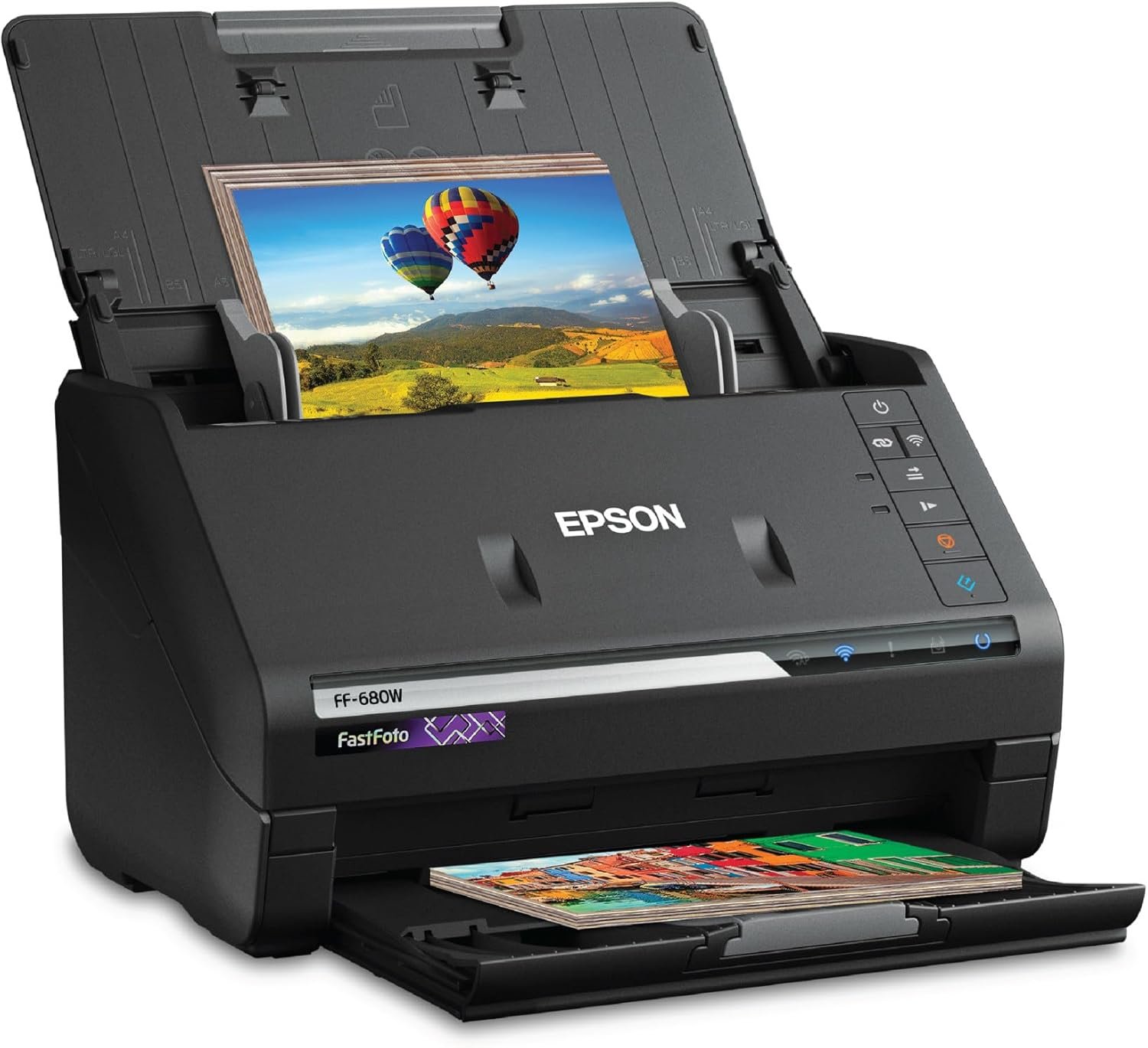
The Importance of Choosing the Right Scanner
In today’s digital-first world, the ability to efficiently digitize physical documents, photos, and other media is critical for both personal and professional workflows. Whether you’re an avid photographer, a genealogist preserving family histories, or a small business owner managing paper records, selecting the right scanning solution can significantly impact productivity and data preservation. The Epson FastFoto FF-680W represents a specialized tool designed to address the unique challenges of high-volume photo and document digitization. Its capabilities extend beyond standard scanners, offering features tailored to restore, organize, and share media with minimal manual intervention. This review evaluates the FF-680W’s technical specifications, usability, and market positioning to help users determine if it aligns with their specific needs. By analyzing factors such as scanning speed, image quality, connectivity options, and media compatibility, we provide an objective assessment of its strengths and limitations within the context of 2026’s printer and imaging market.
Quick Overview
| Feature | Details |
|---|---|
| Scanner Type | Document, Photo |
| Brand | Epson |
| Model Name | FastFoto FF-680W |
| Connectivity Technology | Wi-Fi |
| Product Dimensions | 10″D x 14″W x 11″H |
| Resolution | 600 dpi |
| Item Weight | 8.2 Pounds |
| Wattage | 680 watts |
| Color Depth | 24 bpp |
| Standard Sheet Capacity | 10 |
The Epson FastFoto FF-680W is a compact, Wi-Fi-enabled scanner designed for high-speed photo and document digitization. Its 600 dpi resolution and 24-bit color depth ensure detailed output, while the 10-sheet capacity allows for batch processing. The device’s 680-watt power rating and dimensions (10″D x 14″W x 11″H) reflect its focus on performance over portability. These specifications make it well-suited for users requiring efficient, high-quality scanning without the need for frequent maintenance.

High-Speed Scanning and Batch Processing
The FF-680W’s primary advantage lies in its ability to scan large volumes of media quickly. With a maximum scanning speed of 1 photo per second at 300 dpi, it outperforms many consumer-grade photo scanners. This capability is particularly beneficial for users with extensive photo collections or document archives that require rapid digitization. The device supports batch scanning of up to 36 photos at a time, reducing manual handling and increasing throughput. However, the scanning speed may vary depending on the connected computer’s processing power and operating system, as noted in the manufacturer’s specifications. This limitation highlights the importance of ensuring compatible hardware when integrating the FF-680W into an existing workflow.

Batch Scanning Capabilities
The FF-680W’s batch scanning feature allows users to process multiple photos simultaneously, significantly reducing the time required for large-scale digitization projects. This is particularly advantageous for photographers or historians dealing with extensive archives. The device’s ability to handle up to 36 photos at once minimizes the need for repeated loading and unloading, streamlining the workflow. However, the maximum capacity is limited to 36 photos, which may be restrictive for users with even larger collections. The device’s design prioritizes speed over capacity, making it ideal for users with moderate to high-volume scanning needs but less suitable for those requiring bulk processing capabilities.
Scanning Speed and Performance
The FF-680W’s scanning speed of 1 photo per second at 300 dpi is a significant improvement over many comparable devices. This speed is achieved through its dedicated photo scanning technology, which optimizes the scanning process for high-resolution output. However, the actual scanning speed may be influenced by factors such as the connected computer’s processing power and the operating system. Users should consider these variables when assessing the device’s performance in their specific environment. The FF-680W’s speed is particularly beneficial for users who need to digitize large numbers of photos quickly, such as those restoring family heirlooms or preparing digital archives for professional use.
Image Quality and Restoration Features
The FF-680W’s image quality is supported by its 600 dpi resolution and 24-bit color depth, which together ensure detailed and accurate scans. These specifications are crucial for preserving the integrity of photos and documents, particularly for users who require high-quality output for archival or professional purposes. The device’s advanced image processing capabilities, including auto enhancement, color restoration, and red-eye reduction, further enhance the quality of the scanned media. These features are particularly useful for restoring old or damaged photos, making the FF-680W a valuable tool for users with a focus on media preservation.

Auto Enhancement and Color Restoration
The FF-680W’s auto enhancement feature automatically adjusts brightness, contrast, and color balance to improve the visual quality of scanned media. This is particularly beneficial for users dealing with faded or damaged photos, as it helps to restore the original colors and details. The color restoration function further enhances the scanning process by accurately reproducing the colors of the original media, ensuring that the final output closely matches the original. These features make the FF-680W an excellent choice for users who prioritize image quality and accuracy in their digitization projects.
Red-Eye Reduction and De-Skew Technology
The FF-680W includes red-eye reduction technology, which automatically corrects the red-eye effect commonly found in portrait photographs. This feature is particularly useful for users who want to ensure that their scanned photos maintain a natural and professional appearance. Additionally, the de-skew technology helps to correct any slight misalignment in the scanned media, ensuring that the final output is clean and well-organized. These advanced image processing capabilities contribute to the FF-680W’s reputation as a high-quality scanning solution, making it suitable for users who require precise and accurate results.
Connectivity and Cloud Integration
The FF-680W’s connectivity options are designed to provide flexibility and convenience in digitization workflows. The device supports Wi-Fi connectivity, allowing users to scan directly to cloud storage services such as Dropbox or Google Drive. This feature is particularly beneficial for users who need to access their scanned media from multiple devices or share it with others. However, the reliance on an internet connection for cloud integration may be a limitation for users in areas with unreliable connectivity. The FF-680W’s connectivity options make it a versatile tool for users who value seamless integration with digital ecosystems.

Wireless Scanning and Cloud Storage
The FF-680W’s wireless scanning capability allows users to scan directly to cloud storage services without the need for physical connections. This feature is particularly useful for users who need to access their scanned media from remote locations or share it with others. The device’s support for Dropbox and Google Drive integration ensures that users can easily store and manage their scanned files. However, the reliance on a stable internet connection for cloud storage may be a drawback for users in areas with limited connectivity, highlighting the importance of considering network reliability when using the FF-680W.
Mobile App Integration
The FF-680W’s mobile app integration provides users with the ability to scan and manage their media directly from their smartphones. This feature is particularly beneficial for users who prefer to handle scanning tasks on the go or who need to quickly share scanned media with others. The app’s ability to add voice and text annotations to photos enhances the user experience, making it a valuable tool for users who want to create digital stories or share memories with loved ones. However, the app’s functionality is limited to certain features, which may be a consideration for users who require more advanced mobile capabilities.

Pros and Cons
Pros
- High-Speed Scanning: The FF-680W’s ability to scan up to 1 photo per second at 300 dpi makes it ideal for users with large photo collections or document archives.
- Advanced Image Restoration: Features like auto enhancement, color restoration, and red-eye reduction ensure high-quality output for both photos and documents.
- Cloud and Mobile Integration: The device’s support for Wi-Fi and cloud storage services like Dropbox and Google Drive enhances its versatility and accessibility.
- Batch Processing: The ability to scan up to 36 photos at once reduces manual handling and increases throughput for large-scale digitization projects.
- User-Friendly Software: The included Epson ScanSmart software with OCR capabilities simplifies document management and data extraction.
- Compact Design: The FF-680W’s dimensions and weight make it a space-efficient solution for home or small office environments.
Cons
- Limited Media Size: The device’s maximum media size of 8″ x 10″ may be restrictive for users requiring larger scans.
- Dependence on Internet: Cloud integration requires a stable internet connection, which may be a limitation in areas with unreliable connectivity.
- Software Limitations: The Epson FastFoto app, while convenient, has limited functionality compared to more advanced scanning software.
- No Advanced OCR Features: While OCR is included, it may not be as robust as specialized document scanning software for complex text recognition.
- No Built-In Storage: The FF-680W lacks internal storage, requiring users to rely on external devices or cloud services for file management.
Final Verdict: Who This Printer Is Best For (and Who Should Skip It)
The Epson FastFoto FF-680W is an excellent choice for users who prioritize high-speed photo and document digitization, particularly those with moderate to high-volume scanning needs. Its advanced image restoration features, cloud integration, and batch processing capabilities make it well-suited for photographers, historians, and small businesses looking to streamline their digitization workflows. The device’s compact design and user-friendly software further enhance its appeal for home users and those with limited space. However, the FF-680W may not be ideal for users requiring advanced OCR capabilities, larger media sizes, or robust offline storage options. Its reliance on internet connectivity for cloud features could also be a drawback for users in areas with unreliable networks. Overall, the FF-680W is a strong contender for users seeking a balance between speed, quality, and usability in their scanning needs.

Frequently Asked Questions (FAQs)
Can the Epson FastFoto FF-680W scan photos larger than 8″ x 10″?
The FF-680W is designed to handle media up to 8″ x 10″. Larger formats may not be supported, as the device’s scanning mechanism is optimized for this size range.
Does the FF-680W require an internet connection for cloud scanning?
Yes, cloud scanning features like Dropbox and Google Drive integration require a stable internet connection. Offline scanning is available, but cloud storage relies on active connectivity.
How does the FF-680W handle damaged or faded photos?
The FF-680W includes auto enhancement and color restoration features to improve the quality of damaged or faded photos. These tools help recover details and colors for better archival results.
Can the FF-680W scan documents longer than 240″?
The FF-680W is designed to scan documents up to 240″. For longer documents, additional accessories or a different scanner model may be required.
What is the resolution of the FF-680W’s scanning capability?
The FF-680W offers a resolution of 600 dpi for detailed scans. This ensures high-quality output for both photos and documents, though interpolated resolution may be used for higher output.
Is the FF-680W suitable for commercial use?
The FF-680W is primarily designed for personal and small-scale use. Its specifications and duty cycle make it less ideal for high-volume commercial environments requiring continuous operation.
How does the FF-680W compare to other photo scanners in terms of speed?
The FF-680W is marketed as the world’s fastest personal photo scanner, capable of scanning up to 1 photo per second. This speed is faster than many consumer-grade photo scanners, though results may vary based on system configuration.
What software is included with the FF-680W?
The FF-680W comes with Epson ScanSmart software for document scanning and OCR, as well as the Epson FastFoto app for mobile integration. These tools enhance the device’s functionality for both photo and document management.