
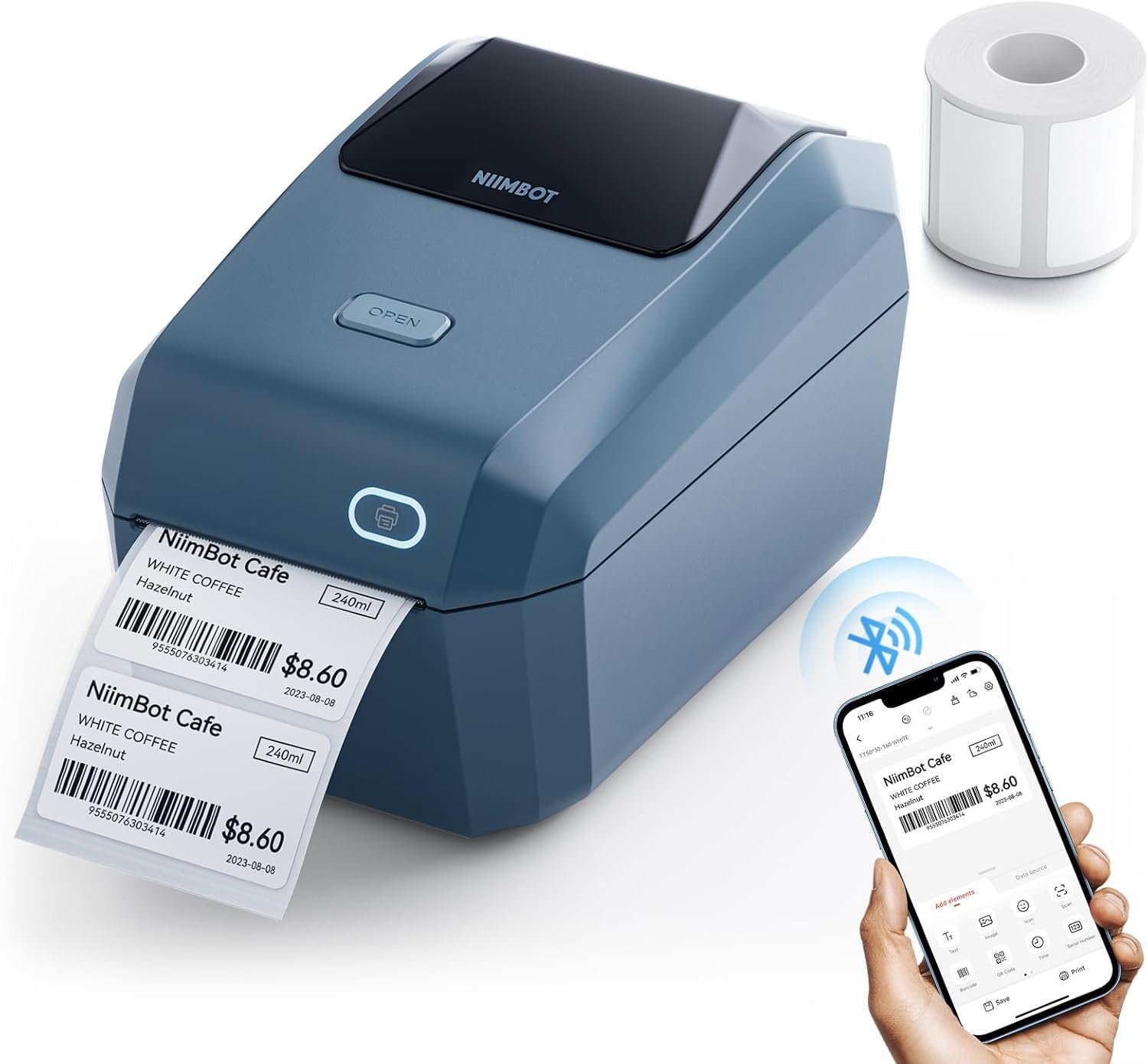
The Importance of Choosing the Right Label Printer
In today’s fast-paced business environment, the efficiency of document management can significantly impact productivity. Whether managing inventory for a small retail store, labeling products for an online shop, or organizing files in a home office, a reliable label printer is an essential tool. The right printer can streamline workflows, reduce manual labor, and ensure consistent output quality. However, selecting the optimal device requires careful consideration of factors such as print technology, connectivity options, media compatibility, and long-term cost-effectiveness. For users who prioritize speed, cost savings, and versatility, the NIIMBOT K3 label printer offers a compelling solution. Its thermal printing technology, combined with Bluetooth and USB connectivity, positions it as a practical choice for those needing to label products, track assets, or manage shipping logistics. This review evaluates the printer’s specifications, performance benchmarks, and user feedback to help buyers make an informed decision about its suitability for their specific needs.
Quick Overview
| Feature | Details |
|---|---|
| Printer Type | Thermal Label Printer |
| Connectivity | Bluetooth, USB |
| Print Technology | Thermal |
| Media Sizes | 0.85 – 3.14 inches |
| Print Speed | 180mm/s (150 labels/min) |
| Ink Type | Thermal |
| Supported Functions | Label printing only |
| Warranty | 12-month replacement service |
| Dimensions | 9″D x 5.7″W x 5.7″H |
| Weight | 2.17 Kilograms |
| Compatibility | Android/iOS, Windows 7/10 |
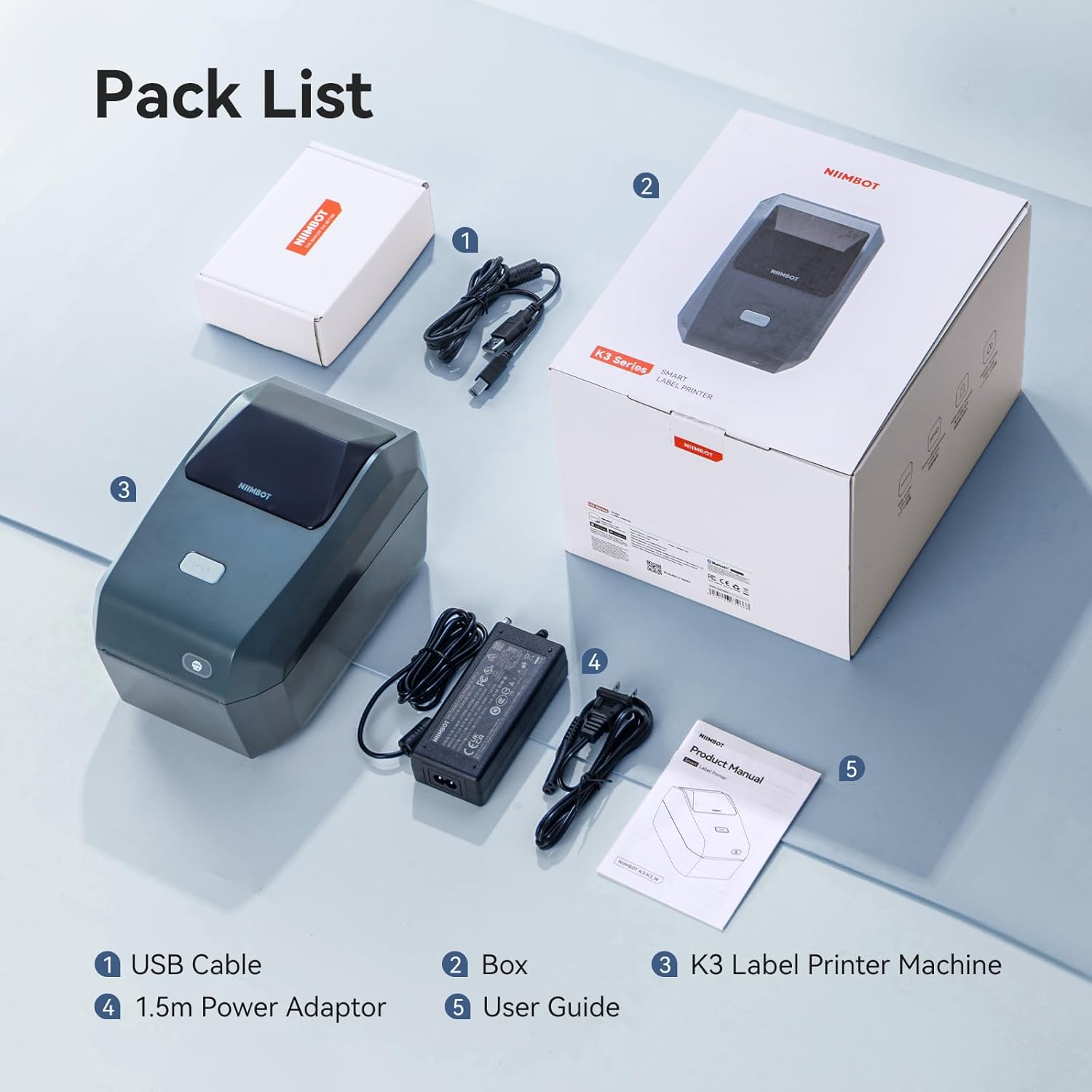
The NIIMBOT K3 label printer is designed for users who require efficient, cost-effective labeling solutions. Its thermal printing technology eliminates the need for ink cartridges, reducing long-term operational costs. The dual connectivity options—Bluetooth and USB—provide flexibility for integrating the printer with smartphones, tablets, or PCs. The 3-inch label width and 180mm/s print speed make it suitable for high-volume environments, while the 12-month warranty ensures ongoing support for users who rely on consistent performance.

Cost-Effectiveness and Media Compatibility

Thermal Printing Technology for Lower Operating Costs
Thermal label printers like the NIIMBOT K3 operate using heat-sensitive media, which eliminates the need for ink or toner. This design significantly reduces the cost of consumables compared to traditional inkjet or laser printers. The printer’s ability to work with third-party thermal labels from any brand further enhances its cost-effectiveness, as users can avoid proprietary label paper and save on recurring expenses. The thermal printing process also ensures high-resolution output without the risk of ink smudging or fading, making it ideal for applications requiring clear, durable labels.
Support for Third-Party Labels and Roll Paper Loading
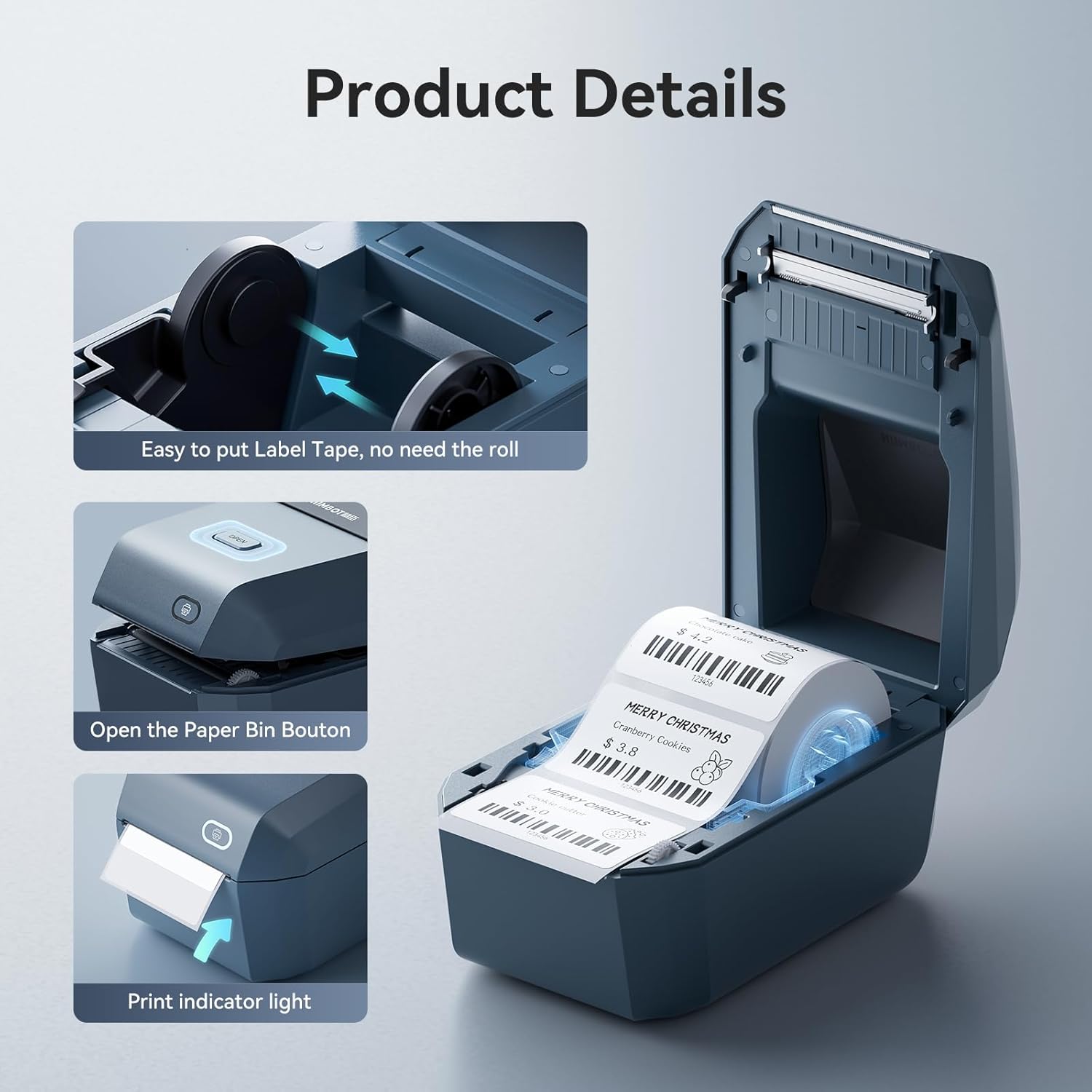
The NIIMBOT K3’s compatibility with third-party thermal labels is a major advantage for users seeking to minimize expenses. The printer supports label widths between 0.85 and 3.14 inches, accommodating a wide range of labeling needs, from small product tags to shipping labels. The larger paper bin design allows for roll paper loading, reducing the frequency of refills and improving workflow efficiency. However, it’s important to note that the printer is limited to label widths up to 3.14 inches, which may exclude users requiring larger shipping labels. The ability to load foldable thermal label paper adds versatility, enabling users to label items with irregular shapes or curved surfaces.
12-Month Replacement Warranty for Peace of Mind
The NIIMBOT K3 comes with a 12-month replacement warranty, which is a significant benefit for users who rely on consistent performance. This warranty covers defects in materials and workmanship, ensuring that users can replace the printer if any issues arise within the first year. While the warranty does not include repair services, the replacement policy provides a safety net for businesses and individuals who depend on the printer for daily operations. The warranty’s duration suggests that the manufacturer has confidence in the product’s reliability, which is an important factor for buyers considering long-term investment.
Connectivity and Device Compatibility
Bluetooth and USB Options for Flexible Integration
The NIIMBOT K3 offers both Bluetooth and USB connectivity, making it adaptable for different work environments. The Bluetooth feature enables wireless printing from smartphones and tablets running Android or iOS systems, reducing the need for physical cables and improving mobility. However, users must download the free NIIMBOT editing app to establish a Bluetooth connection, which may require an initial setup step. The USB port provides a direct connection to PCs, but it’s limited to Windows 7 and 10 systems, excluding newer operating environments. This restriction may affect users who prefer to operate on macOS or more recent Windows versions, limiting the printer’s compatibility with modern devices.
App-Driven Setup and Limitations
The NIIMBOT K3’s reliance on the NIIMBOT editing app for Bluetooth connectivity is both a benefit and a potential limitation. The app simplifies the process of configuring the printer, ensuring that users can quickly start printing without technical barriers. However, the app’s requirement for Bluetooth pairing may introduce delays or complications for users unfamiliar with the setup process. Additionally, the printer’s compatibility with Windows 7 and 10 means that users on other operating systems may need to seek alternative solutions, such as USB connections, which could be less convenient for mobile workflows.
Compatibility with Smartphones and Tablets
The printer’s support for Android and iOS devices makes it a practical choice for users who manage labeling tasks on the go. The Bluetooth connection allows for seamless integration with mobile devices, enabling users to print labels without the need for a computer. However, the printer’s lack of compatibility with tablets for direct printing may be a drawback for users who prefer to use tablets for label creation. The need to use the NIIMBOT app for Bluetooth setup adds an extra step, which could be inconvenient for users who prioritize speed and simplicity in their workflow.
Print Quality and Speed Performance
High-Speed Printing for High-Volume Environments
The NIIMBOT K3’s maximum print speed of 180mm/s (150 labels per minute) makes it well-suited for environments requiring frequent labeling. This speed is ideal for small businesses, warehouses, or online shops that handle large volumes of products needing labels. The printer’s ability to maintain consistent output at high speeds ensures that users can complete labeling tasks efficiently without compromising quality. However, the printer’s thermal printing technology may result in slight variations in label thickness or adhesion, which could affect the durability of labels in certain applications.
Print Resolution and Text Clarity
The printer’s maximum black-and-white print resolution of 200 dpi provides adequate clarity for most labeling needs. This resolution is sufficient for printing text, barcodes, and QR codes, ensuring that labels remain legible even when applied to curved or uneven surfaces. However, the printer’s lower maximum copy resolution of 70.87 dpi may result in reduced detail for more complex graphics or photographs. Users requiring high-resolution labels for branding or product packaging may need to consider alternative printing solutions that offer higher resolution capabilities.
Media Compatibility and Label Durability
The NIIMBOT K3’s support for thermal labels ensures that printed labels remain durable under normal conditions. However, the printer’s reliance on heat-sensitive media means that labels may be affected by exposure to direct sunlight or extreme temperatures. Users should be aware that the longevity of labels may vary depending on the environmental conditions in which they are applied. For applications requiring long-term durability, such as outdoor signage or industrial labeling, the printer’s thermal technology may not be the optimal choice.

Pros & Cons
Pros
- Thermal Printing Technology: Eliminates the need for ink cartridges, reducing long-term operational costs.
- Third-Party Label Compatibility: Supports labels from any brand, allowing users to avoid proprietary label paper.
- High-Speed Printing: Achieves 150 labels per minute, suitable for high-volume environments.
- Dual Connectivity Options: Offers both Bluetooth and USB connectivity for flexible integration with devices.
- 12-Month Replacement Warranty: Provides peace of mind for users requiring reliable, long-term performance.
- Roll Paper Loading: Larger paper bin design reduces the frequency of refills and improves workflow efficiency.
- Mobile-Friendly Setup: Bluetooth connectivity simplifies printing from smartphones and tablets.
Cons
- Limited Media Size: Supports labels up to 3.14 inches, excluding larger shipping labels.
- Bluetooth Setup Requirements: Requires the NIIMBOT editing app for Bluetooth pairing, which may introduce setup delays.
- Windows Compatibility Limitations: Only compatible with Windows 7 and 10, excluding newer operating systems.
- Lower Print Resolution: Maximum copy resolution of 70.87 dpi may affect the detail of complex graphics.
- No Duplex Printing: Single-sided printing may be less efficient for applications requiring double-sided labels.
- Dependence on App: The need for the NIIMBOT app for Bluetooth setup could be inconvenient for users prioritizing simplicity.
Final Verdict: Who This Printer Is Best For (and Who Should Skip It)
The NIIMBOT K3 label printer is best suited for small businesses, home offices, and users requiring efficient, cost-effective labeling solutions. Its thermal printing technology, combined with high-speed printing capabilities, makes it ideal for environments with frequent labeling needs, such as inventory management, product packaging, and shipping logistics. The dual connectivity options and support for third-party labels further enhance its versatility for users looking to minimize costs and maximize workflow efficiency. However, the printer may not be the optimal choice for users requiring larger label sizes, such as 4”*6” shipping labels, or those needing higher print resolution for complex graphics. Additionally, the printer’s compatibility with Windows 7 and 10, along with its reliance on the NIIMBOT app for Bluetooth setup, may limit its appeal for users on newer operating systems or those prioritizing simplicity in their workflow. For these reasons, the NIIMBOT K3 is a strong contender for users seeking a balance between cost-effectiveness and performance in a variety of labeling applications.

Frequently Asked Questions (FAQs)
Can the NIIMBOT K3 label printer use third-party thermal labels?
Yes, the NIIMBOT K3 label printer is compatible with third-party thermal labels from any brand, provided they meet the required width specifications. This compatibility allows users to avoid proprietary label paper, reducing long-term costs.
What is the maximum print speed of the NIIMBOT K3 label printer?
The NIIMBOT K3 label printer achieves a maximum print speed of 180mm/s, which translates to approximately 150 labels per minute. This speed is ideal for high-volume labeling tasks in small businesses and home offices.
Is the NIIMBOT K3 label printer compatible with Windows 10?
Yes, the NIIMBOT K3 label printer is compatible with Windows 10. However, it is not compatible with newer operating systems such as Windows 11, which may limit its appeal for users on modern devices.
Does the NIIMBOT K3 support larger shipping labels?
The NIIMBOT K3 label printer is limited to label widths up to 3.14 inches, which excludes larger shipping labels such as 4”*6”. Users requiring larger labels should consider alternative printers with broader media compatibility.
How does the Bluetooth connectivity work on the NIIMBOT K3?
The NIIMBOT K3 label printer uses Bluetooth connectivity to pair with Android and iOS devices. Users must download the free NIIMBOT editing app to establish a Bluetooth connection, which simplifies the setup process for wireless printing.
What is the warranty coverage for the NIIMBOT K3 label printer?
The NIIMBOT K3 label printer comes with a 12-month replacement warranty. This warranty covers defects in materials and workmanship, ensuring that users can replace the printer if any issues arise within the first year of purchase.
Can the NIIMBOT K3 label printer print on curved surfaces?
The NIIMBOT K3 label printer supports foldable thermal label paper, which allows for printing on curved or irregular surfaces. This feature enhances the printer’s versatility for labeling items with non-standard shapes.
Is the NIIMBOT K3 suitable for printing high-resolution graphics?
The NIIMBOT K3 label printer offers a maximum black-and-white print resolution of 200 dpi, which is sufficient for most labeling needs. However, its lower maximum copy resolution of 70.87 dpi may affect the detail of complex graphics or photographs.