Brother MFC-L8900CDW Color Laser All-in-One Printer Review: Performance, Features, and Use Cases
The Importance of Choosing the Right Printer for Modern Workflows
In today’s fast-paced business environment, the efficiency and reliability of a printer can significantly impact productivity. Whether managing a small office or handling high-volume print jobs, selecting the right printer involves balancing print quality, speed, connectivity, and durability. A printer must meet specific workload demands, from high-speed color printing to seamless integration with digital workflows. For businesses requiring multifunctional capabilities, an all-in-one printer like the Brother MFC-L8900CDW offers a centralized solution for printing, scanning, copying, and faxing. However, the decision should consider factors such as print resolution, media compatibility, network connectivity, and long-term maintenance costs. Understanding these specifications ensures that the printer aligns with both immediate and future operational needs, avoiding potential bottlenecks or performance limitations. This review evaluates the Brother MFC-L8900CDW based on its technical capabilities, user-friendly features, and suitability for various environments, helping users make an informed decision in 2026.
Quick Overview
| Feature | Details |
|---|---|
| Printer Type | Color Laser All-in-One |
| Supported Functions | Print, Scan, Copy, Fax |
| Print Resolution | 2400 x 600 dpi (Color), 1200 dpi (Monochrome) |
| Print Speed | 33 pages/min (Color, Monochrome, Photo) |
| Media Sizes | Legal (8.5 x 14″), Letter (8.5 x 11″) |
| Connectivity | Wi-Fi, Gigabit Ethernet, USB |
| Duplex Printing | Automatic |
| ADF Capacity | 70 sheets |
| Toner System | Brother TN431, TN433, TN436, DR431CL |
| Memory | 512 MB |
| Recommended Monthly Volume | 4000 sheets |
| Duty Cycle | 60,000 sheets/month |
| Touchscreen | 5-inch color display |
| Paper Trays | 250-sheet main tray, 50-sheet multipurpose tray |
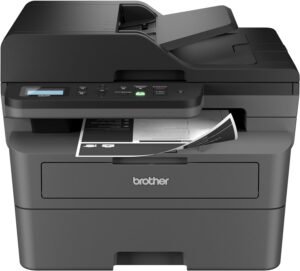
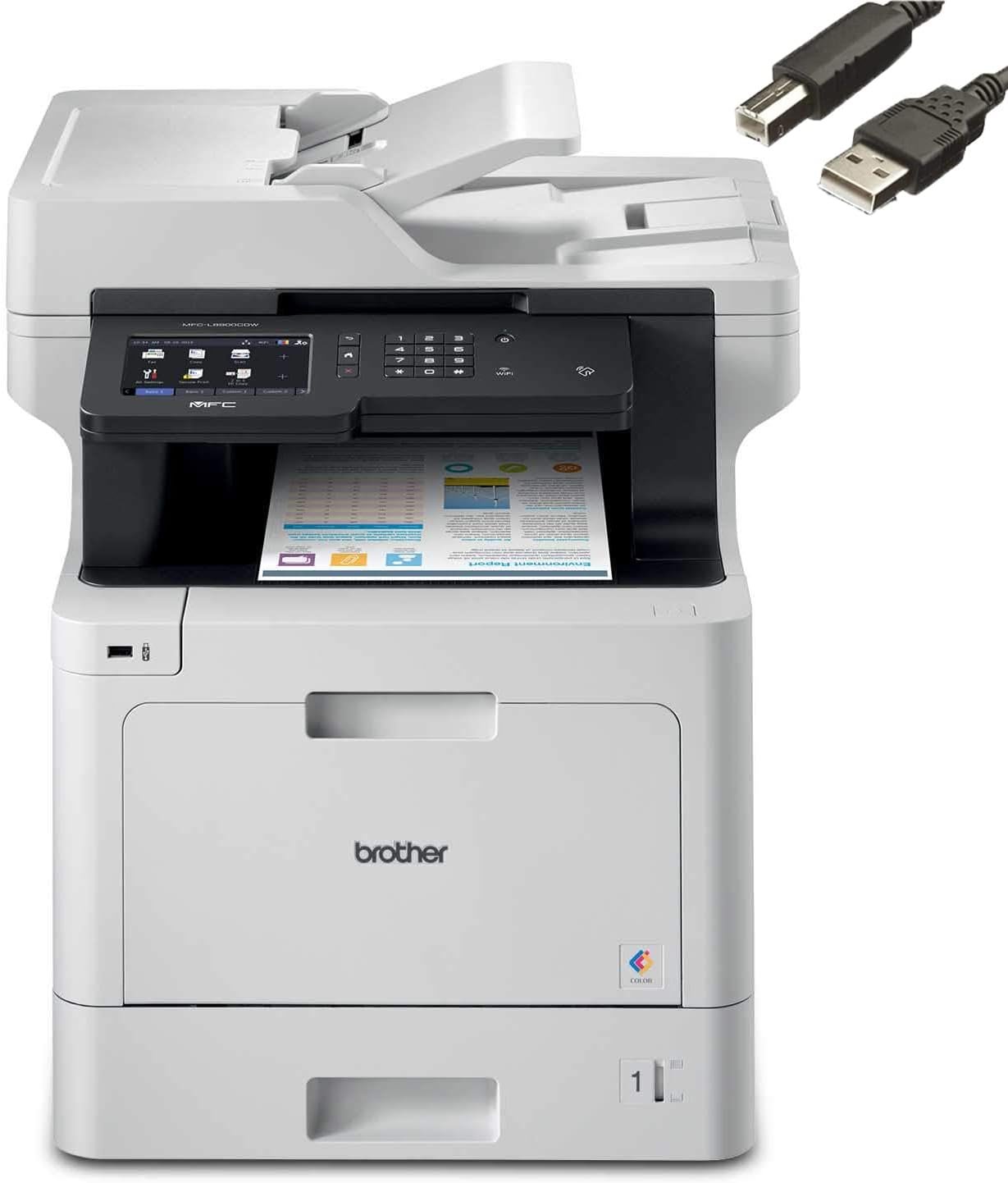
The Brother MFC-L8900CDW is designed for business environments requiring high-speed color printing and multifunctional capabilities. Its combination of laser technology, automatic duplex printing, and robust connectivity options makes it suitable for offices with moderate to high print volumes. The 5-inch touchscreen simplifies navigation, while the 70-sheet ADF enhances document handling efficiency. These features collectively support workflows that demand reliability and versatility.

Print Quality and Resolution Performance
The Brother MFC-L8900CDW delivers high-quality color and monochrome output, meeting the demands of business environments that require professional-grade printing. The printer’s maximum print resolution of 2400 x 600 dpi for color documents ensures sharp text and vibrant graphics, while the 1200 dpi monochrome resolution provides crisp black-and-white prints. This level of detail is particularly beneficial for creating professional reports, marketing materials, and presentations. The printer’s ability to handle a wide range of media types, including plain paper, label paper, and thick paper, further enhances its versatility. However, the absence of photo printing capabilities limits its use for high-resolution image output, making it more suitable for text-based documents and business graphics. The laser print technology ensures consistent toner distribution, reducing the risk of smudging or uneven color application. These specifications position the MFC-L8900CDW as a reliable choice for users prioritizing print quality and accuracy.

Color Print Accuracy and Detail
The printer’s color print resolution of 2400 x 600 dpi allows for precise color reproduction, making it ideal for business applications such as brochures, invoices, and presentations. The laser technology ensures even toner distribution, minimizing banding or streaking in printed materials. However, the absence of photo printing capabilities means the printer is not optimized for high-resolution image output. While the printer supports a variety of media types, including glossy paper, its performance with specialized photo papers may not match dedicated photo printers. The color depth of 24 bits per pixel contributes to accurate color representation, though users should consider the limitations of laser technology for photographic prints.
Monochrome Print Clarity and Efficiency
The MFC-L8900CDW’s monochrome print resolution of 1200 dpi ensures sharp, legible text suitable for reports, forms, and other document types. The laser print engine’s efficiency in handling toner application results in consistent black-and-white output without the risk of toner clumping or uneven coverage. This makes the printer well-suited for environments requiring high-volume monochrome printing, such as administrative offices or customer service departments. The printer’s ability to handle thick paper and label paper adds to its versatility, though the lack of dedicated photo printing capabilities may limit its use for specialized print tasks.
Connectivity and Network Integration
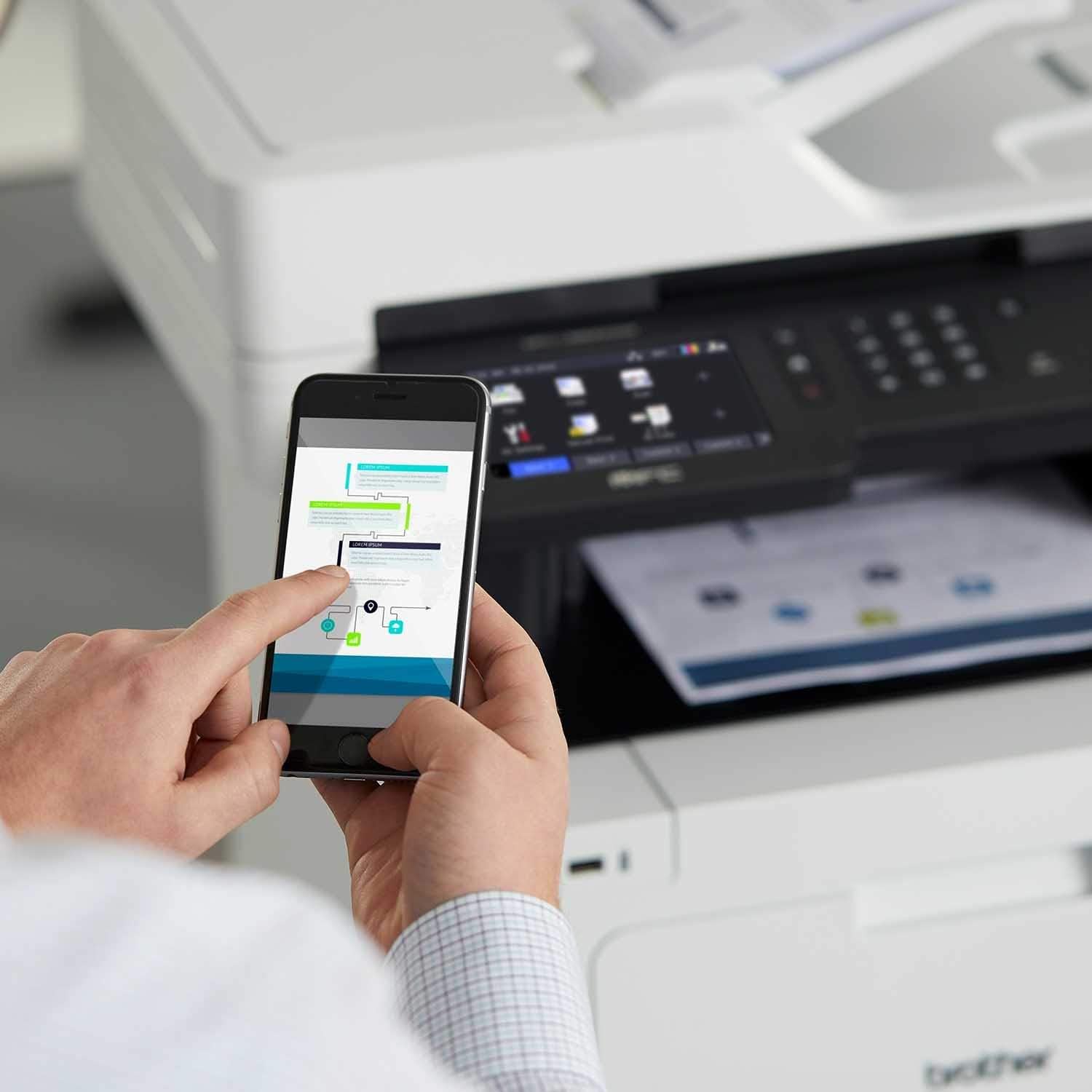
The Brother MFC-L8900CDW offers robust connectivity options, ensuring seamless integration into modern office environments. The printer supports both Wi-Fi and Gigabit Ethernet connections, allowing users to print from multiple devices without the need for physical cables. This dual connectivity enhances flexibility, particularly in settings where wireless access is preferred. The built-in wireless 802.11b/g/n standard enables easy setup and sharing on both wired and wireless networks, reducing the complexity of network configuration. However, the absence of mobile printing protocols like Apple AirPrint or Google Cloud Print may limit compatibility with certain devices. The printer’s Ethernet port provides a reliable alternative for users requiring direct network connections. These connectivity features collectively support a range of workflows, though users should consider their specific device compatibility requirements.

Wireless and Ethernet Network Compatibility
The MFC-L8900CDW’s support for both Wi-Fi and Gigabit Ethernet ensures compatibility with a variety of network environments. The wireless connectivity allows for easy setup and remote printing, while the Ethernet port provides a stable connection for high-volume printing tasks. However, the printer’s lack of support for newer Wi-Fi standards like Wi-Fi 6 may limit its performance in environments with advanced network infrastructure. The dual connectivity options provide flexibility, though users should verify their network requirements before purchasing. This combination of wireless and wired connectivity supports both small and large office setups, ensuring reliable access to printing services.
Mobile Printing and Cloud Integration
The printer’s mobile printing capabilities are limited to app-based and email-based solutions, which may not align with the expectations of users seeking more advanced mobile printing options. While the absence of cloud printing protocols like Google Cloud Print or Apple AirPrint could be a drawback for some users, the printer’s compatibility with email-based printing ensures a basic level of mobility. This limitation may affect users who rely on cloud-based workflows for document sharing and printing. The printer’s integration with standard email protocols provides a straightforward method for remote printing, though it may not meet the needs of users requiring more sophisticated mobile printing solutions.
Media Handling and Paper Management
The Brother MFC-L8900CDW’s paper handling capabilities are designed to accommodate a variety of media types and print volumes, making it suitable for business environments with diverse printing needs. The 250-sheet main tray and 50-sheet multipurpose tray allow for efficient paper management, with the option to expand the total capacity by adding additional trays. This flexibility reduces the frequency of paper refills, improving workflow efficiency. The printer’s support for legal-sized paper and a range of media types, including thick paper and label paper, enhances its versatility. However, the lack of dedicated photo paper trays or specialized media handling features may limit its use for high-end printing tasks. The automatic duplex printing function further optimizes paper usage, contributing to cost savings over time.

Tray Configuration and Expandability
The MFC-L8900CDW’s dual-tray system provides a balance between capacity and flexibility, with the main tray accommodating up to 250 sheets and the multipurpose tray handling 50 sheets. This configuration allows users to manage different paper types simultaneously, reducing the need for frequent tray changes. The printer’s expandability through the addition of optional trays increases its total paper capacity, making it suitable for high-volume environments. However, the reliance on additional trays for expanded capacity may complicate setup for users with limited space or resources. The tray design ensures smooth paper feeding, though users should ensure proper alignment to avoid jams or misfeeds.
Media Compatibility and Print Quality
The printer’s support for a wide range of media types, including plain paper, label paper, and thick paper, ensures versatility in print applications. The ability to handle legal-sized paper expands its use for official documents and reports. However, the absence of dedicated photo paper trays or specialized media handling features may limit its effectiveness for high-resolution image printing. The printer’s performance with glossy paper is adequate for standard business documents, though users seeking photo-quality prints may need to consider alternative printers. The media compatibility specifications ensure that the MFC-L8900CDW can adapt to various printing needs, though its limitations in specialized media handling should be acknowledged.
Pros & Cons
Pros
- High-Speed Color Printing: The MFC-L8900CDW offers a maximum print speed of 33 pages per minute, making it suitable for high-volume environments. This speed ensures quick turnaround for print jobs, reducing delays in document production.
- Reliable Laser Technology: The laser print engine provides consistent toner distribution, resulting in sharp text and vibrant color output. This reliability is crucial for maintaining print quality over time.
- Robust Connectivity Options: The printer supports both Wi-Fi and Gigabit Ethernet, allowing for flexible network integration. This dual connectivity ensures compatibility with various network setups, enhancing user convenience.
- User-Friendly Touchscreen Interface: The 5-inch color touchscreen simplifies navigation and setup, making the printer accessible for users with varying technical expertise.
- Automatic Duplex Printing: The automatic duplex feature reduces paper usage and printing costs, contributing to sustainability efforts without compromising print quality.
- Versatile Media Handling: The printer’s support for a range of media types, including thick paper and label paper, enhances its adaptability for different printing tasks.
Cons
- Limited Photo Printing Capabilities: The absence of dedicated photo printing features restricts the printer’s use for high-resolution image output, making it less suitable for photography-related tasks.
- No Support for Advanced Mobile Printing: The printer’s mobile printing options are limited to app-based and email-based solutions, which may not meet the needs of users requiring cloud-based printing.
- Potential Setup Complexity: While the printer offers dual connectivity, the setup process may require additional configuration, particularly for users unfamiliar with network settings.
- Higher Maintenance Requirements: The use of toner cartridges necessitates regular replacement, which may increase long-term maintenance costs compared to inkjet printers.
- Physical Size and Space Considerations: The printer’s dimensions may pose challenges for users with limited office space, requiring careful placement to optimize workflow efficiency.
Final Verdict: Who This Printer Is Best For (and Who Should Skip It)
The Brother MFC-L8900CDW is best suited for businesses requiring high-speed color printing, multifunctional capabilities, and reliable connectivity. Its robust laser technology, automatic duplex printing, and support for a wide range of media types make it an excellent choice for offices with moderate to high print volumes. The 5-inch touchscreen and dual connectivity options enhance user experience, while the 60,000-sheet monthly duty cycle ensures long-term reliability. However, users with specialized printing needs, such as high-resolution photo printing or advanced mobile printing capabilities, may find the MFC-L8900CDW less suitable. Additionally, those with limited office space or requiring lower maintenance costs may prefer alternative printers with more compact designs or inkjet technology. Overall, the MFC-L8900CDW is a strong contender for businesses prioritizing speed, versatility, and connectivity in their printing workflows.

Frequently Asked Questions (FAQs)
What is the maximum print speed of the Brother MFC-L8900CDW?
The Brother MFC-L8900CDW offers a maximum print speed of 33 pages per minute for both color and monochrome printing. This high-speed output ensures efficient document production for busy office environments.
Does the printer support wireless connectivity?
Yes, the Brother MFC-L8900CDW includes built-in Wi-Fi 802.11b/g/n for wireless printing, allowing users to print from multiple devices without the need for physical cables.
What media types can the printer handle?
The MFC-L8900CDW supports a variety of media types, including plain paper, label paper, thick paper, and glossy paper. It can also handle legal-sized paper, making it versatile for different printing needs.
Is the printer suitable for photo printing?
The MFC-L8900CDW is not optimized for photo printing. While it can produce standard business documents with good color accuracy, it lacks dedicated photo printing features for high-resolution image output.
What is the recommended monthly print volume for this printer?
The Brother MFC-L8900CDW is recommended for a monthly print volume of up to 4,000 sheets. Its 60,000-sheet monthly duty cycle ensures it can handle moderate to high-volume printing without performance degradation.
Does the printer have a touchscreen interface?
Yes, the MFC-L8900CDW features a 5-inch color touchscreen that simplifies navigation and setup, providing an intuitive user experience for managing print tasks.
What connectivity options are available for the printer?
The printer supports both Wi-Fi and Gigabit Ethernet connectivity, allowing for flexible network integration. This dual connectivity ensures compatibility with various network environments and enhances user convenience.
Can the printer handle duplex printing?
Yes, the Brother MFC-L8900CDW includes automatic duplex printing, which reduces paper usage and printing costs while maintaining print quality for both sides of the document.