
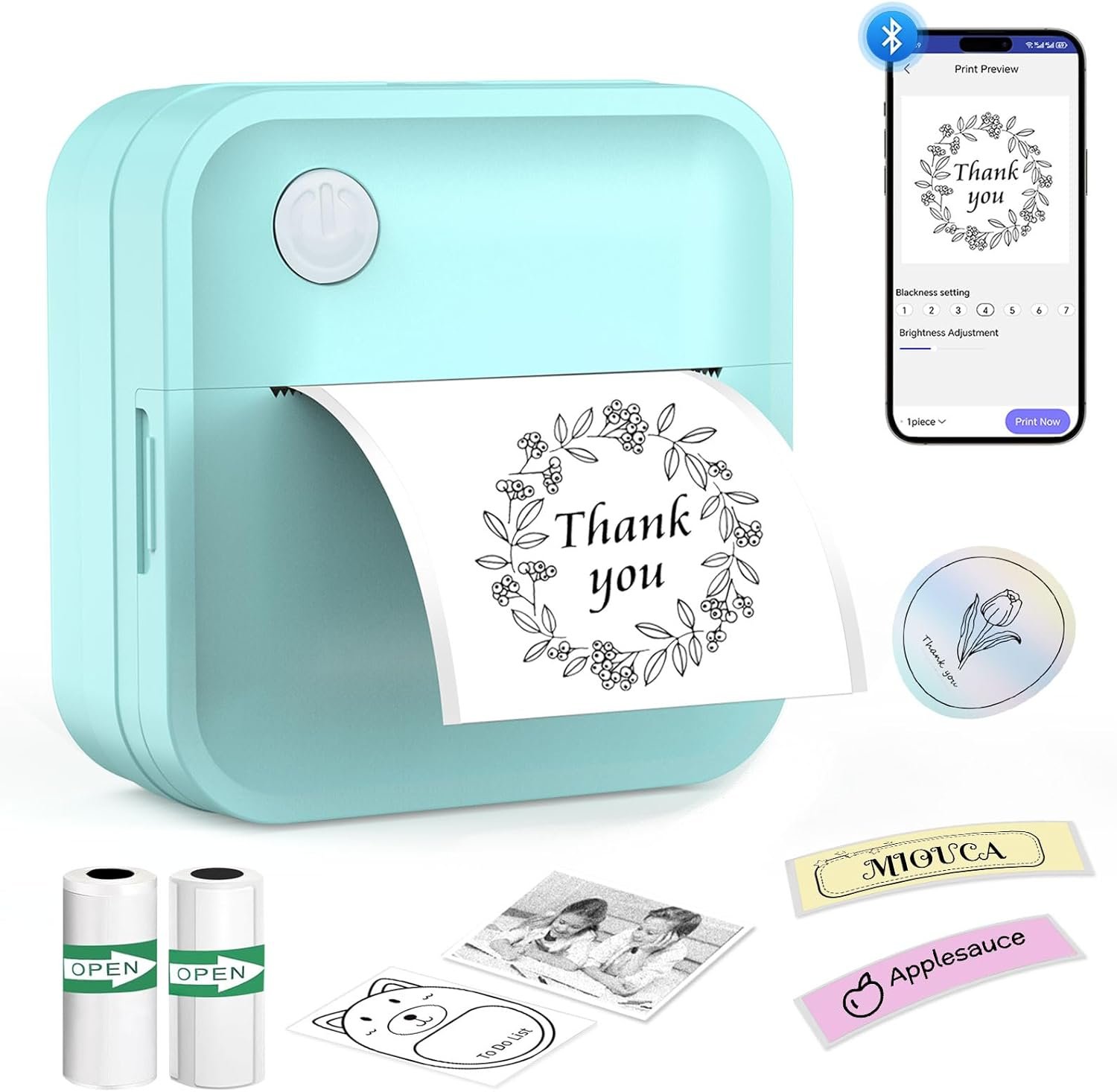
The Importance of Choosing the Right Label Printer
In today’s fast-paced environments, the ability to organize and label items efficiently can significantly impact productivity. Whether in a home office, warehouse, or retail setting, a reliable label printer is essential for managing inventory, tracking assets, and maintaining order. The right printer must balance speed, print quality, and durability to meet the demands of its intended use. For users requiring frequent, high-volume labeling, a printer’s duty cycle and media compatibility become critical factors. Conversely, those prioritizing portability and ease of use may focus on battery life and connectivity options. This review evaluates a compact thermal label printer designed for versatile applications, from kitchen organization to office file management. By analyzing its specifications, connectivity features, and performance benchmarks, we aim to determine its suitability for different user scenarios. Understanding these factors helps buyers make informed decisions based on their specific needs, ensuring the chosen device aligns with their workflow and expectations.
Quick Overview
| Feature | Details |
|---|---|
| Printer Type | Thermal label printer |
| Printing Technology | Ink-free thermal printing |
| Print Resolution | 203 dpi (black and white) |
| Media Sizes | 12–50 mm (supporting 50mmx15mm and 50mmx3.5m continuous paper) |
| Connectivity | Bluetooth (iOS/Android compatibility) |
| Battery Life | 500+ labels per charge, 30-day standby |
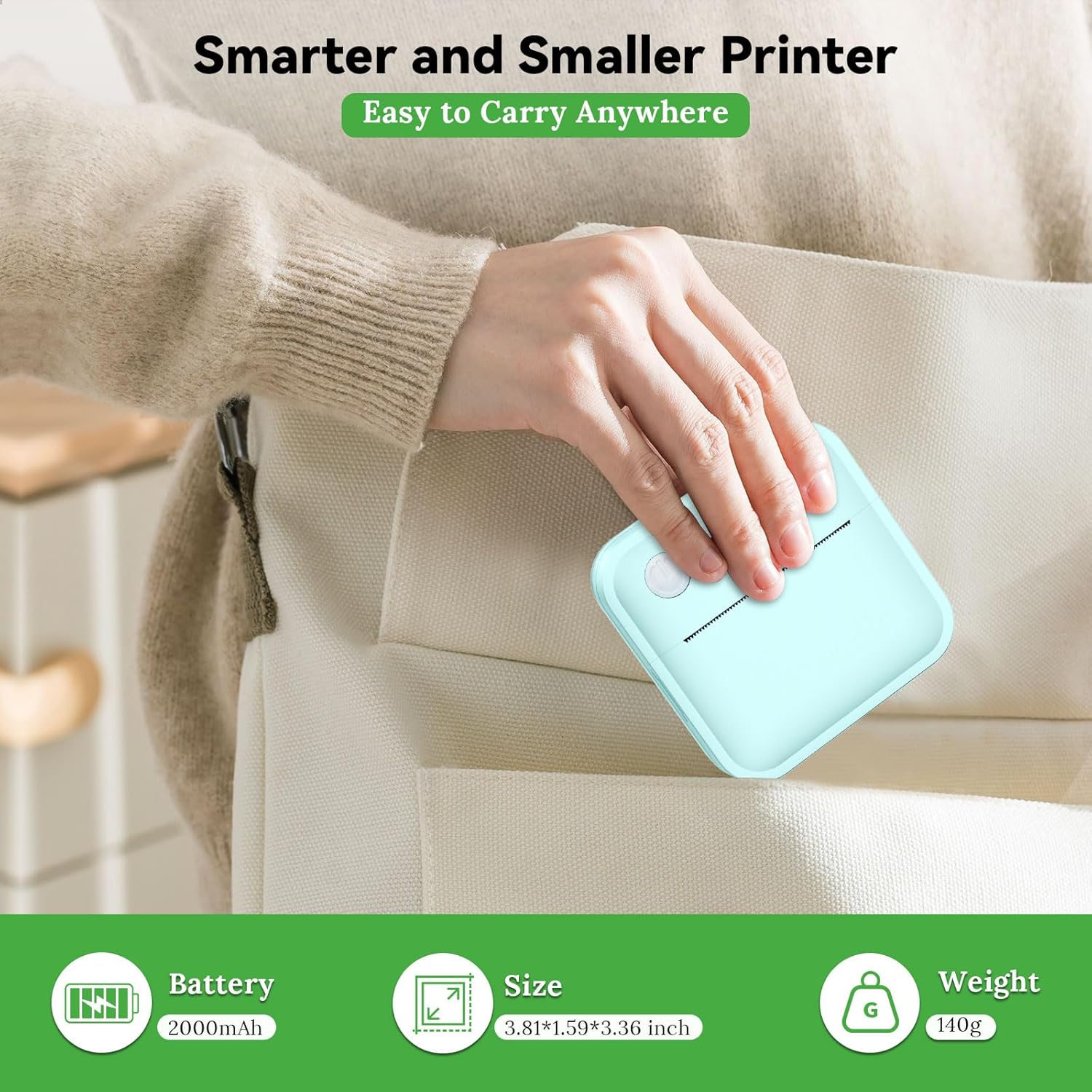
| Dimensions | 3.36″D x 3.38″W x 1.6″H |
| Weight | 0.3 kg (10.5 ounces) |
| Included Components | 50mmx15mm label paper, 50mmx3.5m continuous paper, Type-C cable |
This compact label printer combines portability with functional versatility, offering a lightweight design and wireless connectivity for seamless integration into digital workflows. Its thermal printing technology eliminates the need for ink or toner, reducing long-term maintenance costs. The included paper rolls cater to both single-use labels and continuous labeling tasks, making it suitable for a wide range of organizational needs.

Thermal Printing Technology and Media Compatibility

Ink-Free Thermal Printing
The CYBQ01 label maker utilizes thermal printing technology, which generates images by heating specific areas of thermal paper. This method eliminates the need for ink or toner, reducing consumable costs and maintenance requirements. Thermal paper is coated with a heat-sensitive layer that darkens when exposed to heat, producing sharp, high-contrast text and graphics. While this technology is ideal for monochrome printing, it requires users to select compatible thermal paper, which is available in white, transparent, and colored variants. The absence of ink also means that printed labels are resistant to fading under normal conditions, though prolonged exposure to sunlight or extreme temperatures may affect longevity.
Media Size and Paper Roll Options
The printer supports media sizes ranging from 12 to 50 mm, accommodating both single-use labels and continuous paper rolls. The included 50mmx15mm label paper is suited for small, discrete labels, while the 50mmx3.5m continuous paper roll allows for longer labeling tasks, such as labeling multiple containers or organizing bulk items. This flexibility ensures the printer can handle both high-volume and low-volume applications, from labeling kitchen jars to creating custom stickers for personal use. The paper rolls are designed to be easily replaced, minimizing downtime and ensuring continuous operation.
Connectivity and Mobile Integration

Bluetooth Pairing and App Integration
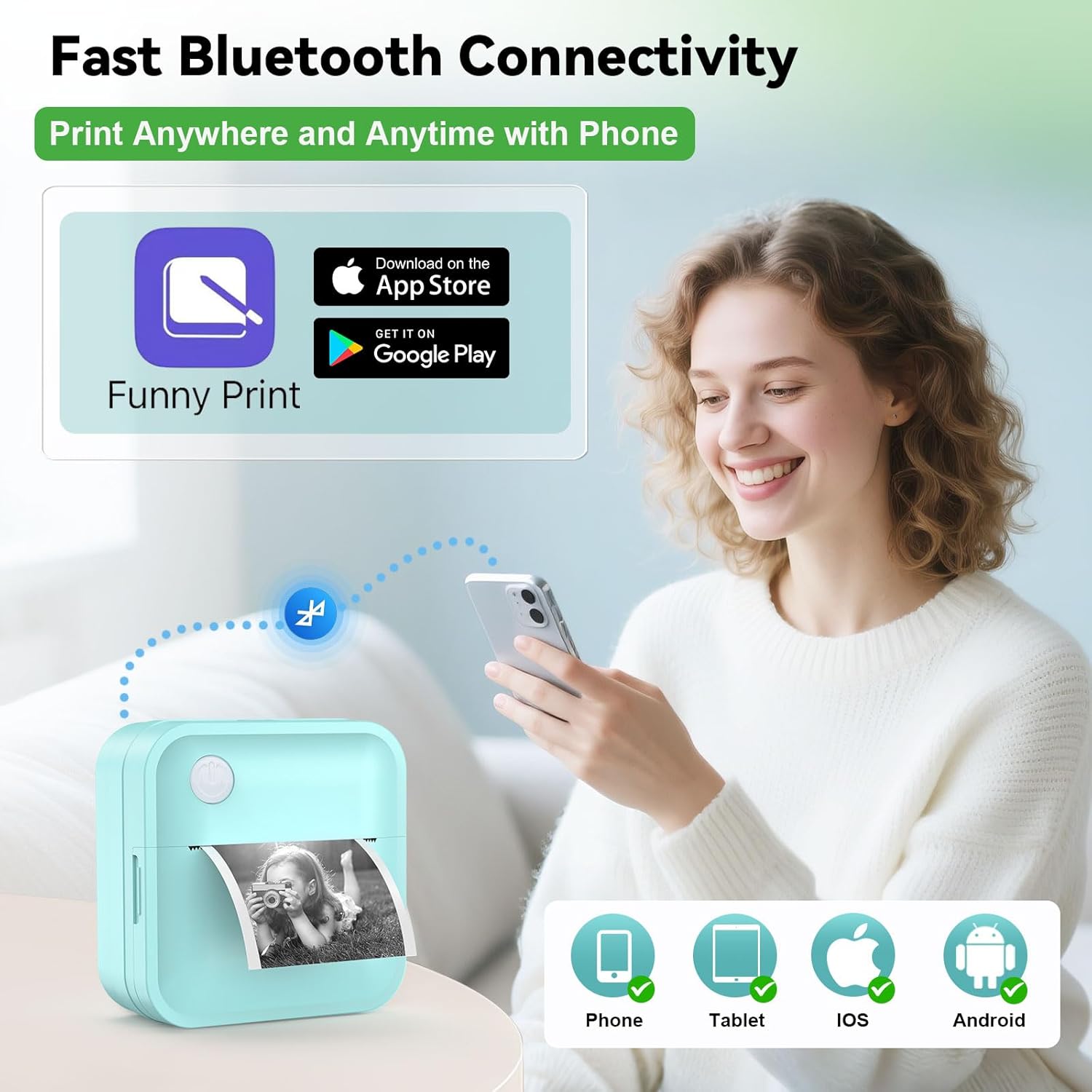
The CYBQ01 features Bluetooth connectivity, enabling wireless pairing with iOS and Android devices. This eliminates the need for physical cables, streamlining the printing process for users who prioritize mobility. The accompanying app provides access to 17 languages, 60+ pre-designed layouts, and 400+ decorative elements, allowing for customization of labels without requiring advanced design skills. The app’s intuitive interface simplifies tasks such as creating sticky notes, photo prints, and to-do lists, making the printer accessible to users of varying technical proficiency. However, the absence of a dedicated account system means users must manage settings directly through the app, which may be less convenient for those accustomed to cloud-based printing services.
Universal Compatibility and Device Support
The printer’s Bluetooth functionality ensures compatibility with a wide range of smartphones and tablets, making it suitable for both personal and professional use. Its lightweight design and compact size allow for easy transportation, ideal for users who need to label items on the go. However, the reliance on Bluetooth connectivity may limit its use in environments with significant interference or where a wired connection is preferred. Additionally, the printer’s lack of Wi-Fi or Ethernet support means it cannot integrate with larger networked printing systems, which may be a drawback for users in commercial settings requiring centralized management.
Print Quality and Output Specifications

Monochrome Print Resolution
The CYBQ01 delivers a maximum black and white print resolution of 203 dpi, which is sufficient for producing clear, legible text and basic graphics. This resolution ensures that labels remain readable even when applied to small surfaces or used in environments with ambient light. The printer’s thermal technology contributes to sharp, consistent output, though the monochrome limitation means it cannot produce color images. For users requiring vibrant, multicolored labels, this printer may not be the optimal choice. However, its ability to generate high-contrast text and simple graphics makes it well-suited for applications such as inventory tracking, product labeling, and organizational markers.
Durability and Environmental Resistance
The thermal paper used in the CYBQ01 is designed to resist water, oil, and scratches, enhancing the durability of printed labels in challenging environments. This feature is particularly beneficial for users labeling items exposed to moisture or harsh conditions, such as food containers, outdoor gear, or industrial equipment. The printer’s construction also supports a reasonable duty cycle, though the exact number of labels it can print before requiring maintenance is not specified in the product documentation. While this lack of detailed information may raise concerns about long-term reliability, the inclusion of BPA-free starter paper suggests a focus on user safety and environmental considerations.
Pros & Cons
Pros
- Ink-Free Thermal Printing: Eliminates the need for ink or toner, reducing consumable costs and maintenance.
- Portability and Battery Life: Weighing just 140g and featuring a 2000mAh battery, it is ideal for on-the-go labeling tasks.
- Versatile Media Options: Supports both single-use labels and continuous paper rolls for varied applications.
- Bluetooth Connectivity: Enables wireless pairing with smartphones and tablets for seamless integration.
- User-Friendly App Interface: Offers 60+ pre-designed layouts and 400+ decorative elements for customization.
- Durable Thermal Paper: Resists water, oil, and scratches, ensuring label longevity in challenging environments.
Cons
- Monochrome Limitation: Does not support color printing, which may be a drawback for users requiring vibrant labels.
- No Wi-Fi or Ethernet Support: Cannot integrate with networked printing systems or cloud-based services.
- Limited Duty Cycle Information: The exact number of labels it can print before requiring maintenance is unspecified.
- Single-Sided Printing Only: Cannot produce double-sided labels, limiting its use for certain applications.
- Dependence on Bluetooth: May experience connectivity issues in environments with signal interference.
- No Built-In Scanner: Lacks a built-in scanner for digitizing existing labels or documents.
Final Verdict: Who This Printer Is Best For (and Who Should Skip It)
The CYBQ01 label maker is best suited for users who prioritize portability, ease of use, and monochrome labeling tasks. Its lightweight design and long battery life make it ideal for home office organization, kitchen labeling, and personal project management. The inclusion of a Bluetooth app interface and versatile media options enhances its usability for both casual and semi-professional applications. However, users requiring color printing, networked integration, or high-volume commercial labeling may find this printer insufficient. The lack of detailed duty cycle information and the absence of a built-in scanner could also be drawbacks for those seeking long-term reliability or advanced functionality. Overall, this printer is an excellent choice for individuals and small businesses looking for a compact, cost-effective solution for basic labeling needs.
Frequently Asked Questions (FAQs)
Can this label printer produce color labels?
No, the CYBQ01 label printer is designed for monochrome printing only. It uses thermal printing technology to generate black and white text and graphics, making it suitable for text-based labels but not for color images or vibrant graphics.
How long does the battery last on a single charge?
The CYBQ01 label printer can produce up to 500+ labels on a single charge. With auto-sleep mode, it maintains a 30-day standby period, making it ideal for users who need a portable, low-maintenance solution.
What types of thermal paper are compatible with this printer?
The printer is compatible with white, transparent, and colored thermal paper in various shapes, including round, square, and rectangular. It does not support standard office paper or non-thermal media.
Can I print double-sided labels with this printer?
No, the CYBQ01 label printer only supports single-sided printing. It cannot produce double-sided labels, which may limit its use for certain applications requiring both sides of the media to be utilized.
Is the printer suitable for commercial use?
The CYBQ01 is more suited for personal and small-scale office use rather than high-volume commercial environments. Its duty cycle and media handling capabilities are optimized for moderate usage, not heavy industrial applications.
What is the maximum label size this printer can handle?
The printer supports media sizes ranging from 12 to 50 mm. It can handle both single-use labels and continuous paper rolls, making it versatile for various labeling tasks but not ideal for large-format labels.
Does the printer have a built-in scanner?
No, the CYBQ01 label printer does not include a built-in scanner. It is designed solely for printing, without the ability to digitize or scan existing labels or documents.
Can I use this printer with a computer or desktop?
The CYBQ01 is designed for mobile and wireless use, relying on Bluetooth connectivity with smartphones and tablets. It does not support direct USB or Ethernet connections, making it less suitable for desktop integration.