
The Importance of Choosing the Right Printer for Modern Workflows
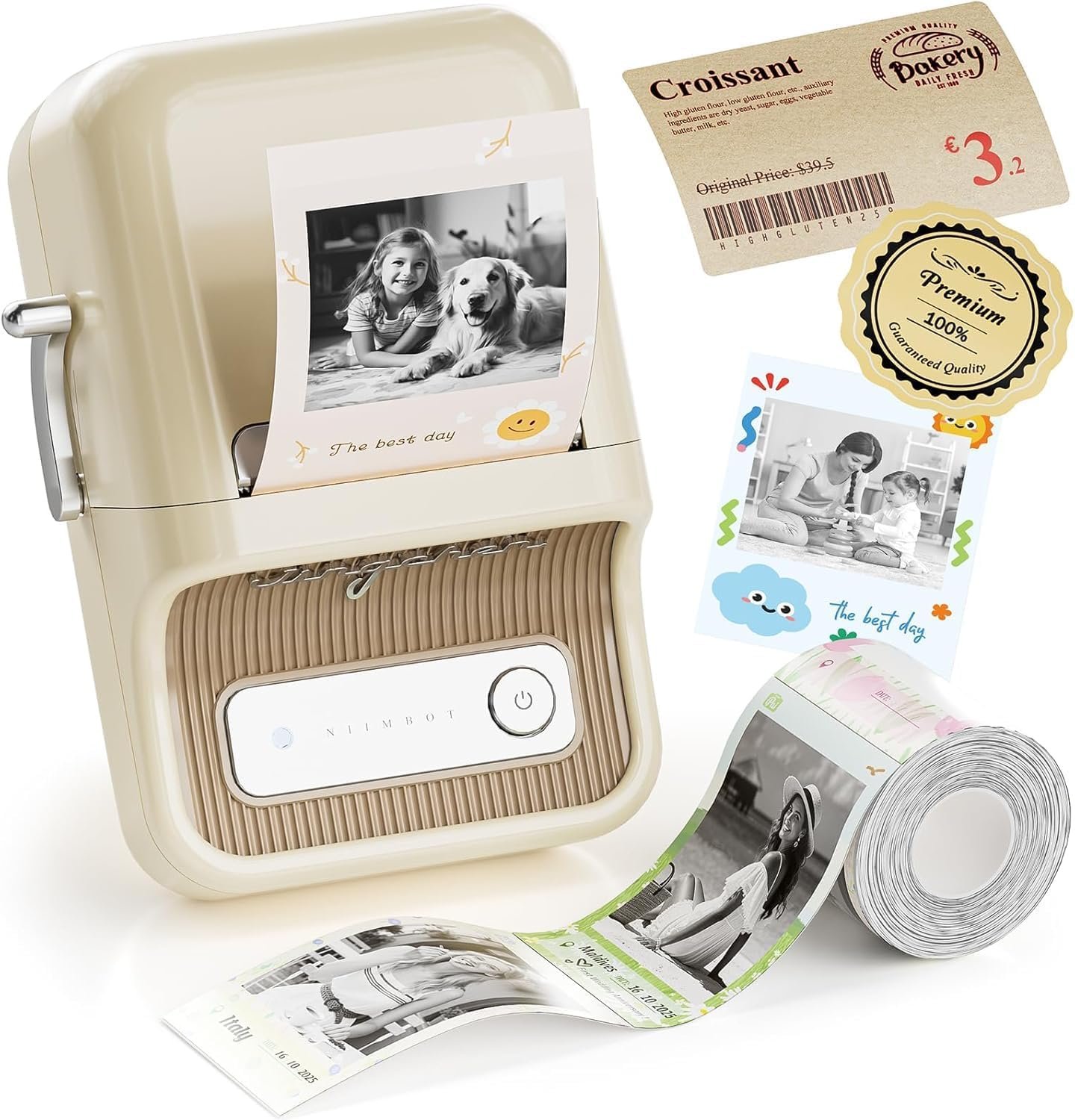
In today’s fast-paced environments, the right printer can significantly impact productivity and efficiency. Whether for home organization, small business operations, or creative projects, selecting a printer that meets specific needs is crucial. Factors such as print quality, speed, connectivity, and media versatility play a vital role in determining the suitability of a printer for different tasks. For instance, a high-resolution thermal printer may be ideal for creating detailed labels, while a portable device with Bluetooth connectivity could offer convenience for on-the-go printing. Understanding these requirements helps users make informed decisions, ensuring their printing solutions align with both immediate and long-term needs. This review explores the NIIMBOT B21 Pro Sticker Printer, evaluating its capabilities to determine its effectiveness for various use cases.
Quick Overview
| Feature | Details |
|---|---|
| Printer Type | Thermal Label Printer |
| Print Resolution | 300DPI (Color/Black & White) |
| Media Sizes | 3 x 4 inches (up to 50mm width) |
| Connectivity | Bluetooth (iOS/Android/PC) |
| Duty Cycle | Continuous use with thermal media |
| Ink Type | Thermal (no ink cartridges) |
| Included Components | Labels, Type-C Cable, User Manual |
| Weight | 1.28 pounds (0.58 kg) |
| Dimensions | 5″D x 2.4″W x 4″H |
| Specific Uses | Home, Kitchen, School, Small Business |
The NIIMBOT B21 Pro Sticker Printer’s thermal printing technology and Bluetooth connectivity make it well-suited for environments requiring quick, high-quality label creation. Its compact design and included materials simplify setup, while the 300DPI resolution ensures clarity for both text and graphics, making it a practical choice for diverse applications.

Print Quality and Resolution: Meeting Detailed Output Needs
The NIIMBOT B21 Pro Sticker Printer’s 300DPI resolution represents a significant upgrade over earlier models, enabling finer text and sharper graphics. This resolution level is particularly beneficial for applications requiring precise details, such as photo-style labels or barcode printing. The thermal printing technology ensures consistent color reproduction, with the ability to produce both monochrome and color outputs. While thermal prints may exhibit slight tonal variations compared to inkjet or laser printers, the B21 Pro’s resolution compensates by maintaining clarity even at smaller sizes. For users prioritizing sharp text and detailed graphics, this printer meets the requirements for tasks like scrapbook embellishments or product labeling.
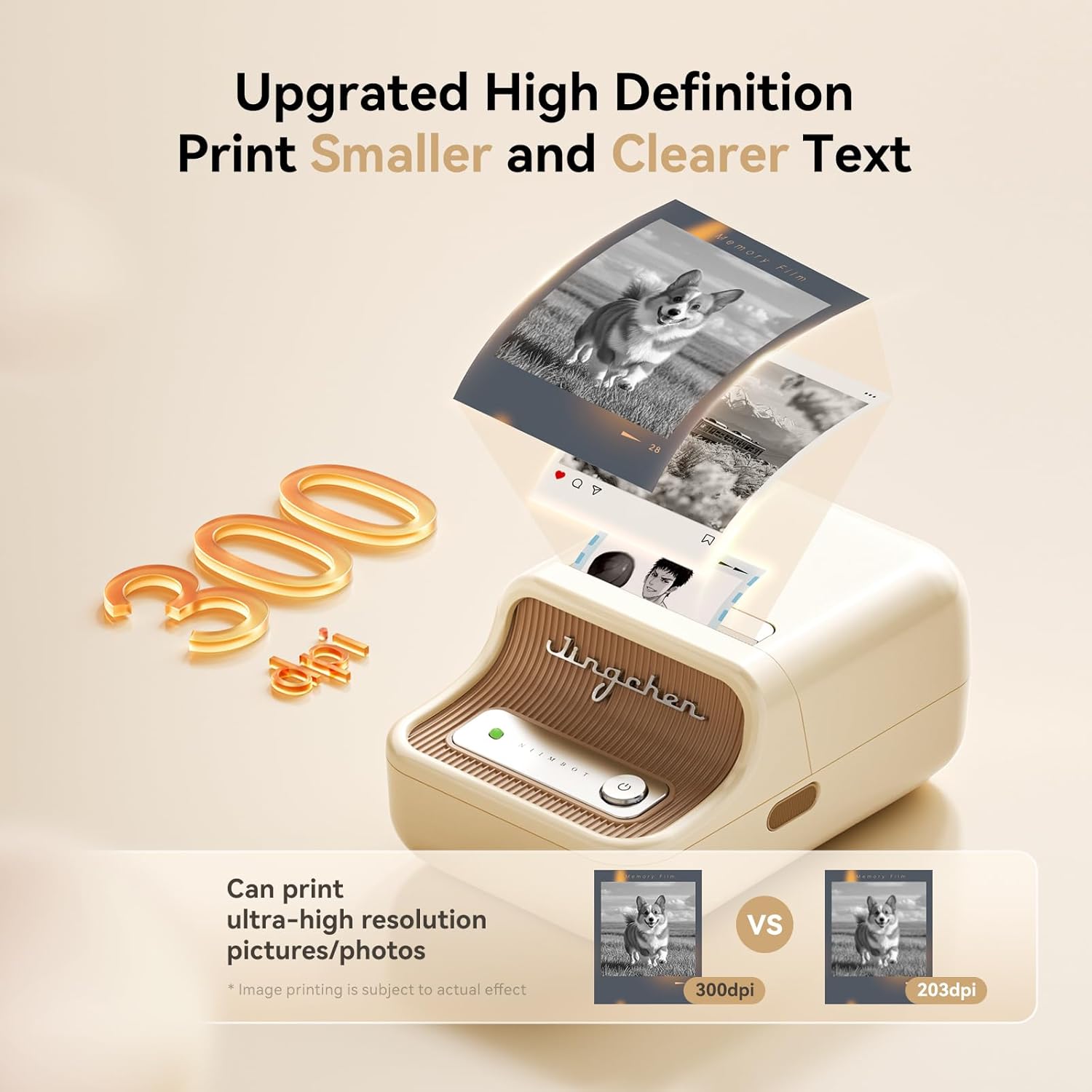
High-Resolution Text and Graphics
The 300DPI resolution allows for the printing of smaller, more intricate text and graphics, making it suitable for applications such as return address labels or price tags. This level of detail is particularly advantageous for users who need to convey information clearly on small surfaces, such as jars or bottles. The thermal printing process ensures that the ink adheres evenly to the media, reducing the risk of smudging or fading over time. However, users should be aware that thermal prints may not be as vibrant as those produced by inkjet printers, which could be a consideration for high-visibility applications.
Photo-Style Labels and Color Printing
The B21 Pro’s support for photo-style labels expands its versatility, allowing users to create visually appealing stickers for crafts, notes, and scrapbooks. The color printing capability, while limited to the thermal media’s tonal range, provides sufficient contrast for most creative projects. The printer’s ability to produce red and black dual-color labels adds another layer of customization, enabling users to highlight important information effectively. However, the lack of a dedicated color ink system means that color accuracy may vary depending on the media used, which could impact the final output for professional-grade applications.
Connectivity and Compatibility: Seamless Integration with Devices
The NIIMBOT B21 Pro Sticker Printer’s Bluetooth connectivity simplifies the printing process, allowing users to connect directly to their iOS or Android devices. This feature is particularly beneficial for individuals who prefer mobile printing or need to create labels on-the-go. The printer’s compatibility with PC systems through a Type-C cable ensures that users can also integrate it into their desktop workflows. However, the reliance on Bluetooth may introduce potential connectivity issues, especially in environments with multiple wireless devices. Additionally, the need to install specific drivers for PC use could be a minor inconvenience for some users, though the manufacturer provides clear instructions to mitigate this.

Bluetooth Pairing and Mobile Integration
The Bluetooth pairing process is straightforward, with the NIIMBOT app guiding users through the connection steps. This ease of integration is ideal for users who frequently switch between mobile and desktop environments. The app’s availability on both iOS and Android platforms ensures broad accessibility, making it simple to create and print labels from a smartphone or tablet. However, users should be aware that Bluetooth connectivity can be affected by distance and interference, which may occasionally lead to disconnections during the printing process.
PC Compatibility and Driver Requirements
For PC users, the B21 Pro requires the installation of specific drivers, which are available on the manufacturer’s official website. This process is generally straightforward, but the necessity of downloading and installing drivers may be a barrier for less tech-savvy users. The inclusion of a Type-C cable ensures compatibility with modern devices, but users should verify that their system supports the required drivers. Overall, the printer’s connectivity options provide flexibility, though some users may need to invest time in setting up the PC connection.
Design and Portability: A Lightweight Solution for Diverse Environments
The NIIMBOT B21 Pro Sticker Printer’s compact design and lightweight build make it an excellent choice for users who require a portable printing solution. Weighing just 1.28 pounds, the printer is easy to carry and store, which is particularly beneficial for home users and small business owners who need to print labels in various locations. The printer’s dimensions (5″D x 2.4″W x 4″H) ensure it fits comfortably on countertops, desks, or shelves without taking up excessive space. This portability is especially advantageous for users who need to create labels for items like food storage containers or craft projects, as it allows for flexible placement and use.

Compact Size and Storage Efficiency
The printer’s small footprint is ideal for environments where space is limited, such as home kitchens or office desks. Its lightweight design also makes it easy to transport, which is beneficial for users who may need to move the printer between different locations. The included Type-C cable further enhances portability by eliminating the need for additional accessories. However, the lack of a built-in storage compartment for labels or media may require users to manage these items separately, which could be a minor inconvenience for some.
Versatility in Different Settings
The B21 Pro’s design allows it to be used in a variety of settings, from home organization tasks to small business operations. Its ability to print on a range of media sizes (up to 50mm width) makes it suitable for both small and medium-sized labels. This versatility is particularly useful for users who need to create labels for different applications, such as kitchen storage, product packaging, or educational materials. The printer’s portability and ease of use make it a practical choice for those who require a flexible printing solution.

Pros and Cons: Evaluating the Printer’s Strengths and Limitations
Pros
- High-Resolution Output: The 300DPI resolution ensures sharp text and graphics, making it suitable for detailed label creation.
- Bluetooth Connectivity: Easy integration with mobile devices enhances convenience for on-the-go printing.
- Media Versatility: Supports a range of label sizes and types, accommodating various use cases from home to small business.
- Portability: Lightweight and compact design allows for flexible placement and transport.
- Included Design Resources: The NIIMBOT app provides extensive templates and fonts, simplifying the creative process.
- Thermal Printing Efficiency: No ink cartridges reduce maintenance and long-term costs.
Cons
- Limited Media Size: Maximum media width of 50mm may not suffice for larger labels or specialized applications.
- No Duplex Printing: Single-sided printing restricts the ability to print on both sides of a label.
- Dependence on Bluetooth: Potential connectivity issues in crowded wireless environments.
- Driver Requirements for PC: Additional setup steps may be challenging for less tech-savvy users.
- Thermal Media Wear: Prolonged use may lead to gradual degradation of print quality over time.
Final Verdict: Who This Printer Is Best For (and Who Should Skip It)
The NIIMBOT B21 Pro Sticker Printer is an excellent choice for users who need a portable, high-resolution label printer for home organization, small business operations, or creative projects. Its 300DPI resolution and Bluetooth connectivity make it ideal for tasks such as creating photo-style labels, return address tags, and product information labels. The compact design and included design resources further enhance its appeal for users who value convenience and customization. However, this printer may not be suitable for users requiring larger media sizes, duplex printing capabilities, or advanced connectivity options. Those seeking a more robust printing solution for high-volume or specialized applications should consider alternative models with expanded features and capabilities.

FAQ: Frequently Asked Questions About the NIIMBOT B21 Pro Sticker Printer
{ “question”: “Can the NIIMBOT B21 Pro print photo-style labels?”, “answer”: “Yes, the printer supports photo-style labels, allowing users to create visually appealing stickers for scrapbooks, notes, and crafts. The 300DPI resolution ensures clarity and detail in these designs.” }
{ “question”: “How does the Bluetooth connectivity work for the NIIMBOT B21 Pro?”, “answer”: “The printer connects via Bluetooth to iOS and Android devices, enabling seamless mobile printing. Users can install the NIIMBOT app to manage templates and print directly from their smartphones or tablets.” }
{ “question”: “What media sizes does the B21 Pro support?”, “answer”: “The printer accommodates labels up to 50mm in width, making it suitable for a variety of applications such as kitchen storage, product labeling, and educational materials.” }
{ “question”: “Is the printer suitable for small business use?”, “answer”: “Yes, the B21 Pro is ideal for small businesses needing to print price tags, QR codes, and brand logos. Its portability and connectivity options make it a practical solution for on-the-go printing needs.” }
{ “question”: “Can the printer be used with a PC?”, “answer”: “The printer is compatible with PCs, but requires the installation of specific drivers available on the manufacturer’s website. This setup ensures seamless integration into desktop workflows.” }
{ “question”: “What are the limitations of the thermal printing technology?”, “answer”: “Thermal printing may result in slight tonal variations compared to inkjet or laser printers. However, the 300DPI resolution and high-quality media help maintain clarity for most applications.” }
{ “question”: “Does the printer support duplex printing?”, “answer”: “No, the B21 Pro only supports single-sided printing, which may be a limitation for users requiring labels on both sides of the media.” }
{ “question”: “How does the printer’s portability affect its performance?”, “answer”: “The compact and lightweight design enhances portability, allowing the printer to be used in various environments. However, the lack of a built-in storage compartment for labels may require users to manage media separately.” }

Frequently Asked Questions (FAQs)
Can the NIIMBOT B21 Pro print photo-style labels?
Yes, the printer supports photo-style labels, allowing users to create visually appealing stickers for scrapbooks, notes, and crafts. The 300DPI resolution ensures clarity and detail in these designs.
How does the Bluetooth connectivity work for the NIIMBOT B21 Pro?
The printer connects via Bluetooth to iOS and Android devices, enabling seamless mobile printing. Users can install the NIIMBOT app to manage templates and print directly from their smartphones or tablets.
What media sizes does the B21 Pro support?
The printer accommodates labels up to 50mm in width, making it suitable for a variety of applications such as kitchen storage, product labeling, and educational materials.
Is the printer suitable for small business use?
Yes, the B21 Pro is ideal for small businesses needing to print price tags, QR codes, and brand logos. Its portability and connectivity options make it a practical solution for on-the-go printing needs.
Can the printer be used with a PC?
The printer is compatible with PCs, but requires the installation of specific drivers available on the manufacturer’s website. This setup ensures seamless integration into desktop workflows.
What are the limitations of the thermal printing technology?
Thermal printing may result in slight tonal variations compared to inkjet or laser printers. However, the 300DPI resolution and high-quality media help maintain clarity for most applications.
Does the printer support duplex printing?
No, the B21 Pro only supports single-sided printing, which may be a limitation for users requiring labels on both sides of the media.
How does the printer’s portability affect its performance?
The compact and lightweight design enhances portability, allowing the printer to be used in various environments. However, the lack of a built-in storage compartment for labels may require users to manage media separately.