
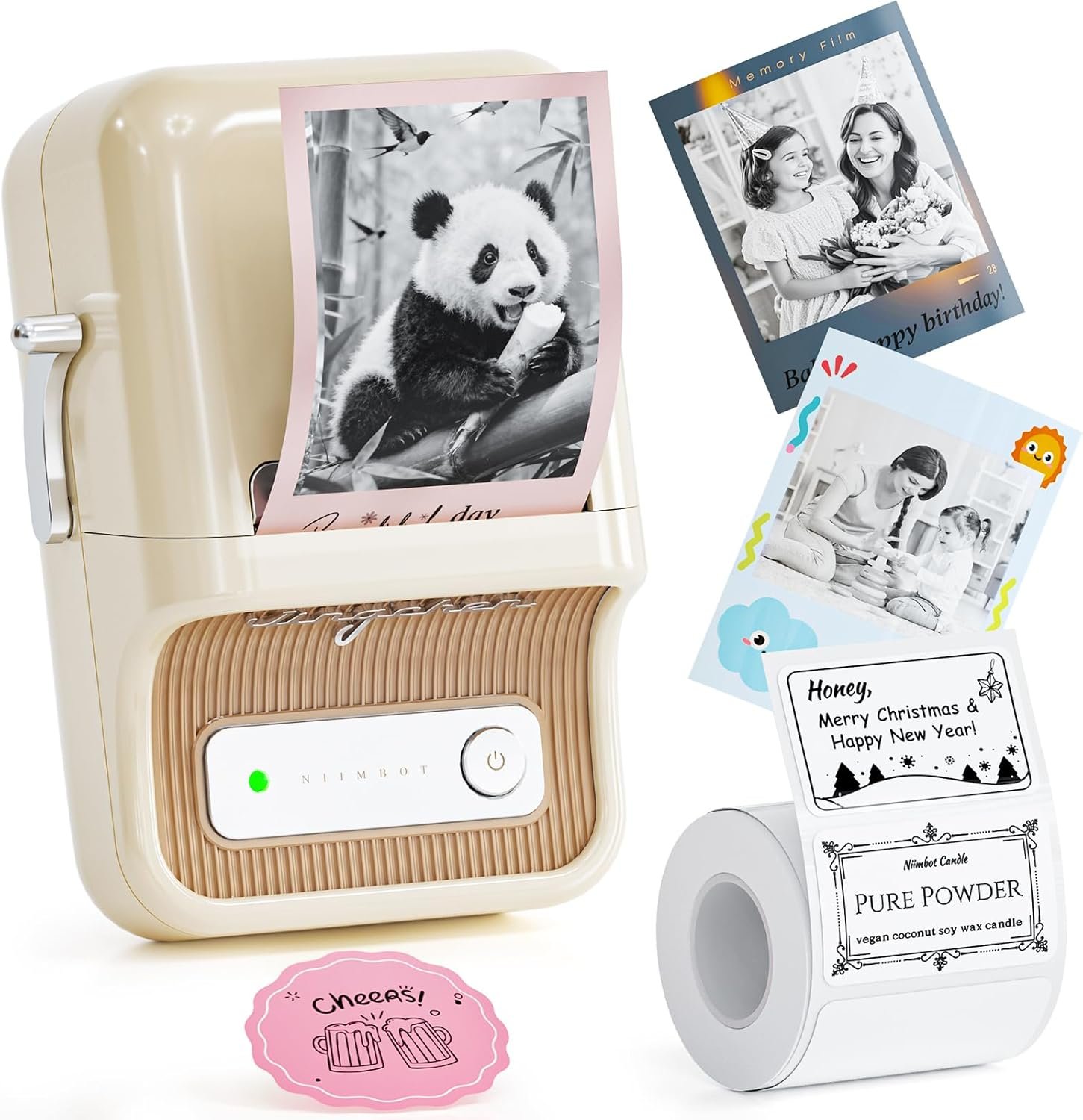
The Importance of Selecting the Right Label Printer
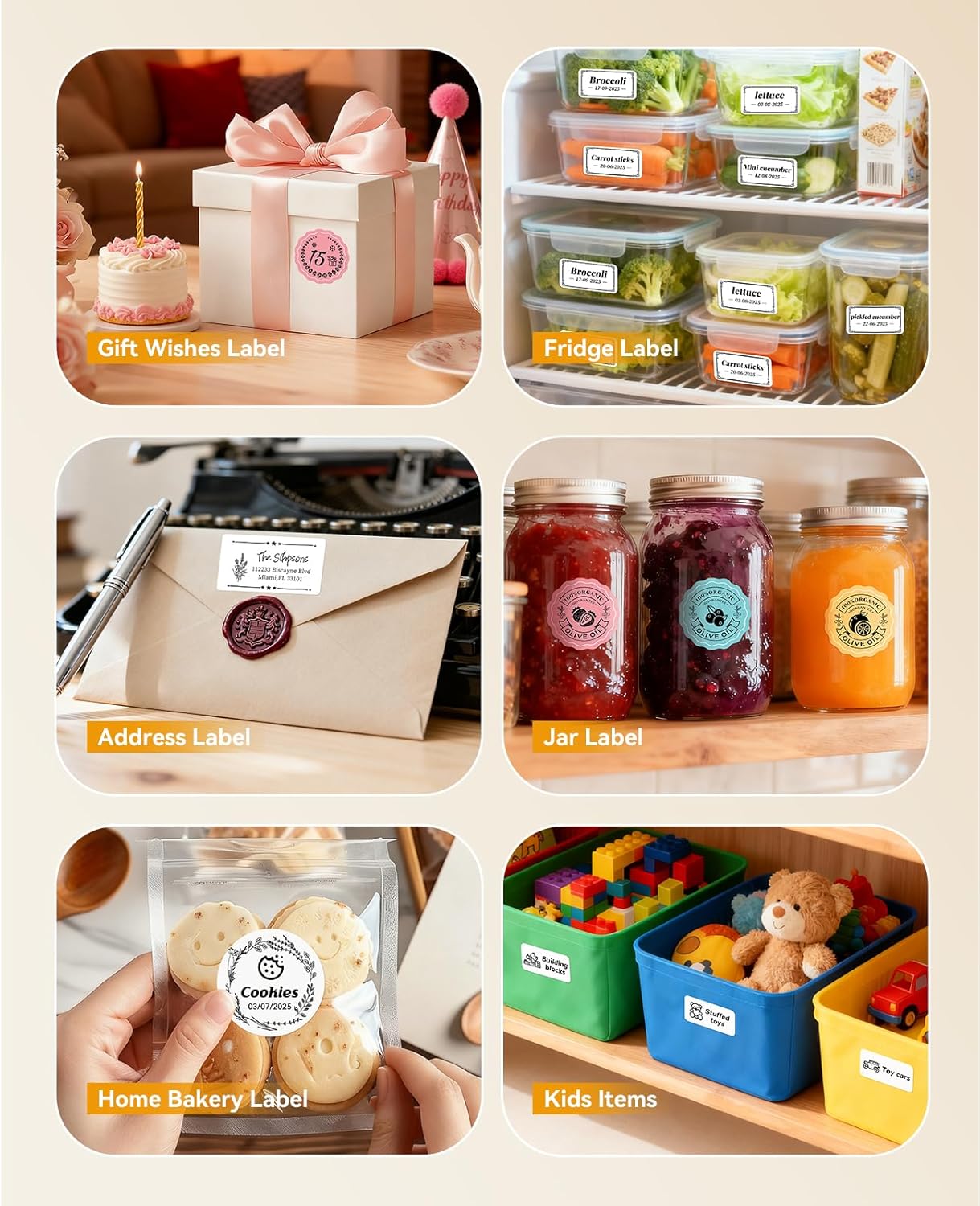
In today’s fast-paced environments, the ability to produce clear, accurate labels can significantly impact organizational efficiency and communication. Whether managing household inventory, labeling retail products, or creating decorative elements for special occasions, the right label printer can streamline tasks and reduce manual effort. Modern users often prioritize devices that combine high-resolution output with versatile connectivity options, while also considering long-term reliability and ease of use. For home users, a compact, user-friendly printer with minimal maintenance requirements is essential, whereas small businesses may require more robust features like dual-color printing or extended duty cycles. The NIIMBOT B21 Pro Label Maker represents a solution tailored to these diverse needs, offering a balance between performance and practicality. Its thermal printing technology, combined with smartphone compatibility and a wide range of supported media, makes it a compelling option for both casual and semi-professional applications. Understanding the technical specifications, functional capabilities, and real-world suitability of this device is critical for making an informed purchasing decision.
Quick Overview
| Feature | Details |
|---|---|
| Printer Type | Thermal label printer |
| Printing Technology | Thermal printing |
| Print Resolution | 300 dots per inch (monochrome and color) |
| Print Speed | 50 labels per minute (monochrome) |
| Media Size Support | 20mm-50mm (0.8-2 inch) label width, 50x30mm maximum size |
| Connectivity | Bluetooth (Android/iOS), USB (PC) |
| Dual-Sided Printing | No |
| Ink System | Red and black thermal ink |
| Included Components | 1 roll of 50x30mm labels (230pcs) |
| Dimensions | 5.12″D x 3.7″W x 2.4″H |
| Weight | 5.3 ounces |
| Power Source | 1 AA battery (included) |
The NIIMBOT B21 Pro Label Maker is designed for users who need a compact, portable solution for creating high-quality labels. Its thermal printing technology ensures fast, reliable output without the need for ink cartridges, while the Bluetooth and USB connectivity options provide flexibility for different use scenarios. The 300 DPI resolution supports detailed text and graphics, making it suitable for both functional and decorative applications. The included label roll and streamlined interface further enhance its appeal for home and small business users seeking simplicity and efficiency.
Print Quality and Resolution: Achieving Clear, Detailed Output
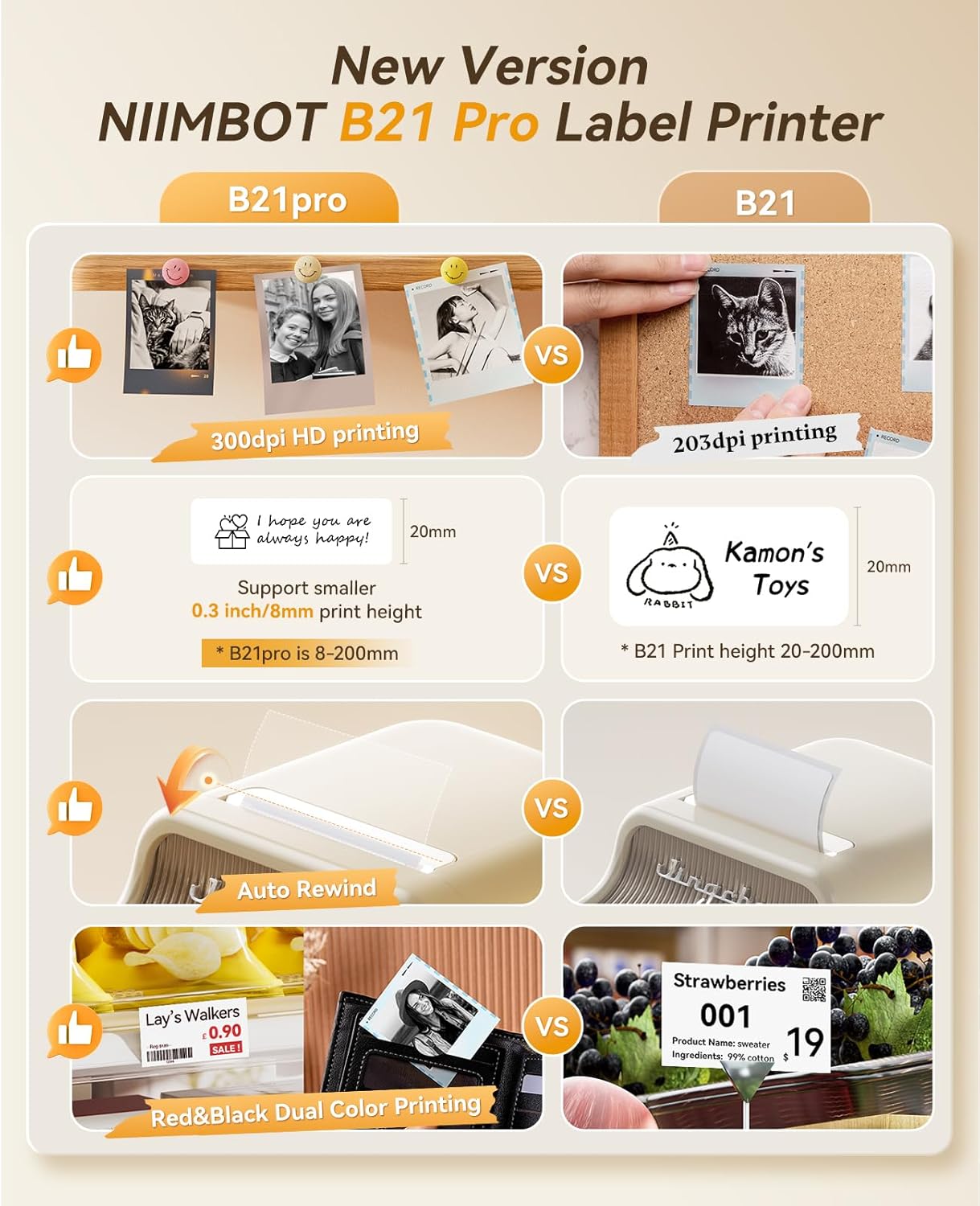
The NIIMBOT B21 Pro Label Maker delivers high-resolution printing capabilities that meet the demands of both functional and aesthetic applications. With a 300 dots per inch (dpi) resolution, the printer ensures sharp text and precise image reproduction, making it ideal for tasks that require clarity and detail. This level of resolution is particularly beneficial for users who need to label small items, create decorative elements, or produce high-quality graphics for scrapbooking and other creative projects. The thermal printing technology employed by the B21 Pro enhances the clarity of printed content by minimizing smudging and ensuring consistent color accuracy, especially when using specialized label paper. However, it’s important to note that color printing requires specific media, which may limit its versatility for users who prioritize broad media compatibility. The combination of resolution and print speed ensures that users can produce accurate labels quickly, balancing quality with efficiency in both home and small business environments.

Thermal Printing Technology and Media Compatibility
The B21 Pro’s thermal printing system is optimized for producing clear, durable labels without the need for ink or toner cartridges. This technology relies on heat-sensitive media that reacts to the printer’s thermal head, creating images and text through controlled temperature variations. The result is a clean, smudge-free output that maintains its integrity over time, even in varying environmental conditions. The printer’s compatibility with 50x30mm labels ensures that users can work with a standard size that is widely available, reducing the need for specialized stock. However, the requirement for special label paper for color printing may be a consideration for users who prefer more flexible media options. The thermal printing process also contributes to the printer’s energy efficiency, making it a sustainable choice for frequent users. While the thermal system excels in producing high-contrast monochrome prints, the need for specific paper types for color output could limit its appeal for those seeking broader media versatility.
Dual-Color Printing and Design Flexibility
One of the standout features of the B21 Pro is its ability to print in both red and black simultaneously, offering users greater creative freedom and functional versatility. This dual-color capability is particularly useful for tasks such as labeling items with contrasting color codes, creating eye-catching graphics, or adding decorative elements to labels without the need for additional printing steps. The printer’s ability to handle both colors at the same time streamlines the production process, saving time and effort for users who frequently require multiple color options. However, the requirement for specialized label paper to achieve accurate color results may be a limitation for users who prefer more general media compatibility. The combination of red and black printing also opens up possibilities for personalized labels, such as those used in home organization, retail packaging, and event planning. While the dual-color feature enhances the printer’s functionality, it’s important to consider the additional constraints related to media requirements and color accuracy.
Print Speed and Workflow Efficiency
The B21 Pro’s print speed of 50 labels per minute (monochrome) ensures that users can produce labels efficiently without compromising quality. This speed is particularly advantageous for users who need to create multiple labels in a short timeframe, such as when preparing inventory for a small business or organizing a home project. The printer’s thermal technology contributes to its fast output, as it eliminates the need for ink refills or complex print head mechanisms. However, the print speed may be a consideration for users who require even faster production, particularly in high-volume environments. The combination of speed and resolution allows users to maintain a balance between productivity and precision, making the B21 Pro suitable for both casual and semi-professional use. The printer’s ability to handle a variety of label sizes and formats further enhances its efficiency, as users can work with different label dimensions without needing to adjust settings frequently.
Connectivity and Compatibility: Seamless Integration with Devices
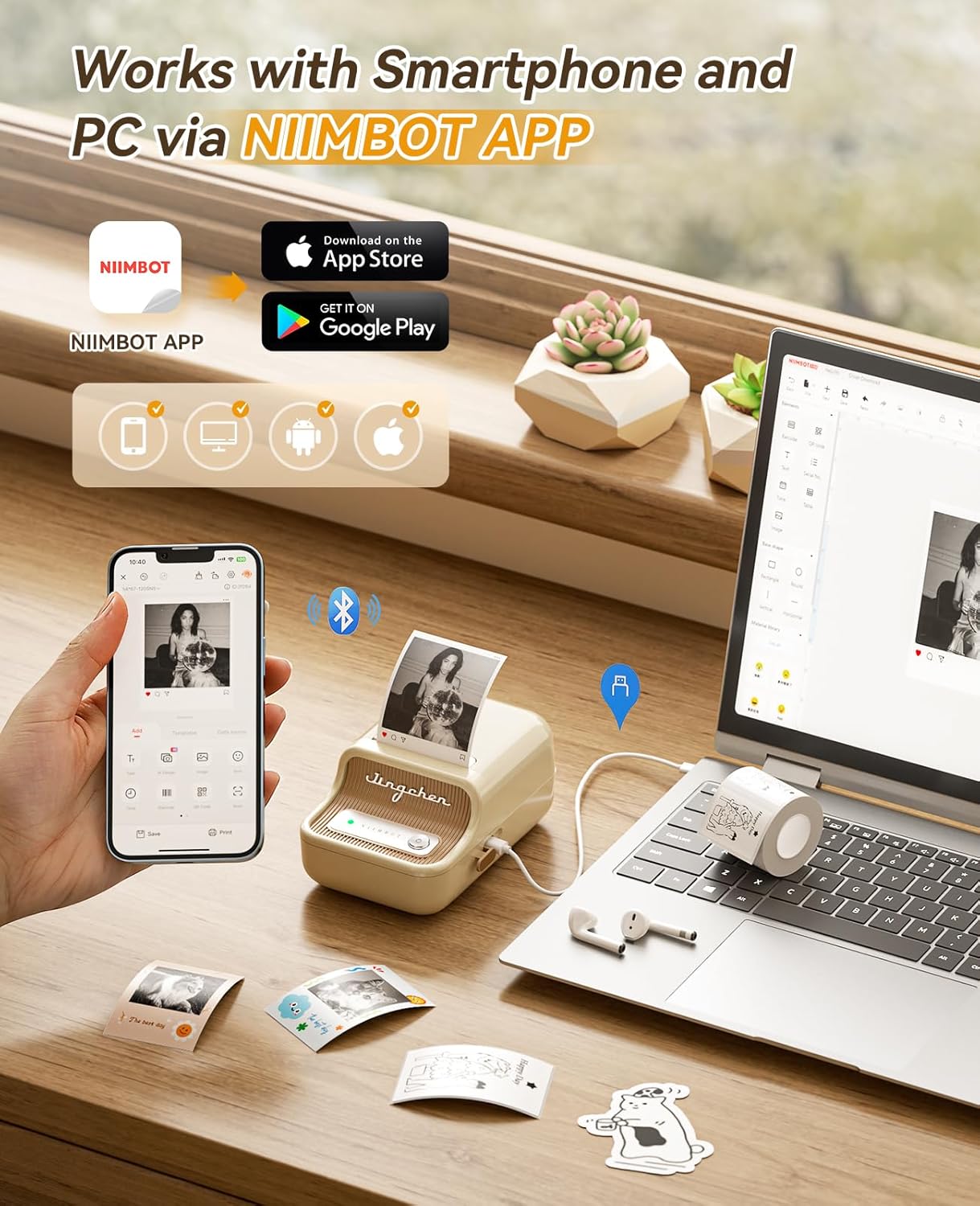
The NIIMBOT B21 Pro Label Maker offers multiple connectivity options that enhance its usability across different environments. The printer supports Bluetooth connectivity for both Android and iOS devices, allowing users to print directly from their smartphones or tablets without the need for additional hardware. This feature is particularly beneficial for users who prefer mobile printing or need to create labels on the go. Additionally, the printer includes a USB port for PC connectivity, providing an alternative for users who prefer desktop-based printing or need to integrate the device into a larger workflow. The inclusion of the NIIMBOT application further expands the printer’s functionality, as it allows users to access a wide range of fonts, borders, and symbols for custom label creation. However, the printer’s compatibility is limited to specific operating systems, and it is not recommended for use with tablets, which may be a drawback for users who rely heavily on mobile devices. The combination of Bluetooth and USB connectivity ensures that the B21 Pro can be integrated into various workflows, making it a versatile option for both home and small business users.
Mobile Printing Capabilities and App Integration
The B21 Pro’s compatibility with the NIIMBOT application significantly enhances its usability for users who prefer mobile printing. The app provides a user-friendly interface that allows users to access a vast library of fonts, borders, and symbols, enabling the creation of highly customized labels. This feature is particularly advantageous for users who need to produce a variety of label types, such as those used in home organization, retail, and event planning. The app also supports advanced functions such as Excel file printing, QR code generation, and OCR print capabilities, expanding the printer’s functionality beyond basic label creation. However, the app’s reliance on the NIIMBOT application means that users must download and install the software on their devices, which may be a consideration for those who prefer to avoid additional software dependencies. The app’s availability for both Android and iOS ensures that users can access its features regardless of their device preference, making the B21 Pro a flexible choice for mobile printing.
USB and PC Integration for Desktop Users
For users who prefer desktop-based printing or need to integrate the B21 Pro into a larger workflow, the printer’s USB connectivity offers a reliable alternative. The USB port allows for direct printing from a computer, eliminating the need for mobile app dependencies and ensuring compatibility with a wide range of software applications. This feature is particularly beneficial for users who manage inventory systems, create custom labels for small businesses, or require consistent label production for professional use. The printer’s ability to connect to a PC also enables users to leverage existing design tools and templates, further streamlining the label creation process. However, the lack of tablet compatibility may be a limitation for users who rely on mobile devices for printing. The USB connection ensures a stable and efficient printing experience, making the B21 Pro a practical choice for users who prioritize desktop integration.
Pros and Cons: Evaluating the B21 Pro’s Strengths and Limitations
Pros
- High-Resolution Printing: The 300 dpi resolution ensures clear, detailed output suitable for both functional and decorative labels. This makes the B21 Pro ideal for tasks requiring precision, such as inventory management and creative projects.
- Dual-Color Printing: The ability to print in both red and black simultaneously offers greater design flexibility and functionality, enabling users to create labels with contrasting color codes or decorative elements.
- Mobile and Desktop Compatibility: The printer supports Bluetooth for Android and iOS devices, as well as USB for PC connectivity, providing users with multiple options for integration into their workflow.
- User-Friendly App Interface: The NIIMBOT application includes a wide range of fonts, borders, and symbols, allowing for customized label creation without the need for advanced design skills.
- Compact and Portable Design: The B21 Pro’s lightweight and compact size make it easy to store and transport, appealing to users who need a portable solution for home or on-the-go use.
- Energy Efficiency: The thermal printing technology reduces power consumption, making the B21 Pro a sustainable choice for frequent users.
Cons
- Specialized Media Requirements: Color printing requires specific label paper, which may limit media versatility and increase ongoing costs for users who prefer broader media compatibility.
- Limited Tablet Compatibility: The printer is not recommended for use with tablets, which may be a drawback for users who rely on mobile devices for printing.
- Print Speed Limitations: While the 50 labels per minute speed is adequate for many applications, it may fall short for users requiring faster production in high-volume environments.
- Dependence on Software: The app-based interface requires users to download and install the NIIMBOT application, which may be a consideration for those who prefer to avoid additional software dependencies.
- Battery Life Constraints: The printer uses AA batteries, which may require frequent replacements for users who use the device extensively.
- No Duplex Printing: The B21 Pro is limited to simplex printing, which may be a drawback for users who need to print on both sides of a label.
Final Verdict: Who This Printer Is Best For (and Who Should Skip It)
The NIIMBOT B21 Pro Label Maker is best suited for users who need a compact, user-friendly solution for creating high-quality labels. Its 300 dpi resolution and dual-color printing capabilities make it ideal for home organization, retail labeling, and creative projects such as scrapbooking and event planning. The printer’s Bluetooth and USB connectivity options provide flexibility for both mobile and desktop users, while the included NIIMBOT application enhances customization potential. Its portability and energy efficiency further appeal to users who prioritize convenience and sustainability. However, the B21 Pro may not be the best choice for users who require faster print speeds, broader media compatibility, or duplex printing capabilities. Additionally, those who rely heavily on tablet-based printing or prefer to avoid software dependencies may find the printer’s limitations restrictive. Overall, the B21 Pro is a practical and efficient option for users with moderate printing needs, offering a balance between quality, ease of use, and versatility in both home and small business environments.

Frequently Asked Questions (FAQs)
What is the maximum label size supported by the NIIMBOT B21 Pro Label Maker?
The B21 Pro Label Maker supports label widths ranging from 20mm to 50mm (0.8 to 2 inches), with a maximum printable width of 48mm. The longest label length it can handle is 170mm (6.7 inches).
Can the B21 Pro print in both red and black colors simultaneously?
Yes, the B21 Pro is capable of printing in both red and black colors at the same time, providing greater design flexibility for creating labels with contrasting color codes or decorative elements.
What connectivity options are available for the B21 Pro Label Maker?
The B21 Pro supports Bluetooth connectivity for Android and iOS devices, as well as USB connectivity for PC use. It is not compatible with tablet devices for printing.
Does the B21 Pro require special label paper for color printing?
Yes, color printing with the B21 Pro requires the use of special label paper. This ensures accurate color reproduction and maintains the quality of the printed output.
What is the print resolution of the B21 Pro Label Maker?
The B21 Pro delivers a maximum print resolution of 300 dots per inch (dpi), which ensures clear and detailed output for both text and graphics.
How long does it take to print a single label with the B21 Pro?
The B21 Pro can print approximately 50 labels per minute in monochrome mode, which translates to a print time of about 1.2 seconds per label under standard conditions.
Is the B21 Pro suitable for use in a commercial setting?
The B21 Pro is more suited for home use and small business applications rather than high-volume commercial environments. Its print speed and media compatibility limitations make it less ideal for large-scale operations.
What is the battery life of the B21 Pro Label Maker?
The B21 Pro uses AA batteries and is designed for moderate use. Battery life will vary based on usage frequency and label size, with frequent use requiring regular battery replacements.