Brother HL-L3220CDW Color Laser Printer Review: 19 PPM, Wireless, Duplex Printing

The Importance of Choosing the Right Printer for Your Needs
In today’s fast-paced work environments, the right printer can significantly impact productivity and efficiency. Whether managing a home office, running a small business, or handling frequent document workflows, selecting a printer that aligns with specific needs is critical. Printers must balance speed, print quality, connectivity options, and reliability to meet diverse demands. For instance, a high-volume office may require a printer with robust paper handling and fast output, while a home user might prioritize compact design and mobile compatibility. Color accuracy and media versatility are also key considerations for professionals who frequently print marketing materials, reports, or presentations. Additionally, ongoing maintenance costs, such as toner consumption and cartridge replacement, should be factored into long-term decision-making. Modern printers like the Brother HL-L3220CDW aim to address these challenges by integrating advanced technologies that streamline workflows, reduce manual intervention, and ensure consistent output. Understanding how these features translate to real-world performance helps users evaluate whether a printer can meet their specific workload requirements and operational goals.
Quick Overview
| Feature | Details |
|---|---|
| Printer Type | Color Laser Printer |
| Technology | Laser Printing |
| Supported Functions | Print, Scan, Copy |
| Print Resolution | 2400 x 600 dpi (Color/Black and White) |
| Print Speed | Up to 19 pages per minute (Color/Monochrome) |
| Media Sizes | 8.5 x 11, 8.5 x 14, 4 x 6, A4, A5, A6, B5, B6, C5, C6 |
| Connectivity Options | USB, Wi-Fi |
| Duty Cycle | 15,000 pages per month |
| Toner System | High-capacity toner cartridges |
| Warranty | Limited warranty |
The Brother HL-L3220CDW combines laser printing precision with versatile connectivity and media handling, making it suitable for users who require reliable color output, wireless access, and efficient paper management. Its design balances performance with space-saving features, ideal for small offices and home environments where productivity and ease of use are prioritized.

Print Speed and Throughput Performance
The Brother HL-L3220CDW is engineered to deliver consistent output at up to 19 pages per minute (ppm) for both color and monochrome prints, a speed that aligns with industry benchmarks for mid-range laser printers. This rate ensures efficient handling of routine tasks such as document printing, invoice generation, and report formatting, while maintaining clarity and detail in text and graphics. The printer’s duty cycle of 15,000 pages per month indicates its ability to manage moderate to high-volume workflows without compromising reliability. For users who frequently print multi-page documents or handle batch printing, the 250-sheet paper tray minimizes interruptions, allowing for extended printing sessions without frequent refills. The inclusion of a manual feed slot further enhances flexibility, accommodating specialty media like envelopes, labels, and cardstock. These features collectively position the HL-L3220CDW as a practical solution for environments requiring steady output without significant downtime.

Handling High-Volume Workloads
The HL-L3220CDW’s 15,000-page monthly duty cycle is designed for users who regularly print large volumes, such as small businesses or home offices with frequent document needs. This capacity ensures the printer can sustain continuous operation without overheating or mechanical strain, which is crucial for maintaining long-term reliability. The 250-sheet paper tray reduces the frequency of paper loading, which is particularly beneficial for users who print multiple pages at once. However, for environments requiring even higher throughput, such as large-scale commercial printing, the HL-L3220CDW may fall short compared to printers with larger paper capacities or higher duty cycles.
Print Speed Variability
While the HL-L3220CDW’s 19 ppm rating is competitive, actual print speeds can vary based on factors such as document complexity and print settings. For example, printing high-resolution graphics or color-intensive materials may slightly reduce throughput compared to monochrome text. Additionally, the printer’s initial page print time of less than 15 seconds ensures quick startup, which is advantageous for users needing rapid access to printed materials. This performance profile makes the HL-L3220CDW well-suited for environments where speed and consistency are prioritized over extreme throughput.
Wireless Connectivity and Mobile Integration
The Brother HL-L3220CDW’s wireless capabilities enable seamless printing from laptops, smartphones, and tablets, reducing the need for physical connections and enhancing convenience. This feature is particularly valuable for users who frequently print documents on the go or manage remote workflows. The printer’s support for major mobile printing platforms and cloud services allows for flexible access to print functions, aligning with the increasing reliance on digital workflows in modern workspaces. However, the absence of advanced security protocols beyond basic encryption may raise concerns for users handling highly sensitive information, as the printer lacks features like secure print release or network authentication. Despite these limitations, the HL-L3220CDW’s wireless integration remains a significant advantage for users seeking streamlined document management.

Compatibility with Mobile Devices
The HL-L3220CDW’s compatibility with smartphones and tablets is facilitated by its support for standard mobile printing protocols, ensuring broad device access. This compatibility simplifies tasks such as printing emails, reports, or presentations from mobile devices, enhancing productivity for users who rely on multiple platforms. The printer’s inclusion of a USB port further ensures versatility, allowing direct connections for users who prefer wired printing. These options collectively make the HL-L3220CDW a practical choice for environments where mobility and device flexibility are essential.
Network-Ready Features
As a network-ready printer, the HL-L3220CDW allows for easy sharing across small workgroups, supporting collaborative environments where multiple users need access to shared printing resources. This feature is particularly beneficial for home offices or small businesses with limited IT infrastructure, as it reduces the need for individual printer setups. However, the printer’s reliance on standard network protocols may limit its integration with more advanced or proprietary systems, which could be a drawback for users with specialized network requirements.
Media Compatibility and Versatility
The HL-L3220CDW’s ability to handle a wide range of media types is a key strength, supporting cardstock, envelopes, glossy photo paper, labels, and standard paper sizes. This versatility ensures the printer can accommodate diverse printing needs, from professional documents to creative projects. The inclusion of a manual feed slot further enhances flexibility, allowing users to print on specialty media without compromising print quality. However, the printer’s supported media sizes are somewhat limited compared to higher-end models, which may restrict its use in environments requiring extensive customization of print materials.

Handling Specialty Media
The manual feed slot on the HL-L3220CDW is designed to accommodate envelopes, labels, and other non-standard media, ensuring users can print on these materials without damaging the printer or compromising output quality. This feature is particularly useful for users who frequently handle mailings or create custom labels. However, the lack of dedicated media trays for specific media types may make loading and positioning specialty materials slightly more cumbersome compared to printers with more specialized feed mechanisms.
Paper Handling and Tray Capacity
The 250-sheet paper tray provides a substantial capacity for users who need to print large batches without frequent refills. This design minimizes interruptions during high-volume printing tasks, which is beneficial for environments with consistent output demands. However, the single-tray configuration may be a limitation for users who require additional paper storage or frequent paper changes, as it lacks the multi-tray options found in higher-capacity printers.
Toner System and Consumables
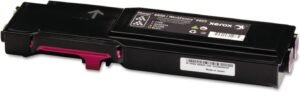
The HL-L3220CDW utilizes a high-capacity toner system that balances print quality with cost efficiency, ensuring consistent output while minimizing the frequency of cartridge replacements. The printer’s toner cartridges are designed to deliver vibrant color and sharp text, making them suitable for a variety of professional and personal printing tasks. However, the cost of consumables may be a consideration for users who print frequently, as toner cartridges can represent a significant ongoing expense. The printer’s support for a range of compatible toner cartridges also provides flexibility, allowing users to choose options that best fit their budget and printing volume.

Toner Efficiency and Longevity
The high-capacity toner system in the HL-L3220CDW is engineered to extend the life of toner cartridges, reducing the frequency of replacements and lowering long-term costs. This efficiency is particularly advantageous for users who print large volumes regularly, as it ensures a more predictable maintenance schedule. However, the printer’s toner consumption rate may be higher compared to models with more efficient toner usage, which could impact the overall cost-effectiveness for high-volume users.
Consumable Compatibility and Support
The HL-L3220CDW’s compatibility with a range of toner cartridges, including both original and compatible options, offers users flexibility in managing their printing costs. This support ensures that users can find suitable replacements without being restricted to proprietary cartridges. However, the availability of compatible cartridges may vary depending on the region, which could affect the convenience of consumable management for some users.

Pros & Cons
Pros
- High Print Speed: The HL-L3220CDW’s 19 ppm output ensures efficient handling of routine printing tasks, making it suitable for environments requiring quick turnaround times.
- Wireless Connectivity: Built-in Wi-Fi capabilities allow for seamless printing from mobile devices, enhancing convenience for users who manage digital workflows.
- Media Versatility: The printer supports a wide range of media types, including cardstock, envelopes, and labels, making it adaptable to various printing needs.
- Automatic Duplex Printing: The built-in duplex feature reduces paper usage and saves time, contributing to cost-effective and environmentally friendly printing.
- Robust Build Quality: The printer’s durable design and reliable components ensure consistent performance over time, minimizing the risk of mechanical failures.
- User-Friendly Interface: The intuitive control panel simplifies navigation and setup, making it accessible for users with varying levels of technical expertise.
- Network-Ready Features: The printer’s compatibility with small workgroups enhances collaboration by enabling shared access to printing resources.
- High-Resolution Output: The 2400 x 600 dpi resolution ensures sharp text and vibrant color, suitable for both professional and personal printing tasks.
Cons
- Limited Media Support: While the printer handles a variety of media types, its supported sizes and formats may be restrictive for users requiring extensive customization.
- No Built-In Scanning: The absence of a scanner limits the printer’s functionality for users who need to digitize physical documents.
- Toner Cost Consideration: High-capacity toner cartridges, while efficient, may represent a significant ongoing expense for frequent users.
- No Mobile Printing Apps: The printer lacks dedicated mobile printing applications, which could be a drawback for users relying on specialized software for printing tasks.
- Single Paper Tray: The single-tray configuration may be inconvenient for users who require frequent paper changes or additional storage capacity.
- No Advanced Security Features: While basic encryption is available, the printer lacks advanced security protocols such as secure print release, which may be a concern for users handling sensitive information.
Final Verdict: Who This Printer Is Best For (and Who Should Skip It)
The Brother HL-L3220CDW is best suited for home offices, small businesses, and professionals who require reliable color printing, wireless connectivity, and efficient paper handling. Its 19 ppm output and 250-sheet tray make it ideal for users who frequently print documents, reports, and presentations without the need for frequent refills. The automatic duplex feature also contributes to cost savings and environmental benefits, appealing to users prioritizing sustainability. Additionally, the printer’s compatibility with mobile devices and cloud services enhances its utility for modern workflows. However, the HL-L3220CDW may not be the best choice for users requiring advanced features such as a built-in scanner, higher print speeds, or extensive media customization. Those in high-volume commercial environments or needing specialized security features may find the HL-L3220CDW lacking in comparison to more robust alternatives. Overall, the printer strikes a balance between performance, versatility, and cost-effectiveness, making it a practical option for users with moderate printing demands.
Frequently Asked Questions (FAQs)
What is the maximum print speed of the Brother HL-L3220CDW?
The Brother HL-L3220CDW delivers print speeds of up to 19 pages per minute (ppm) for both color and monochrome prints, making it suitable for moderate to high-volume document workflows.
Does the Brother HL-L3220CDW support wireless printing?
Yes, the HL-L3220CDW includes built-in Wi-Fi capabilities for seamless printing from laptops, smartphones, and tablets, enhancing convenience for users managing digital workflows.
Can the Brother HL-L3220CDW print on specialty media?
The printer supports a variety of media types, including cardstock, envelopes, labels, and glossy photo paper. A manual feed slot allows for printing on non-standard media without compromising print quality.
What is the paper tray capacity of the Brother HL-L3220CDW?
The HL-L3220CDW features a 250-sheet paper tray, minimizing the need for frequent refills during high-volume printing tasks and reducing interruptions.
Does the Brother HL-L3220CDW have automatic duplex printing?
Yes, the printer includes an automatic duplex feature that prints on both sides of the paper, reducing paper usage and saving time for users who require double-sided documents.
What types of toner cartridges are compatible with the HL-L3220CDW?
The printer is compatible with a range of toner cartridges, including original Brother models such as TN229BK, TN229M, and compatible alternatives, providing flexibility for users managing printing costs.
Can the Brother HL-L3220CDW be used for small workgroup printing?
Yes, the HL-L3220CDW is network-ready, allowing multiple users in a small workgroup to share printing resources, which is ideal for collaborative environments.
What is the resolution of the Brother HL-L3220CDW?
The printer produces high-resolution output at 2400 x 600 dpi, ensuring sharp text and vibrant color for both professional and personal printing tasks.