
The Importance of Choosing the Right Printer for Your Workflow
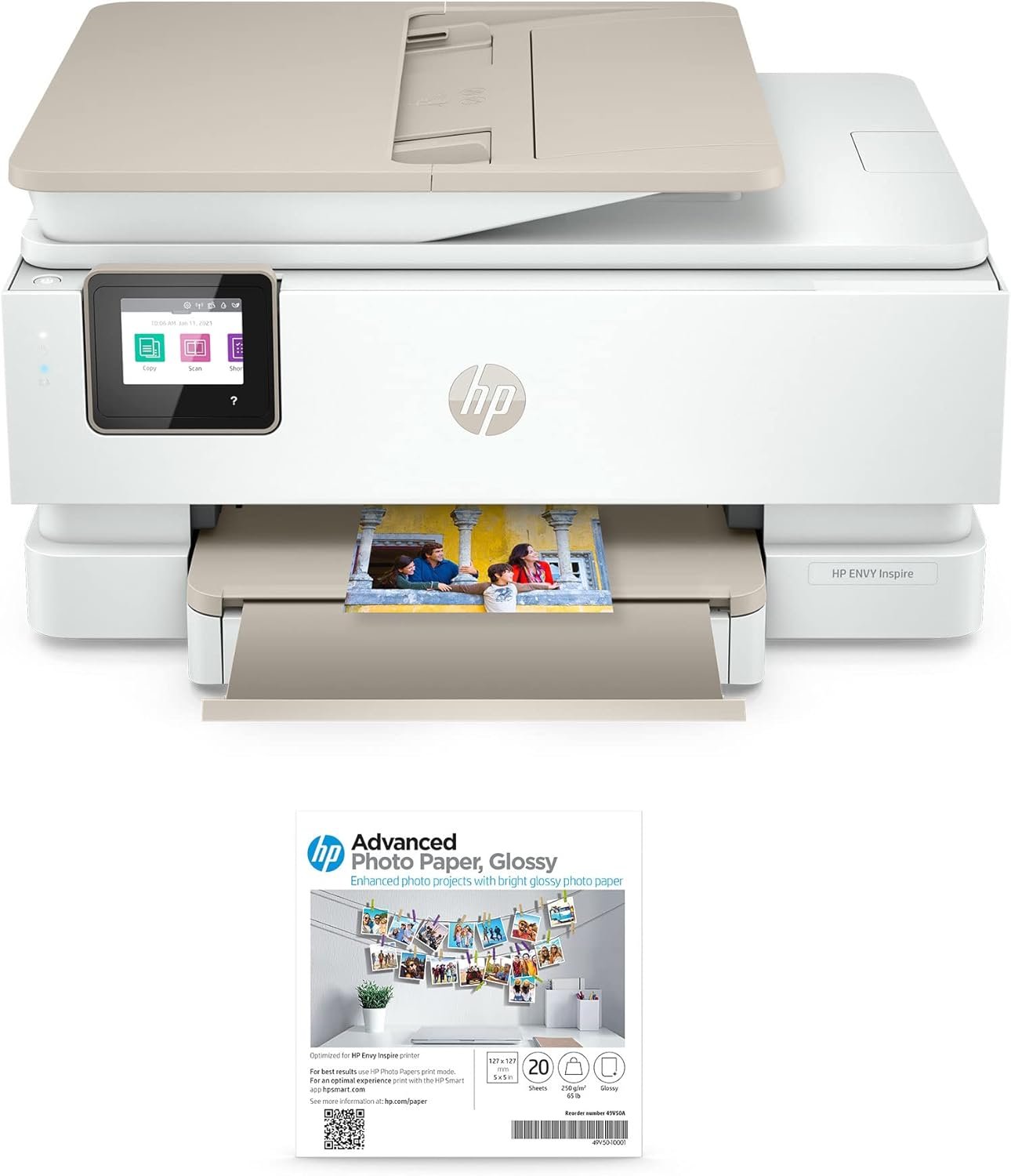
In today’s fast-paced digital environment, selecting the right printer can significantly impact productivity and workflow efficiency. Whether you’re managing home office tasks, creating professional documents, or handling creative projects, the printer you choose must align with your specific needs. Printers vary widely in technology, performance, and functionality, making it essential to evaluate features that match your usage patterns. For instance, a home user may prioritize wireless connectivity and photo-quality output, while an office environment might require faster print speeds and robust paper handling. Understanding these differences helps ensure that your printer can handle the workload without compromising on quality or reliability. This guide focuses on the HP Envy Inspire 7955e Wireless Color All-in-One Printer, a device designed to meet the demands of both personal and small business users. By examining its technical specifications, connectivity options, and real-world performance characteristics, we’ll explore how this printer fits into various usage scenarios. The analysis will cover key factors such as print quality, speed, media compatibility, and maintenance requirements, providing a comprehensive overview to help you make an informed decision.
Quick Overview
| Feature | Details |
|---|---|
| Printer Type | Wireless Color All-in-One |
| Printing Technology | Inkjet |
| Supported Functions | Print, Scan, Copy, Fax |
| Print Resolution | 4800 x 1200 dpi (Color/Black & White) |
| Print Speed | 10 pages per minute (Color) |
| Media Sizes | 5×5 inches, 5×7 inches |
| Connectivity | Wi-Fi, Mobile App |
| Duty Cycle | 10,000 pages per month |
| Ink System | Color Inkjet Cartridges |
| Warranty | Extended Warranty |
The HP Envy Inspire 7955e combines wireless connectivity with a 20-sheet automatic document feeder, making it suitable for both home and small office environments. Its high-resolution print capabilities ensure sharp text and vibrant color graphics, while the flatbed scanner supports photo-quality scanning. These features collectively enhance productivity by streamlining document management and reducing manual handling.
Print Quality and Resolution: Precision for Text and Graphics
The HP Envy Inspire 7955e delivers high-resolution output that meets the demands of both text and graphic printing. With a maximum print resolution of 4800 x 1200 dpi, the printer ensures sharp, detailed images and crisp, legible text. This level of precision is particularly beneficial for users who require professional-quality documents, such as designers, photographers, and small business owners. The inkjet print head technology contributes to the printer’s ability to produce vivid color graphics and fine black text, making it suitable for a wide range of applications. However, the resolution specifications indicate that the printer is optimized for standard office and home use rather than high-volume commercial printing.
Color Accuracy and Vividness
The HP Envy Inspire 7955e employs an electronic ink mixture to achieve photo-quality prints, which enhances color accuracy and vibrancy. This technology allows for consistent color reproduction across different media types, including glossy photo paper. Users who frequently print photographs or marketing materials will appreciate the printer’s ability to maintain color fidelity. However, the printer’s color management features may require periodic calibration to ensure optimal results, especially when using third-party media.
Text Sharpness and Clarity
The printer’s 4800 x 1200 dpi resolution ensures that text remains sharp and clear, even when printed at smaller sizes. The inkjet print head’s precision allows for fine detail reproduction, making the HP Envy Inspire 7955e suitable for creating professional-looking documents, reports, and presentations. The inclusion of spot color matching further enhances text clarity by ensuring that colors remain consistent across different print jobs. This feature is particularly useful for users who need to maintain brand consistency in their printed materials.
Photo Printing Capabilities
The HP Envy Inspire 7955e’s support for glossy photo paper and high-resolution output makes it an excellent choice for printing high-quality photographs. The printer’s ability to produce vibrant colors and detailed images is well-suited for personal and small business use. However, the limited media size options (5×5 inches and 5×7 inches) may restrict the printer’s appeal for users who require larger photo prints. Additionally, the absence of a dedicated photo printing mode could affect the printer’s performance for advanced photo editing tasks.
Connectivity and Compatibility: Seamless Integration with Modern Devices
The HP Envy Inspire 7955e’s wireless connectivity via Wi-Fi enables seamless integration with smartphones, tablets, and computers, making it a versatile option for users who prioritize mobility and convenience. The printer’s support for mobile app connectivity allows for remote printing and scanning, which is particularly beneficial for users who manage multiple devices. However, the reliance on Wi-Fi for connectivity may introduce potential latency issues, especially in environments with unstable network connections. The printer’s compatibility with iOS and Android devices ensures broad accessibility, but users with older operating systems may encounter limitations in feature support.
Wireless Printing and Scanning
The wireless capabilities of the HP Envy Inspire 7955e allow users to print and scan documents without the need for physical connections, enhancing workflow efficiency. The printer’s mobile app integration enables users to manage print jobs, monitor ink levels, and receive notifications about maintenance tasks. This feature is particularly advantageous for users who frequently print from mobile devices. However, the printer’s reliance on Wi-Fi may affect performance in areas with weak signal strength, potentially leading to print job failures or delays.
Device Compatibility and Cross-Platform Support
The HP Envy Inspire 7955e’s compatibility with a wide range of devices ensures that users can integrate the printer into their existing workflows. The printer’s support for both iOS and Android devices, as well as desktop operating systems, provides flexibility for different user preferences. However, the absence of a direct USB connection may limit the printer’s usability for users who require more stable data transfer options. Additionally, the printer’s reliance on the HP+ ecosystem may restrict its functionality for users who prefer alternative printing solutions.
Network Stability and Reliability
The printer’s wireless connectivity is designed to work reliably within standard home and office networks, but users should be aware of potential limitations. The printer’s performance may be affected by network congestion or interference, particularly in environments with multiple connected devices. While the printer includes adaptive ink control to optimize print quality, users should ensure that their network environment is stable to avoid disruptions in print job execution. These considerations highlight the importance of a reliable network infrastructure when using the HP Envy Inspire 7955e.
Pros & Cons
Pros
- High-Resolution Output: The printer’s 4800 x 1200 dpi resolution ensures sharp text and vibrant color graphics, making it suitable for professional and personal use.
- Wireless Connectivity: Wi-Fi and mobile app support enable seamless printing and scanning from multiple devices, enhancing convenience and mobility.
- Automatic Duplex Printing: The built-in duplex feature reduces paper usage and improves document organization for both home and office environments.
- Versatile Media Support: The printer accommodates glossy photo paper and standard media sizes, expanding its applicability for various printing tasks.
- User-Friendly Design: The front operation panel and collapsible output tray simplify navigation and maintenance, improving overall user experience.
- Extended Warranty: The included extended warranty provides additional peace of mind for long-term reliability and support.
Cons
- Limited Media Sizes: The printer’s support for 5×5 and 5×7 inch media may not meet the needs of users requiring larger print sizes.
- No Fax Support: The absence of a dedicated fax function may limit its appeal for users who require traditional fax capabilities.
- Regular Ink Refills: The color inkjet system requires frequent refilling, which may increase maintenance efforts compared to toner-based printers.
- Network Dependency: The reliance on Wi-Fi for connectivity may introduce latency or reliability issues in unstable network environments.
- No Dedicated Photo Mode: The lack of a specialized photo printing mode may affect the printer’s performance for advanced photo editing tasks.
- Moderate Print Speed: While the 10 pages per minute speed is adequate for home use, it may fall short for high-volume office environments.
Final Verdict: Who This Printer Is Best For (and Who Should Skip It)
The HP Envy Inspire 7955e Wireless Color All-in-One Printer is an excellent choice for home users and small business owners who prioritize wireless connectivity, photo-quality output, and multifunctionality. Its high-resolution printing capabilities, automatic duplex feature, and user-friendly design make it well-suited for tasks such as creating professional documents, printing photographs, and managing everyday printing needs. The printer’s extended warranty and compatibility with mobile devices further enhance its appeal for users seeking reliability and convenience.
However, the printer may not be the best fit for high-volume commercial printing or users who require larger media sizes. Its reliance on Wi-Fi for connectivity and the need for regular ink refills could be drawbacks in environments with unstable networks or heavy print demands. Additionally, the absence of a dedicated fax function and photo printing mode may limit its usefulness for certain specialized applications. Overall, the HP Envy Inspire 7955e is a versatile and reliable option for users who value flexibility and ease of use in their printing workflows.
Frequently Asked Questions (FAQs)
What print resolution does the HP Envy Inspire 7955e offer?
The HP Envy Inspire 7955e delivers a maximum print resolution of 4800 x 1200 dpi, ensuring sharp text and vibrant color graphics. This high-resolution output is suitable for both professional and personal printing needs, including photographs and detailed documents.
Can the HP Envy Inspire 7955e print on glossy photo paper?
Yes, the printer supports glossy photo paper, allowing users to produce high-quality photo prints. The electronic ink mixture and high-resolution print head contribute to accurate color reproduction and detailed images on photo-quality media.
What connectivity options are available for the HP Envy Inspire 7955e?
The HP Envy Inspire 7955e offers wireless connectivity via Wi-Fi and mobile app support for printing and scanning from smartphones and tablets. This allows users to manage print jobs remotely and access the printer from multiple devices.
Does the HP Envy Inspire 7955e support automatic duplex printing?
Yes, the printer includes an automatic duplex printing feature that prints on both sides of the paper. This functionality helps reduce paper usage and improves document organization for both home and office environments.
What is the maximum print speed of the HP Envy Inspire 7955e?
The HP Envy Inspire 7955e can print up to 10 pages per minute in color. This speed is adequate for home use and small office environments but may be slower than dedicated laser printers for high-volume printing.
Does the HP Envy Inspire 7955e have a fax function?
No, the HP Envy Inspire 7955e does not support fax functionality. The printer focuses on print, scan, and copy capabilities, making it more suitable for users who do not require traditional fax services.
What media sizes does the HP Envy Inspire 7955e support?
The printer supports media sizes up to 5×5 inches and 5×7 inches, including glossy photo paper. This media compatibility makes it ideal for printing photographs and standard documents but may limit its use for larger print sizes.
How does the HP Envy Inspire 7955e handle ink management?
The HP Envy Inspire 7955e uses color inkjet cartridges and includes features like predictive ink replacement and ink level indicators. These functions help users monitor ink levels and manage refills efficiently, though regular maintenance is required for optimal performance.