
The Importance of Choosing the Right Printer for Modern Workflows
In today’s fast-paced environment, the ability to print on demand has become a critical function for both personal and professional users. Whether managing daily tasks at home, handling administrative duties in an office, or requiring on-the-go printing for travel, the right printer can significantly enhance productivity. However, selecting the optimal device involves evaluating multiple factors, including print quality, speed, connectivity options, and portability. For users who frequently move between environments—such as business travelers, students, or remote workers—the need for a compact, reliable, and versatile printer is paramount. A printer that balances high-resolution output with ease of use, while minimizing maintenance requirements, can address these demands effectively. This review examines the Phomemo M832 portable thermal printer, focusing on its design, performance, and suitability for diverse printing scenarios. By analyzing its technical specifications, compatibility, and real-world applications, we provide a data-driven assessment to help users determine whether this device aligns with their specific needs.
Quick Overview
| Feature | Details |
|---|---|
| Printer Type | Portable Thermal Printer |
| Printing Technology | Thermal |
| Supported Functions | |
| Print Resolution | 300 DPI |
| Print Speed | 15 ppm (Monochrome) |
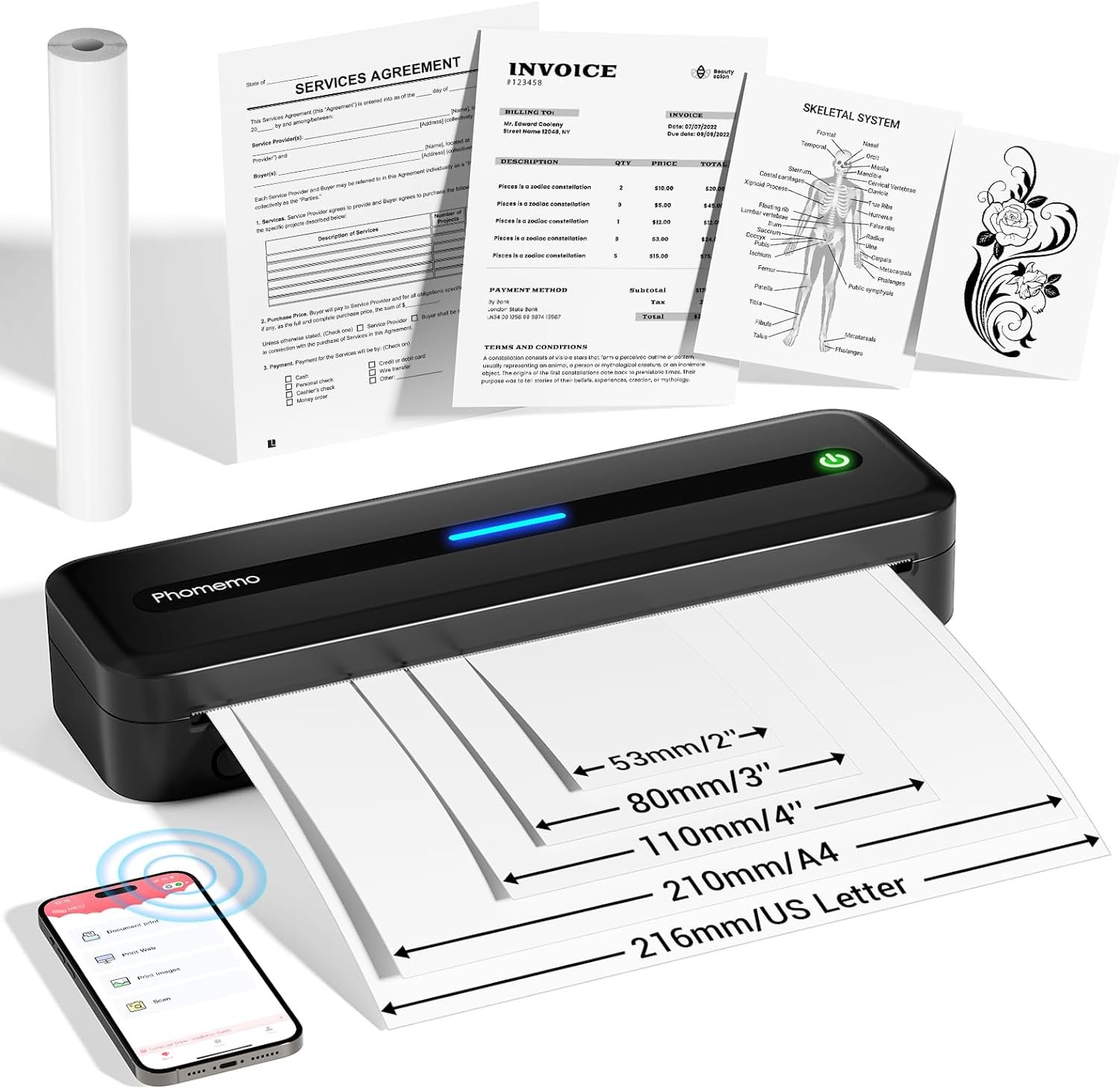
| Media Sizes | 8.5″ x 11″, A4, 4.33″ (110mm), 3.15″ (80mm), 2.08″ (53mm) |
| Connectivity | Bluetooth, USB-C |
| Battery Capacity | 2600 mAh |
| Print Output | Monochrome |
| Warranty | Limited |
| Ink System | Thermal Paper |
| Included Components | 8.5″ x 11″ Thermal Roll Paper, Quick Start Guide, USB-C Cable |
The Phomemo M832 is designed for users who prioritize portability and simplicity. Its compact size and lightweight build make it ideal for travel, while its support for thermal paper eliminates the need for ink or toner. The printer’s 300 DPI resolution ensures clear text output, and its dual connectivity options provide flexibility for different devices. These features collectively position it as a practical solution for scenarios requiring quick, reliable printing without the burden of maintenance.

Portability and Design: A Traveler’s Best Friend
The Phomemo M832’s design is centered around portability, making it a standout choice for users who require printing on the go. Weighing just 1.5 pounds, the printer is small enough to fit in a backpack or briefcase, and its dimensions (10.39″D x 1.77″W x 3.07″H) ensure it occupies minimal space. This compact form factor is particularly advantageous for travelers, business professionals, and students who need to carry printing capabilities without adding bulk to their luggage. The included thermal roll paper bin and storage bag further enhance its convenience, allowing users to print documents, receipts, or notes without carrying additional supplies. The device’s lightweight design also makes it suitable for use in vehicles, such as during long road trips or for truck drivers who need to print manifests or invoices. Its durability, though not explicitly detailed in technical specifications, is inferred from its intended use in mobile environments, suggesting it can withstand the rigors of travel without compromising performance.

Compact Size and Lightweight Construction
The Phomemo M832’s compact size and lightweight construction are its most defining characteristics. At 1.5 pounds, it is significantly lighter than traditional desktop printers, which often weigh several pounds. This makes it easy to transport between locations, whether for a business trip, a school project, or a home office setup. The printer’s dimensions (10.39″D x 1.77″W x 3.07″H) also ensure it fits into standard storage compartments, further enhancing its portability. The lightweight design reduces the physical strain of carrying the device, making it a practical choice for users who need to move it frequently. This aspect is particularly valuable for professionals who travel regularly, as it eliminates the need for a dedicated printer at each location.
Included Components and Accessories
The package includes essential components that support the printer’s portability and ease of use. The 8.5″ x 11″ thermal roll paper is a key component, allowing users to print documents without additional purchases. The flannel storage bag provides protection for the printer during transit, while the quick start guide ensures users can set up and operate the device quickly. The USB-C charging cable is another notable inclusion, as it enables both power and data transfer, reducing the need for multiple accessories. These components collectively streamline the user experience, ensuring the printer is ready for use immediately out of the box.
Versatility in Mobile Environments
The Phomemo M832’s versatility extends beyond its physical design. Its ability to operate in various mobile environments, such as vehicles or remote workspaces, makes it a valuable tool for users with dynamic schedules. The printer’s built-in battery (2600 mAh) allows for up to 150 sheets of printing on a single charge, which is sufficient for short trips or daily use. This eliminates the need for a power outlet, further enhancing its mobility. Additionally, the printer’s compatibility with Bluetooth and USB-C connectivity ensures it can be used with a wide range of devices, from smartphones to laptops, without requiring additional hardware. These features collectively position the Phomemo M832 as a reliable solution for users who need printing capabilities in diverse settings.
Print Quality and Resolution: Clear Text for Professional Use
The Phomemo M832’s print quality is a critical factor in its suitability for professional and personal use. The printer’s 300 DPI resolution ensures that text is printed with sufficient clarity for most applications, such as receipts, invoices, and notes. While it does not support color printing, its monochrome output is optimized for readability, making it ideal for scenarios where black-and-white printing is sufficient. The printer’s resolution is particularly advantageous for users who prioritize text clarity over graphical capabilities, such as students creating study notes or professionals preparing contracts. The use of thermal paper also contributes to the print quality, as it eliminates the need for ink or toner, which can sometimes result in smudges or fading over time. However, the reliance on thermal paper means that users must ensure they have an adequate supply of compatible media to maintain consistent output quality.

300 DPI Resolution for Clear Text Output
The Phomemo M832’s 300 DPI resolution is a key feature that enhances its usability for text-based printing tasks. This level of resolution ensures that printed text is legible and maintains its clarity even when viewed from a distance. The printer’s ability to produce sharp, well-defined characters is particularly beneficial for users who require precise formatting, such as in academic or business settings. The resolution also contributes to the printer’s efficiency, as it minimizes the need for repeated prints or adjustments to achieve the desired output. While this resolution may not be sufficient for high-quality graphics or photographs, it is well-suited for the majority of text-centric printing needs, making it a practical choice for users who prioritize readability over visual complexity.
Monochrome Output and Text Clarity
The Phomemo M832’s monochrome output is tailored for scenarios where black-and-white printing is the primary requirement. The printer’s design ensures that text is printed with consistent density and clarity, which is essential for documents such as contracts, invoices, and receipts. The use of thermal paper also enhances the durability of the printed output, as it is less prone to fading or smudging compared to inkjet or laser prints. However, the lack of color support means that the printer is not suitable for applications requiring color-coded information or visual elements. This limitation is important to consider for users who may need to print materials with additional visual cues, as the printer’s output is strictly limited to monochrome text.
Thermal Paper and Print Durability
The Phomemo M832’s reliance on thermal paper is both a benefit and a constraint. Thermal paper is known for its ability to produce clear, high-contrast prints without the need for ink or toner, which simplifies maintenance and reduces the risk of clogging. However, thermal paper is also more susceptible to fading or discoloration when exposed to heat, light, or chemicals, which could affect the longevity of printed documents. Users must be mindful of the storage conditions for printed materials to ensure they remain legible over time. Despite this limitation, the printer’s use of thermal paper contributes to its overall efficiency and ease of use, making it a practical choice for users who prioritize simplicity and reliability.
Connectivity and Compatibility: Seamless Integration with Devices
The Phomemo M832’s connectivity options are designed to ensure seamless integration with a wide range of devices, making it a versatile choice for users with varying technological needs. The printer supports Bluetooth connectivity, allowing for wireless printing from smartphones, tablets, and laptops without the need for additional hardware. This feature is particularly beneficial for users who prefer a clutter-free workspace or require printing capabilities while on the move. Additionally, the printer’s USB-C port provides a direct connection for data transfer and charging, offering an alternative for users who prefer a wired connection. The combination of Bluetooth and USB-C compatibility ensures that the Phomemo M832 can be used with a broad spectrum of devices, from modern smartphones to older laptops, without requiring significant configuration or additional accessories.

Bluetooth Connectivity for Wireless Printing
The Phomemo M832’s Bluetooth connectivity enables users to print documents wirelessly from their smartphones, tablets, and laptops. This feature is particularly advantageous for users who need to print on the go without the hassle of cables or additional hardware. The printer’s ability to pair with Bluetooth-enabled devices ensures that printing tasks can be initiated with minimal effort, making it an ideal choice for environments where mobility is a priority. However, the reliance on Bluetooth connectivity means that users must ensure their devices are within range and have a stable connection to avoid print interruptions. This limitation is inherent to wireless printing technologies and is a common consideration for users who prioritize convenience over the reliability of wired connections.
USB-C Port for Direct Data Transfer and Charging
In addition to Bluetooth, the Phomemo M832 includes a USB-C port that allows for direct data transfer and charging. This dual functionality provides users with flexibility in how they interact with the printer, as they can either connect their devices for printing or charge the printer’s built-in battery. The USB-C port is particularly useful for users who prefer a wired connection for faster data transfer or require a reliable power source for extended use. However, the reliance on a USB-C cable may be a drawback for users who do not have access to compatible cables or prefer a more streamlined setup. Despite this limitation, the USB-C port enhances the printer’s versatility, making it suitable for a wide range of use cases.
Compatibility with Multiple Devices
The Phomemo M832’s compatibility with a variety of devices ensures that it can be integrated into different workflows without significant adjustments. The printer supports printing from smartphones, tablets, and laptops, which are commonly used for document creation and management. This compatibility is further enhanced by its ability to handle different file types, such as PDFs, Word documents, and images, without requiring additional software or drivers. While the printer does not support advanced printing features such as duplex printing or color output, its ability to work seamlessly with a range of devices makes it a practical choice for users who prioritize simplicity and ease of use.
Battery Life and Power Efficiency: Long-Lasting Performance on the Go
The Phomemo M832’s battery life and power efficiency are critical factors for users who require printing capabilities without access to a power outlet. The printer is equipped with a 2600 mAh rechargeable battery, which provides up to 150 sheets of printing on a single charge. This capacity ensures that the device can be used for extended periods without the need for frequent recharging, making it ideal for travel, fieldwork, or remote environments. The battery’s efficiency is further enhanced by the printer’s low power consumption, which is typical of thermal printing technology. However, the reliance on thermal paper and the printer’s monochrome output may impact the overall power efficiency, as these factors influence the energy required to produce each print.

2600 mAh Battery for Extended Use
The Phomemo M832’s 2600 mAh battery is designed to provide long-lasting performance for users who need to print on the go. With a full charge, the printer can print up to 150 sheets, which is sufficient for most short-term printing tasks. This battery capacity is particularly beneficial for users who travel frequently or work in environments where access to a power source is limited. The printer’s ability to operate on a single charge reduces the need for frequent recharging, making it a practical choice for users who prioritize mobility and convenience. However, the battery life may be affected by factors such as the frequency of use and the type of media being printed, which users should consider when planning for extended use.
Power Efficiency and Thermal Printing Technology
The Phomemo M832’s power efficiency is largely attributed to its use of thermal printing technology, which is known for its energy efficiency compared to inkjet or laser printers. Thermal printing requires less power to produce prints, as it relies on heat to create images on thermal paper rather than ink or toner. This efficiency is further enhanced by the printer’s low power consumption, which is optimized for portable devices. However, the reliance on thermal paper and the printer’s monochrome output may slightly impact the overall power efficiency, as these factors influence the energy required to produce each print. Despite this, the printer’s energy-efficient design makes it a suitable choice for users who prioritize both performance and power conservation.
Charging Considerations and Battery Maintenance
The Phomemo M832’s charging requirements are straightforward, with the device needing a 5V 2A power source to maintain optimal performance. Users should avoid using chargers with output above 5V, as this could potentially damage the battery or reduce its lifespan. The printer’s battery is designed for repeated use, but proper maintenance is essential to ensure it retains its full capacity over time. Users should also be mindful of the storage conditions for the printer when it is not in use, as extreme temperatures or humidity could affect battery performance. These considerations ensure that the printer remains reliable and efficient for extended periods, making it a practical choice for users who rely on its portability and power efficiency.

Pros and Cons
Pros
- Portability and Lightweight Design: The Phomemo M832’s compact size and lightweight construction make it ideal for travel, fitting easily into backpacks or briefcases. This design is particularly beneficial for users who need to carry printing capabilities without adding bulk to their luggage.
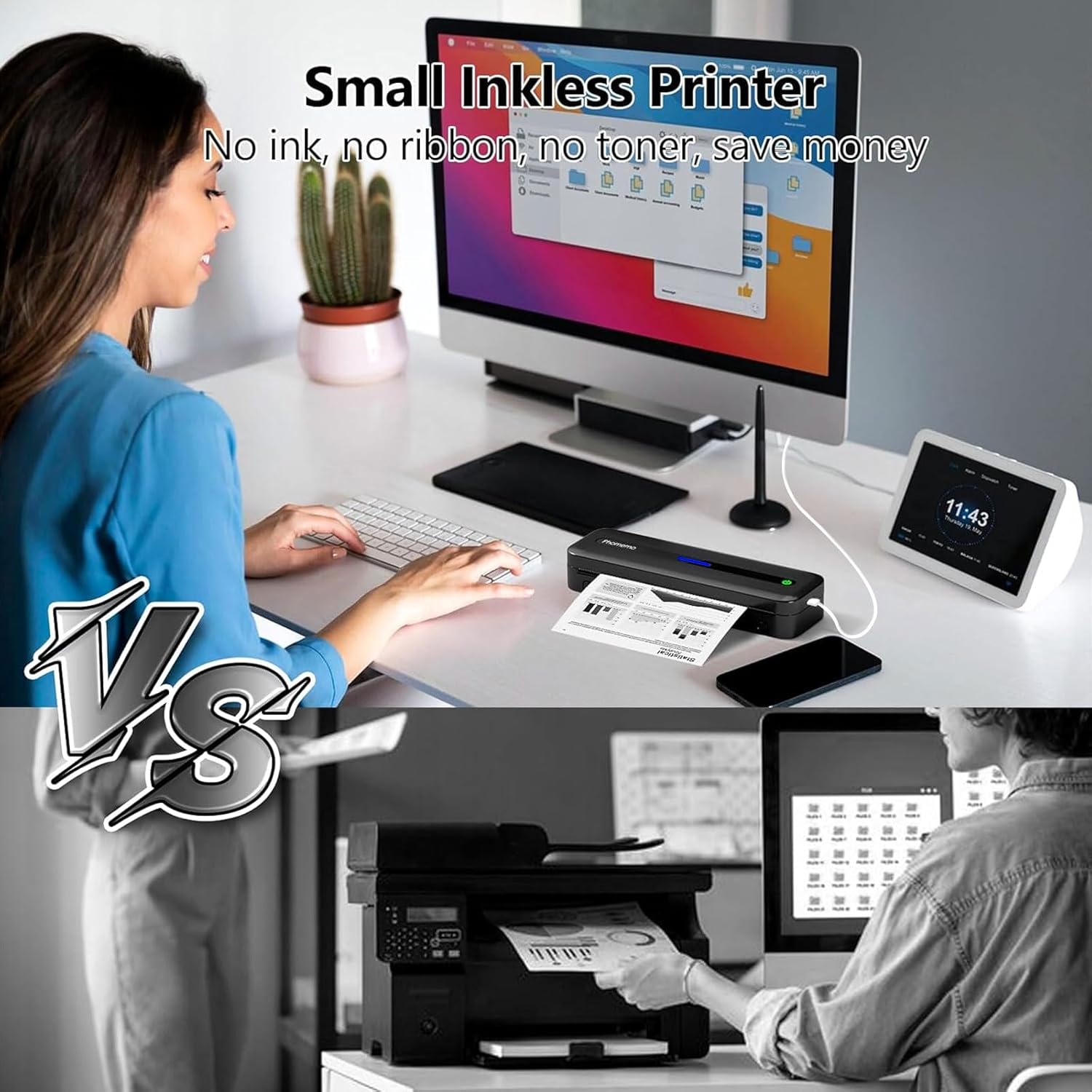
- Inkless and Maintenance-Free Operation: The printer’s use of thermal paper eliminates the need for ink or toner, reducing the risk of clogging and the associated maintenance requirements. This makes it a practical choice for users who prioritize simplicity and reliability.
- High-Resolution Monochrome Printing: The 300 DPI resolution ensures that text is printed with sufficient clarity for most applications, such as receipts, invoices, and notes. This level of resolution is well-suited for text-centric printing tasks.
- Dual Connectivity Options: The printer supports both Bluetooth and USB-C connectivity, providing flexibility for users who prefer wireless printing or a direct wired connection. This compatibility ensures seamless integration with a wide range of devices.
- Long Battery Life: The 2600 mAh battery provides up to 150 sheets of printing on a single charge, making it suitable for extended use without frequent recharging. This is particularly advantageous for users who require printing capabilities in environments without access to a power outlet.
- Compatibility with Multiple Devices: The printer’s ability to work with smartphones, tablets, and laptops ensures it can be integrated into various workflows without significant adjustments. This compatibility enhances its versatility for different use cases.
Cons
- Limited Color Printing Support: The Phomemo M832 is designed for monochrome output only, which may be a limitation for users who require color-coded information or visual elements in their printed materials.
- Thermal Paper Dependency: The printer’s reliance on thermal paper means users must ensure they have an adequate supply of compatible media. This could be a drawback for users who prefer the flexibility of inkjet or laser printing.
- Single-Sided Printing Only: The printer does not support duplex printing, which may affect the efficiency of printing tasks that require double-sided output. This limitation could be a consideration for users who need to print large volumes of documents.
- Battery Life Constraints: While the 2600 mAh battery provides up to 150 sheets of printing, the actual battery life may vary depending on usage patterns and environmental factors. Users should be mindful of these constraints when planning for extended use.
- Limited Media Compatibility: The printer’s support for thermal paper may restrict its use for certain media types, such as glossy or thick paper. This could be a drawback for users who require printing on a variety of paper formats.
Final Verdict: Who This Printer Is Best For (and Who Should Skip It)
The Phomemo M832 portable thermal printer is an excellent choice for users who prioritize portability, simplicity, and reliability in their printing needs. Its compact design and lightweight construction make it ideal for travelers, students, and professionals who require printing capabilities on the go. The printer’s inkless operation and high-resolution monochrome output are particularly advantageous for scenarios where black-and-white printing is sufficient, such as creating receipts, invoices, or study notes. The dual connectivity options and long battery life further enhance its versatility, making it a practical solution for users who need to print without access to a power source.
However, the Phomemo M832 may not be suitable for users who require color printing or have complex printing needs. The printer’s reliance on thermal paper and its lack of support for duplex printing could be limiting factors for those who need to print on a variety of media types or require double-sided output. Additionally, the limited media compatibility and battery life constraints may affect its suitability for high-volume printing tasks. For users who prioritize advanced printing features or have specific requirements beyond monochrome text printing, alternative solutions such as inkjet or laser printers may be more appropriate. Overall, the Phomemo M832 is a reliable and efficient choice for users who value portability and simplicity in their printing workflows.
Frequently Asked Questions (FAQs)
Is the Phomemo M832 suitable for printing receipts and invoices?
Yes, the Phomemo M832 is well-suited for printing receipts and invoices. Its 300 DPI resolution ensures clear text output, and the use of thermal paper provides a professional appearance. The printer’s compact design and wireless connectivity make it ideal for on-the-go printing needs.
Can the Phomemo M832 print on different paper sizes?
The Phomemo M832 supports multiple paper sizes, including 8.5″ x 11″, A4, 4.33″ (110mm), 3.15″ (80mm), and 2.08″ (53mm). This versatility allows users to adapt the printer to various printing tasks, from small labels to standard-sized documents.
How long does the Phomemo M832 battery last?
The Phomemo M832’s 2600 mAh battery provides up to 150 sheets of printing on a single charge. This battery life is ideal for short trips or daily use without access to a power outlet, though actual performance may vary based on usage patterns.
Does the Phomemo M832 support color printing?
No, the Phomemo M832 is designed for monochrome printing only. It does not support color output, making it best suited for text-based documents rather than color-coded or graphical materials.
What connectivity options does the Phomemo M832 offer?
The Phomemo M832 supports both Bluetooth and USB-C connectivity. Bluetooth allows for wireless printing from smartphones and tablets, while USB-C provides a direct connection for data transfer and charging.
Is thermal paper required for the Phomemo M832?
Yes, the Phomemo M832 requires thermal paper for printing. This eliminates the need for ink or toner, but users must ensure they have an adequate supply of compatible media to maintain consistent output quality.
Can the Phomemo M832 print on both sides of the paper?
No, the Phomemo M832 only supports single-sided printing. This means users cannot print on both sides of a sheet, which may affect the efficiency of printing tasks that require double-sided output.
What are the limitations of using thermal paper with the Phomemo M832?
Thermal paper is more susceptible to fading or discoloration when exposed to heat, light, or chemicals. Users must store printed documents in suitable conditions to maintain their legibility over time, which could be a drawback for those requiring long-term document preservation.