
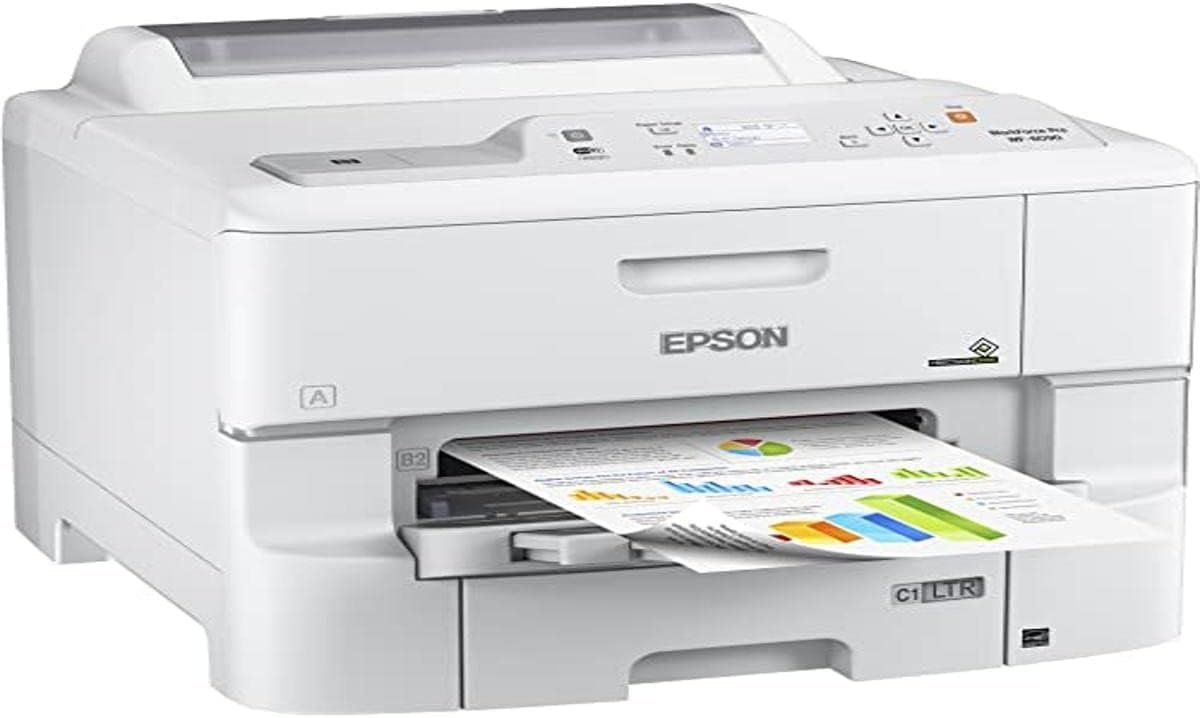
The Importance of Choosing the Right Printer
In today’s fast-paced environments, selecting the right printer is critical for maintaining productivity and meeting output demands. Whether for home use, small business operations, or office settings, the choice of printer technology, performance, and features can significantly impact workflow efficiency. Printers must balance speed, print quality, and reliability to accommodate varying workloads, from simple document printing to high-volume tasks. For users requiring color output, the ability to produce sharp text and vibrant graphics is essential. Additionally, connectivity options, media compatibility, and long-term maintenance considerations play a pivotal role in decision-making. This review evaluates the Epson Workforce Pro WF-6090, a color inkjet printer designed for workgroup environments, to determine its suitability for diverse printing needs. By analyzing technical specifications, supported media types, and operational efficiency, this assessment provides insights into its performance in 2026.
Quick Overview
| Feature | Details |
|---|---|
| Printer Type | Color Inkjet Printer |
| Print Technology | PrecisionCore Print Head |
| Print Resolution | 4800 x 1200 dpi |
| Print Speed | 34 ppm Color / 24 ppm Monochrome (ISO) |
| Media Support | Glossy photo paper, plain paper, letter/legal sizes |
| Connectivity | Ethernet, Wireless LAN, USB |
| Duplex Printing | Automatic |
| Duty Cycle | 75,000 pages per month |
| Ink System | High-yield cartridges (up to 7,000 pages) |
| Warranty | 90-day limited warranty |
| Dimensions | 18.7 x 29.8 x 21.3 inches |
| Weight | 50.7 pounds |
The Epson Workforce Pro WF-6090 combines high-speed printing with advanced connectivity options, making it suitable for office environments. Its automatic duplexing and support for multiple media types enhance productivity while minimizing paper waste. The printer’s design and technical specifications cater to users requiring reliable, cost-effective color printing for both routine and specialized tasks.
Print Quality and Resolution Performance
The Epson Workforce Pro WF-6090 delivers high-resolution output, with a print resolution of 4800 x 1200 dpi. This specification ensures sharp text and detailed graphics, making it suitable for professional documents, marketing materials, and photo prints. The printer’s PrecisionCore print head technology enables precise ink placement, reducing banding and ensuring consistent color reproduction. For users prioritizing print quality, the WF-6090’s resolution meets industry benchmarks for color inkjet printers. However, its performance may not rival laser printers in high-volume, high-precision applications. The supported media types, including glossy photo paper and plain paper, allow flexibility in output, though users should note that photo quality may vary based on paper type and calibration settings.
Color Accuracy and Output Consistency
The WF-6090’s color output is influenced by its ink formulation and print head calibration. While it offers a wide color gamut for standard printing tasks, its ability to produce consistent results across different media types may require manual adjustments. The printer’s built-in color management tools help optimize output, but users should expect minor variations when switching between glossy and matte paper. For office environments requiring accurate color reproduction, the WF-6090 provides a reliable solution, though its performance in professional photography or graphic design workflows may be limited by its inkjet technology.
Text Clarity and Graphic Detail
The printer’s 4800 x 1200 dpi resolution ensures crisp text and fine details in graphics, making it well-suited for reports, presentations, and marketing materials. Its ability to handle both text and images without visible artifacts is a key advantage for users needing versatility. However, the printer’s performance with complex vector graphics or high-resolution images may depend on the software used for printing. The WF-6090’s print head technology minimizes dot misalignment, contributing to clean, professional-looking output. Users should note that print quality can degrade with prolonged use without maintenance, though the printer’s design includes features to mitigate this.
Print Speed and Workload Capacity
The Epson Workforce Pro WF-6090 is engineered for workgroup environments, offering print speeds of 34 ppm color and 24 ppm monochrome (ISO) for standard paper sizes. These speeds are competitive with mid-range color printers, though they fall short of high-speed laser printers in high-volume scenarios. The printer’s duty cycle of 75,000 pages per month indicates it is designed for moderate to heavy workloads, making it suitable for small to medium-sized offices. Its automatic duplex printing feature reduces paper consumption and enhances productivity, though users should consider the time required for duplexing in high-speed tasks. For environments requiring continuous, high-speed printing, the WF-6090 may not match the throughput of dedicated laser printers, but its cost-effectiveness and reliability make it a viable option for many users.
Throughput and Queue Management
The WF-6090’s print speed is optimized for standard letter/legal sizes, though its performance with larger or specialty media may vary. The printer’s internal memory and processing capabilities allow it to handle multiple print jobs simultaneously, reducing wait times for users. However, its throughput may be affected by the complexity of the documents being printed, with high-resolution images or large PDF files requiring additional processing time. The printer’s Ethernet and wireless connectivity options enable seamless integration into office networks, though users should ensure their network infrastructure supports the required data transfer rates for optimal performance.
Scalability for Workload Variations
The WF-6090’s design accommodates varying print volumes, with its 580-sheet input tray and 1580-sheet maximum paper capacity supporting extended printing sessions. The printer’s ability to handle both single-page prints and large batches makes it adaptable to different workflows. However, users with extremely high print volumes may find the WF-6090’s speed and capacity limitations restrictive compared to industrial-grade printers. Its 75,000-page monthly duty cycle suggests it is well-suited for environments with consistent, moderate usage, though it may not meet the demands of high-volume, 24/7 operations.
Connectivity and Device Compatibility
The Epson Workforce Pro WF-6090 offers multiple connectivity options, including Ethernet, wireless LAN, and USB, ensuring compatibility with a wide range of devices. Its support for PCL/Postscript protocols makes it suitable for integration into existing office systems, though users should verify that their software is compatible with these standards. The printer’s wireless capabilities allow for flexible setup, though network stability and security are critical factors for remote printing. The inclusion of an Ethernet port ensures reliable connectivity for local networks, while the USB interface provides a straightforward solution for direct printing. For users requiring advanced network management features, the WF-6090 may lack some of the capabilities found in more specialized printers.
Cross-Platform Support and Software Integration
The WF-6090 is designed to work with both Windows and macOS systems, with Epson’s printer drivers and software providing seamless integration. Its support for PCL/Postscript protocols ensures compatibility with older systems and applications that rely on these standards. However, users may need to configure additional settings for optimal performance, particularly when using third-party software or cloud-based printing services. The printer’s built-in control methods, such as the Epson Print App, enhance user convenience but may require periodic updates to maintain compatibility with evolving operating systems and software environments.
Network and Security Considerations
The WF-6090’s wireless connectivity options provide flexibility for remote printing, though users should implement strong network security measures to prevent unauthorized access. Its Ethernet port ensures stable local network performance, making it suitable for environments where wired connections are preferred. The printer’s design does not include advanced security features such as encryption or user authentication, which may be a concern for organizations with strict data protection requirements. Users should ensure their network infrastructure includes these safeguards to protect sensitive print jobs.
Pros & Cons
Pros
- High Print Resolution: The 4800 x 1200 dpi resolution ensures sharp text and detailed graphics, suitable for professional documents and marketing materials.
- Automatic Duplex Printing: Reduces paper waste and enhances productivity for office environments.
- Multiple Connectivity Options: Ethernet, wireless LAN, and USB provide flexibility for different network setups.
- High-Yield Ink Cartridges: Up to 7,000 pages per cartridge reduce long-term printing costs.
- Compatibility with Standard Media: Supports glossy photo paper, plain paper, and various letter/legal sizes.
- Reliable Duty Cycle: 75,000 pages per month indicate suitability for moderate to heavy workloads.
- PCL/Postscript Support: Ensures compatibility with older systems and applications requiring these protocols.
Cons
- Limited High-Speed Laser Performance: Print speeds may not match dedicated laser printers for high-volume tasks.
- Print Quality Variability: Output consistency may require manual calibration when switching media types.
- Connectivity Limitations: Lacks advanced security features for networked environments.
- Specialty Media Constraints: Photo quality may vary with different paper types and requires careful calibration.
- Duty Cycle Limitations: May not meet the demands of 24/7 high-volume operations.
- Software Configuration Needs: Additional setup may be required for optimal cross-platform compatibility.
Final Verdict: Who This Printer Is Best For (and Who Should Skip It)
The Epson Workforce Pro WF-6090 is an excellent choice for small to medium-sized offices requiring reliable, cost-effective color printing. Its high-resolution output, automatic duplexing, and multiple connectivity options make it suitable for environments where versatility and productivity are key. The printer’s high-yield ink cartridges and support for standard media types further enhance its value for routine printing tasks. However, users with extremely high print volumes or those requiring precise color reproduction in professional photography or graphic design workflows may find the WF-6090’s capabilities limited. Its performance in high-speed, high-precision applications may not match dedicated laser printers or industrial-grade models. For users prioritizing affordability, flexibility, and moderate workload capacity, the WF-6090 offers a balanced solution. Those needing advanced security features, specialized media support, or 24/7 high-volume printing should consider alternative options.
Frequently Asked Questions (FAQs)
What print resolution does the Epson Workforce Pro WF-6090 offer?
The WF-6090 provides a print resolution of 4800 x 1200 dpi, ensuring sharp text and detailed graphics for professional documents and marketing materials.
How does the WF-6090 handle color output?
The printer uses PrecisionCore print head technology for precise ink placement, offering a wide color gamut. However, color consistency may vary with different media types and requires calibration for optimal results.
What connectivity options are available for the WF-6090?
The printer supports Ethernet, wireless LAN, and USB connectivity, allowing flexibility for different network setups and device compatibility.
Can the WF-6090 handle large print volumes?
The WF-6090 is designed for moderate to heavy workloads with a 75,000-page monthly duty cycle. However, it may not meet the demands of 24/7 high-volume operations compared to industrial-grade printers.
What media types are supported by the WF-6090?
The printer supports glossy photo paper, plain paper, and various letter/legal sizes. Photo quality may vary depending on paper type and calibration settings.
How long do the ink cartridges last?
High-yield ink cartridges can print up to 7,000 pages before replacement, reducing long-term printing costs and maintenance frequency.
Is the WF-6090 suitable for office environments?
Yes, the WF-6090’s automatic duplex printing, high-speed output, and connectivity options make it well-suited for small to medium-sized offices requiring reliable, cost-effective color printing.
What are the limitations of the WF-6090?
The printer may not match dedicated laser printers in high-speed, high-precision tasks. It also lacks advanced security features for networked environments and may require manual calibration for consistent color output.