
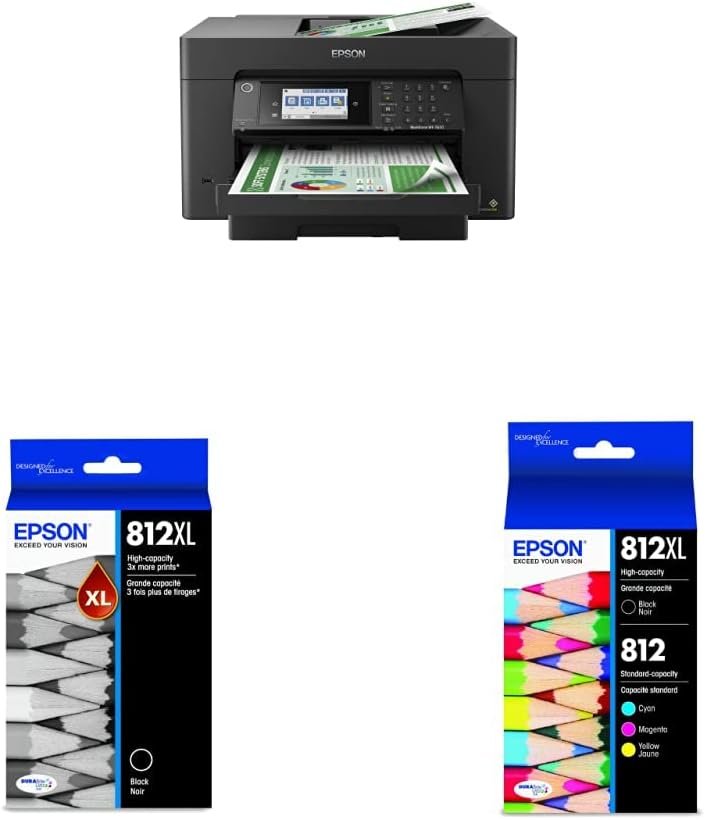
The Importance of Choosing the Right Printer for Your Workflow
In today’s fast-paced business environment, the choice of a printer can significantly impact productivity and operational efficiency. Whether you’re managing a small office, running a creative studio, or handling large-scale print projects, the right printer must align with your specific workflow demands. Wide-format printers like the Epson Workforce Pro WF-7820 are designed for users who require high-quality, high-speed output for tasks such as graphic design, architectural drafting, and marketing materials. These printers often serve as the backbone of professional workflows, where precision, speed, and reliability are critical. However, selecting the ideal printer involves evaluating factors such as print resolution, media compatibility, connectivity options, and ongoing maintenance requirements. This review provides an in-depth analysis of the Epson WF-7820, focusing on its technical specifications, performance benchmarks, and suitability for various use cases. By understanding the printer’s capabilities and limitations, users can make an informed decision that matches their operational needs.
Quick Overview
| Feature | Details |
|---|---|
| Printer Type | Wireless All-in-One Wide-Format Inkjet Printer |
| Printing Technology | PrecisionCore Heat-Free Inkjet Technology |
| Supported Functions | Print, Scan, Copy, Fax, Duplex Printing |
| Print Resolution | Up to 5760 x 1440 dpi (color), 2880 x 1440 dpi (black) |
| Print Speed | 25 black/12 color ISO ppm, fast first-page-out |
| Maximum Media Size | 13 x 19 inches (A3) |
| Supported Media Types | Paper (plain), glossy, matte, and specialty media |
| Connectivity | Wi-Fi, Wi-Fi Direct, Amazon Alexa integration |
| Duty Cycle | Designed for high-volume, continuous use |
| Ink System | DURABrite Ultra Pigment Ink, High-Capacity Cartridges |
| Paper Capacity | 250-sheet tray, 50-sheet ADF |
| Warranty | Limited warranty for hardware and components |
The Epson WF-7820 is engineered for users requiring high-speed, high-quality wide-format printing. Its combination of PrecisionCore technology and DURABrite Ultra inks ensures professional-grade output, while the integrated ADF and wireless connectivity streamline workflow efficiency. The printer’s robust design and support for large media sizes make it suitable for a variety of professional and creative applications.

Print Quality and Precision
The Epson Workforce Pro WF-7820 leverages PrecisionCore Heat-Free Technology to deliver exceptional print quality and precision. This advanced print engine eliminates the need for traditional heating elements, reducing energy consumption while maintaining high-resolution output. The printer’s ability to produce up to 5760 x 1440 dpi color and 2880 x 1440 dpi black resolution ensures sharp text, vibrant colors, and fine detail reproduction, making it ideal for graphic design, photo printing, and technical documentation. The DURABrite Ultra pigment inks are formulated for fast-drying performance, minimizing smudging and ensuring consistent color accuracy across different media types. This is particularly beneficial for users who require high-quality prints on glossy or textured surfaces.

DURABrite Ultra Ink Performance
The DURABrite Ultra ink system is designed for high-volume printing applications, offering superior color vibrancy and long-term durability. These inks are engineered to resist fading and water damage, making them suitable for both indoor and outdoor use. The high-capacity T812XL120-S black cartridge provides extended print runs, reducing the frequency of cartridge replacements and lowering overall maintenance costs. However, users should note that the printer’s performance is optimized for Epson-branded inks, and using non-genuine alternatives may compromise print quality and reliability.
Media Compatibility and Output Consistency
The WF-7820 supports a wide range of media types, including standard paper, glossy photo paper, and specialty materials such as vinyl and banner media. This versatility allows users to adapt the printer to various projects without the need for additional equipment. The printer’s ability to maintain consistent output across different media types is attributed to its advanced ink formulation and precise print engine calibration. However, users may need to adjust print settings for optimal results when switching between media types, particularly for high-contrast or metallic finishes.
Print Speed and Workload Capacity
The Epson WF-7820 is designed for high-volume printing environments, with a rated speed of 25 black/12 color ISO ppm. This print speed is suitable for tasks such as producing large-format banners, architectural blueprints, and marketing materials. The printer’s fast first-page-out feature ensures minimal downtime, allowing users to start printing quickly after setup. The 250-sheet paper tray and 50-sheet ADF provide ample capacity for continuous use, reducing the need for frequent paper reloading. However, users should be aware that print speeds may vary depending on the complexity of the document and the type of media being used.

Duty Cycle and Continuous Operation
The WF-7820 is built for continuous operation, with a duty cycle that supports high-volume printing without significant wear on internal components. The printer’s design incorporates durable materials and robust engineering to withstand prolonged use, making it suitable for environments with frequent print jobs. The integrated ADF further enhances productivity by automating the scanning and copying of multi-page documents. However, users should avoid overloading the printer with excessive media or incompatible materials, as this could impact performance and longevity.
Scalability for Large Projects
For users requiring high-speed printing on a large scale, the WF-7820 offers a scalable solution that can handle complex projects without compromising quality. The printer’s ability to maintain consistent output across different media types and its support for wide-format sizes make it a versatile choice for creative professionals and small businesses. However, for extremely high-volume applications, users may need to consider additional print stations or specialized equipment to meet production demands.
Connectivity and Workflow Integration
The Epson WF-7820 is equipped with advanced connectivity options that enhance workflow integration and user convenience. The printer supports Wi-Fi and Wi-Fi Direct, allowing seamless printing from mobile devices and computers without the need for physical cables. The integration with Amazon Alexa enables voice-activated printing, streamlining tasks for users who manage multiple devices. Additionally, the printer’s intuitive 4.3-inch touchscreen interface provides easy access to settings, print options, and status updates, reducing the learning curve for new users.

Wireless Setup and Compatibility
Setting up the WF-7820 for wireless printing is straightforward, with the Epson Smart Panel app guiding users through the configuration process. The printer’s compatibility with a wide range of devices ensures that users can print from smartphones, tablets, and computers without additional hardware. However, users should ensure that their network environment is stable and secure, as wireless connectivity can be affected by interference or signal strength. The printer’s reliance on an internet connection for certain features, such as cloud printing and remote access, may also impact usability in areas with limited connectivity.
Multi-Device Support and Remote Access
The WF-7820’s support for multi-device printing and remote access makes it an attractive option for distributed teams or remote work environments. Users can access the printer’s features through the Epson Connect app, allowing them to monitor print queues, manage tasks, and troubleshoot issues from anywhere. However, the printer’s performance in these scenarios depends on the stability of the user’s internet connection and the compatibility of their devices with the Epson ecosystem.
Ongoing Maintenance and Consumable Costs
Maintaining the Epson WF-7820 requires regular attention to consumables and routine maintenance tasks. The printer’s use of high-capacity ink cartridges, such as the T812XL120-S, reduces the frequency of replacements and lowers long-term costs. However, users should be prepared for the initial investment in genuine Epson inks, as non-genuine alternatives may not provide the same level of performance or reliability. The printer’s built-in maintenance routines, such as printhead cleaning and alignment, help ensure consistent print quality over time.

Ink Management and Cost Efficiency
The WF-7820’s ink management system is designed to optimize print efficiency and minimize waste. The high-capacity cartridges provide extended print runs, which is beneficial for users with frequent printing needs. However, the cost of replacement cartridges can add up over time, making it essential for users to plan for ongoing expenses. The printer’s ability to maintain consistent output with minimal maintenance reduces the need for frequent service calls, contributing to long-term cost savings.
Routine Maintenance and Reliability
Regular maintenance tasks, such as cleaning the printhead and checking for paper jams, are necessary to keep the WF-7820 operating at peak performance. The printer’s design includes features that simplify these tasks, such as an accessible ink system and a user-friendly interface. However, users should be aware that neglecting maintenance can lead to issues such as clogged nozzles or misalignment, which may affect print quality. The printer’s reliability is further supported by its limited warranty, which covers hardware components and ensures peace of mind for long-term use.

Pros & Cons
Pros
- High-Speed Wide-Format Printing: The WF-7820’s 25 black/12 color ISO ppm speed is ideal for large-scale projects, ensuring quick turnaround times for complex print jobs.
- PrecisionCore Heat-Free Technology: This advanced print engine delivers exceptional print quality without the need for heating elements, reducing energy consumption and maintenance.
- Versatile Media Compatibility: The printer supports a wide range of media types, including glossy, matte, and specialty materials, making it suitable for diverse printing needs.
- Integrated ADF and Paper Capacity: The 50-sheet ADF and 250-sheet tray provide efficient handling of multi-page documents, enhancing productivity for high-volume tasks.
- Wireless Connectivity and Alexa Integration: The printer’s support for Wi-Fi, Wi-Fi Direct, and Amazon Alexa integration streamlines workflow and improves user convenience.
- Durable Design for Continuous Use: The WF-7820 is built for high-duty cycle environments, ensuring reliable performance even with prolonged use.
Cons
- High Ink Costs: The use of genuine Epson inks, while ensuring optimal performance, may result in higher long-term costs compared to third-party alternatives.
- Complex Setup Requirements: While the wireless setup is straightforward, users may encounter challenges with network configuration or compatibility issues with certain devices.
- Limited Mobile App Features: The Epson Smart Panel app provides basic functionality, and advanced features may require additional software or a stable internet connection.
- Media-Specific Print Settings: Users may need to adjust print settings for different media types, which can add time to the printing process.
- Dependence on Internet Connectivity: Certain features, such as cloud printing and remote access, require a stable internet connection, which may not be available in all environments.
Final Verdict: Who This Printer Is Best For (and Who Should Skip It)
The Epson Workforce Pro WF-7820 is an excellent choice for small businesses, creative professionals, and office environments that require high-speed, high-quality wide-format printing. Its combination of PrecisionCore technology, versatile media support, and wireless connectivity makes it well-suited for tasks such as producing architectural drawings, marketing materials, and large-format photos. The printer’s durable design and high-duty cycle capabilities ensure reliable performance in environments with frequent print jobs. However, the WF-7820 may not be the best fit for users who prioritize cost efficiency over print quality, as the use of genuine inks can increase long-term expenses. Additionally, users in areas with limited internet connectivity may find certain features, such as remote access, less useful. For those requiring extremely high-volume printing or laser-based solutions, alternative printers may offer better performance and cost savings.
Frequently Asked Questions (FAQs)
What is the print resolution of the Epson Workforce Pro WF-7820?
The Epson WF-7820 offers print resolutions of up to 5760 x 1440 dpi for color and 2880 x 1440 dpi for black, ensuring sharp text and vibrant color reproduction on a wide range of media types.
How does the WF-7820 handle large-format printing?
The WF-7820 is designed for high-speed, high-quality wide-format printing up to 13 x 19 inches. Its PrecisionCore Heat-Free Technology and DURABrite Ultra inks ensure consistent output and durability for large-scale projects.
Can the WF-7820 print on specialty media?
Yes, the WF-7820 supports a variety of media types, including glossy, matte, and specialty materials such as vinyl and banner media, making it suitable for diverse printing needs.
What connectivity options are available for the WF-7820?
The WF-7820 supports Wi-Fi, Wi-Fi Direct, and Amazon Alexa integration, allowing seamless printing from mobile devices and computers without the need for physical cables.
How long does it take to print a page on the WF-7820?
The WF-7820 delivers fast first-page-out and a rated speed of 25 black/12 color ISO ppm, ensuring quick turnaround times for complex print jobs.
What are the maintenance requirements for the WF-7820?
Regular maintenance tasks such as printhead cleaning and alignment are necessary to maintain consistent print quality. The printer’s design simplifies these tasks, reducing the need for frequent service calls.
Is the WF-7820 suitable for high-volume printing?
The WF-7820 is built for high-duty cycle environments, with a robust design that supports continuous operation and high-volume printing without significant wear on internal components.
What ink cartridges are compatible with the WF-7820?
The WF-7820 is designed to use only genuine Epson-branded cartridges, including the T812XL120-S high-capacity black ink cartridge, ensuring optimal performance and reliability.